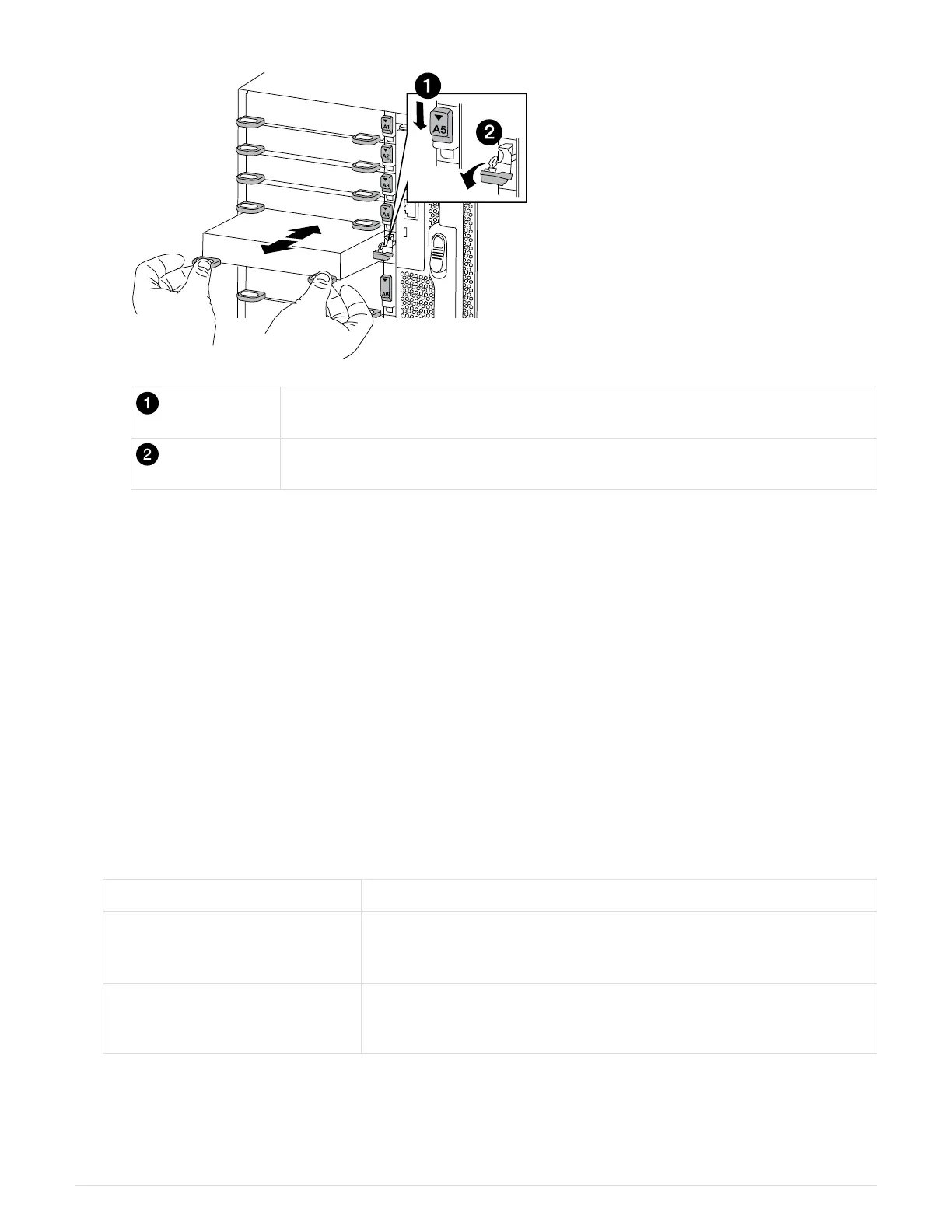
Lettered and numbered I/O cam latch
I/O cam latch completely unlocked
6. Install the I/O module into the target slot:
a. Align the I/O module with the edges of the slot.
b. Slide the I/O module into the slot until the lettered and numbered I/O cam latch begins to engage with
the I/O cam pin.
c. Push the I/O cam latch all the way up to lock the module in place.
7. Repeat the remove and install steps to replace additional modules for controller A.
8. If the replacement I/O module is a NIC, cable the module or modules to the data switches.
9. Reboot the node from the LOADER prompt: bye
10.
Give back the node from the partner node.
storage failover giveback -ofnode
target_node_name
11.
Enable automatic giveback if it was disabled:
storage failover modify -node local -auto
-giveback true
12. If you added:
If I/O module is a… Then…
NIC module in slots 3 or 7,
Use the storage port modify -node *<node name> -port
*<port name> -mode network
command for each port.
Storage module
Install and cable your SAS shelves, as described in
Hot-adding a SAS shelf.
13. Repeat these steps for controller B.
703



 To Next Page