<div class="aspect-ratio"><iframe frameborder="1" height="400"
scrolling="auto"
src="https://netapp.hosted.panopto.com/Panopto/Pages/embed.aspx?id=5e029
a19-8acc-4fa1-be5d-ae78004b365a" width="711"> </iframe></div>
Animation - Remove controller module
A1
B1
A2
A3
A4
A5
A6
A7
A8
A9
A10
A11
A
B
2
1
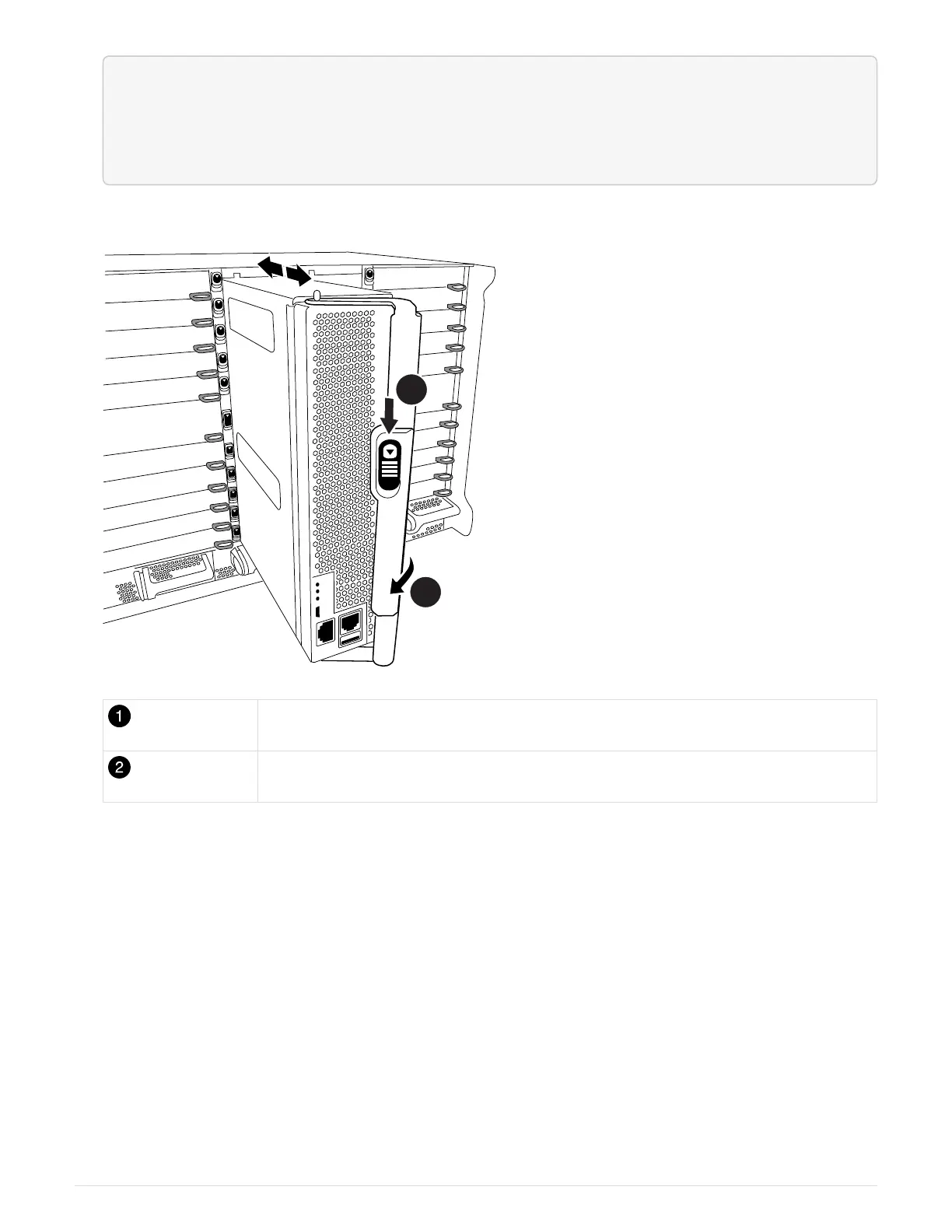
Cam handle release button
Cam handle
4. Rotate the cam handle so that it completely disengages the controller module from the chassis, and then
slide the controller module out of the chassis.
Make sure that you support the bottom of the controller module as you slide it out of the chassis.
5. Place the controller module lid-side up on a stable, flat surface, press the blue button on the cover, slide
the cover to the back of the controller module, and then swing the cover up and lift it off of the controller
module.
738



 To Next Page