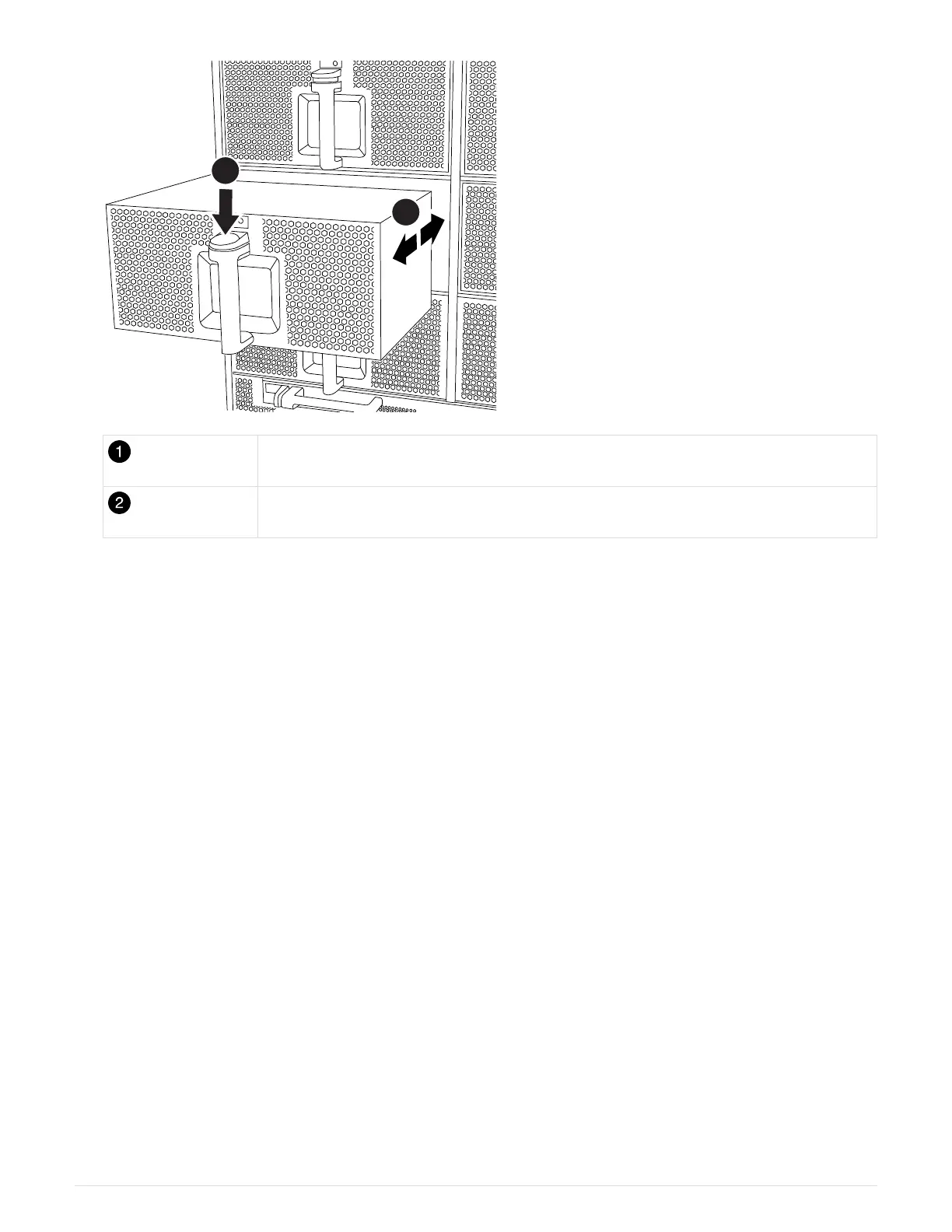
Terra cotta release button
Slide fan in/out of chassis
5. Set the fan module aside.
6. Align the edges of the replacement fan module with the opening in the chassis, and then slide it into the
chassis until it snaps into place.
When inserted into a live system, the amber Attention LED flashes four times when the fan module is
successfully inserted into the chassis.
7. Align the bezel with the ball studs, and then gently push the bezel onto the ball studs.
8. Return the failed part to NetApp, as described in the RMA instructions shipped with the kit. See the
Part
Return & Replacements
page for further information.
Replace an I/O module - FAS9500
To replace an I/O module, you must perform a specific sequence of tasks.
• You can use this procedure with all versions of ONTAP supported by your system.
• All other components in the system must be functioning properly; if not, you must contact technical support.
Step 1: Shut down the impaired node
To shut down the impaired controller, you must determine the status of the controller and, if necessary, take
over the controller so that the healthy controller continues to serve data from the impaired controller storage.
About this task
If you have a cluster with more than two nodes, it must be in quorum. If the cluster is not in quorum or a healthy
controller shows false for eligibility and health, you must correct the issue before shutting down the impaired
controller; see the Administration overview with the CLI.
764



 To Next Page