-giveback true
Step 4: Return the failed part to NetApp
Return the failed part to NetApp, as described in the RMA instructions shipped with the kit. See the
Part Return
& Replacements
page for further information.
Replace an LED USB module - FAS9500
The LED USB module provides connectivity to console ports and system status.
Replacement of this module does not require tools and does not interrupt service.
Step 1: Replace the LED USB module
Steps
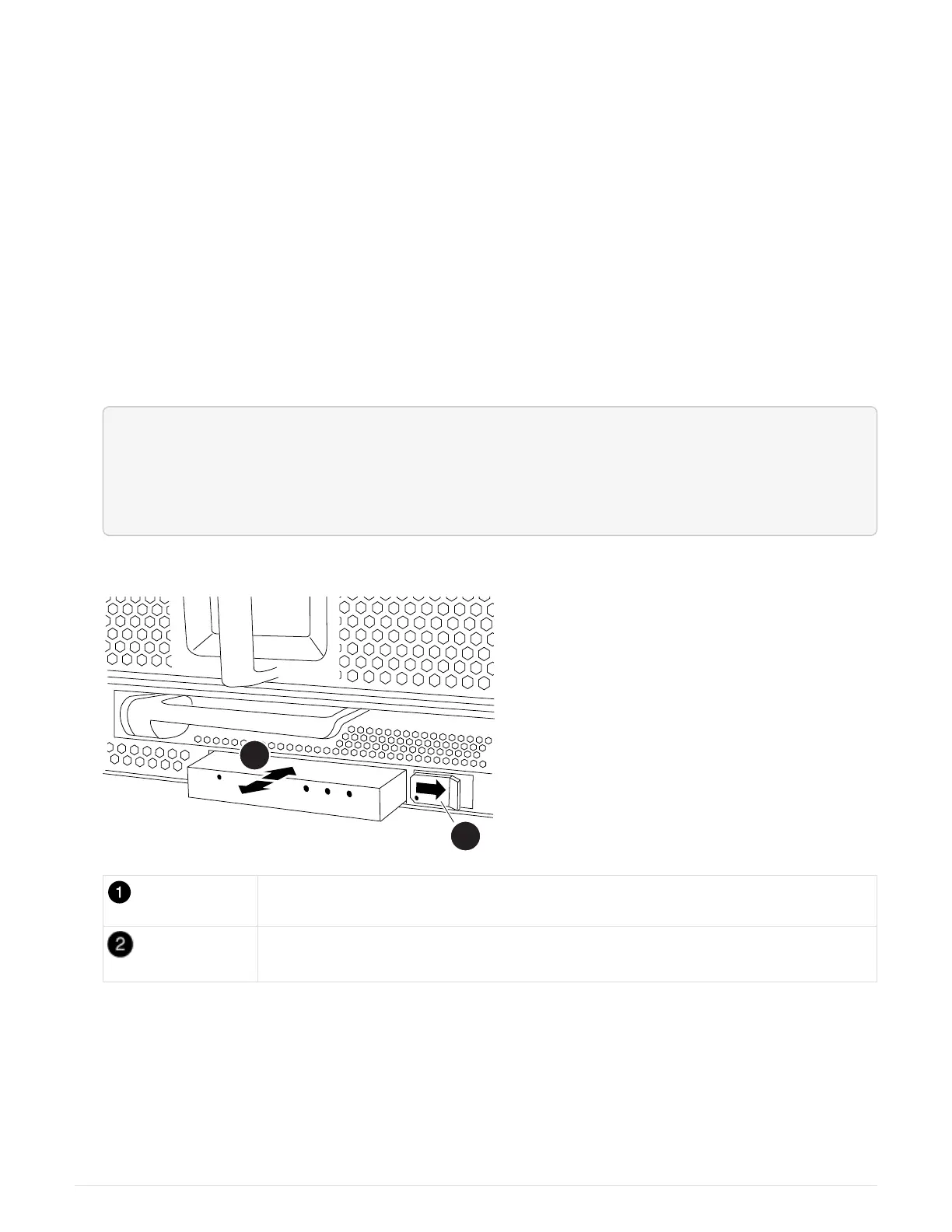
1. Remove the old LED USB module:
<div class="aspect-ratio"><iframe frameborder="1" height="400"
scrolling="auto"
src="https://netapp.hosted.panopto.com/Panopto/Pages/embed.aspx?id=bc46a
3e8-6541-444e-973b-ae78004bf153" width="711"> </iframe></div>
Animation - Remove/install LED-USB module
Locking button
USB LED module
a. With the bezel removed, locate the LED USB module at the front of the chassis, on the bottom left side.
b. Slide the latch to partially eject the module.
c. Pull the module out of the bay to disconnect it from the midplane. Do not leave the slot empty.
2. Install the new LED USB module:
a. Align the module to the bay with the notch in the corner of the module positioned near the slider latch
767



 To Next Page