4. Remove the cable management device from the controller module and set it aside.
5. Press down on both of the locking latches, and then rotate both latches downward at the same time.
The controller module moves slightly out of the chassis.
6. Slide the controller module out of the chassis.
Make sure that you support the bottom of the controller module as you slide it out of the chassis.
7. Place the controller module on a stable, flat surface.
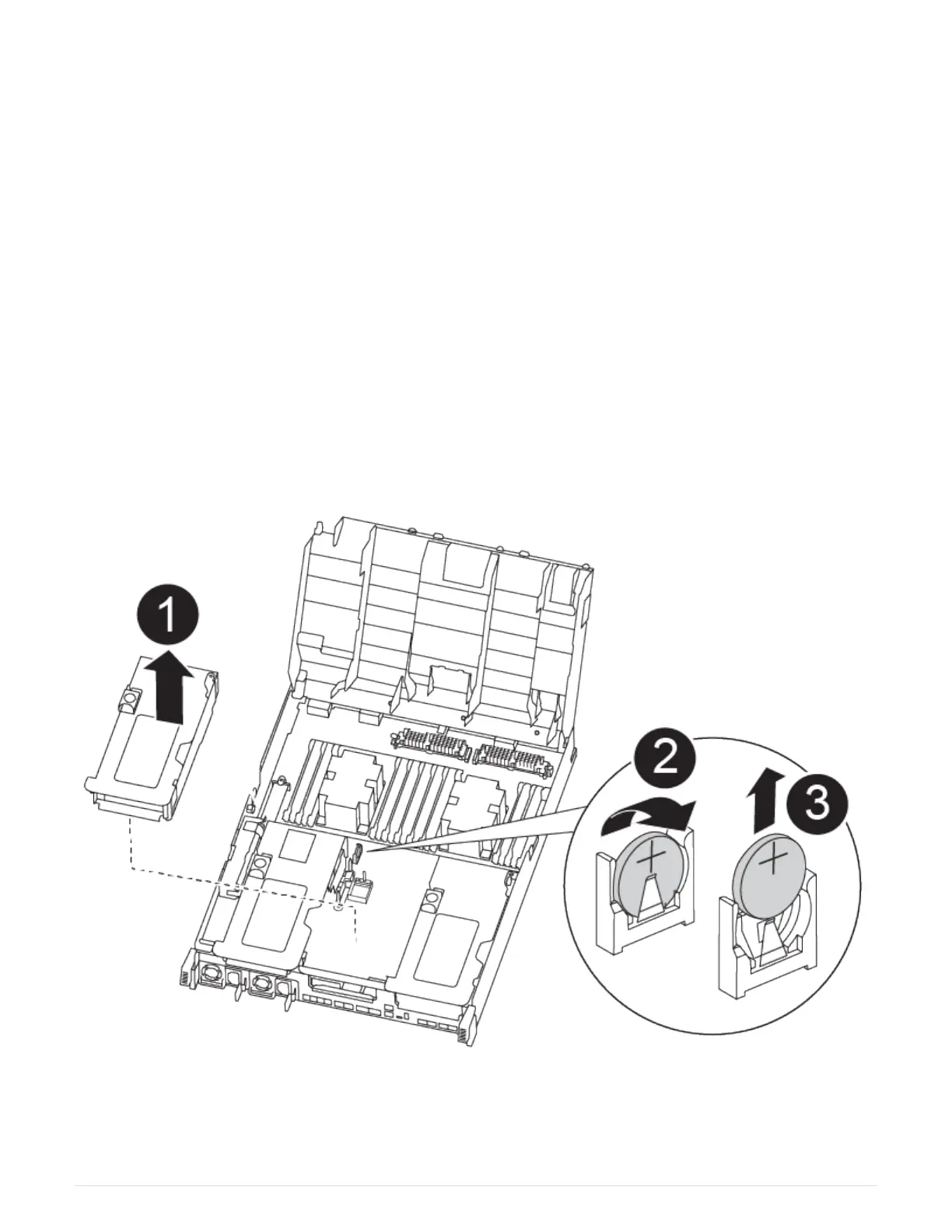
Step 3: Replace the RTC battery
You need to locate the RTC battery inside the controller module, and then follow the
specific sequence of steps. See the FRU map inside the controller module for the location
of the RTC battery.
You can use the following animation, illustration, or the written steps to replace the RTC battery.
Replacing the RTC battery
Steps
1. If you are not already grounded, properly ground yourself.
126



 To Next Page