Prerequisites
Prerequisite 1 – Internet time server synchronization
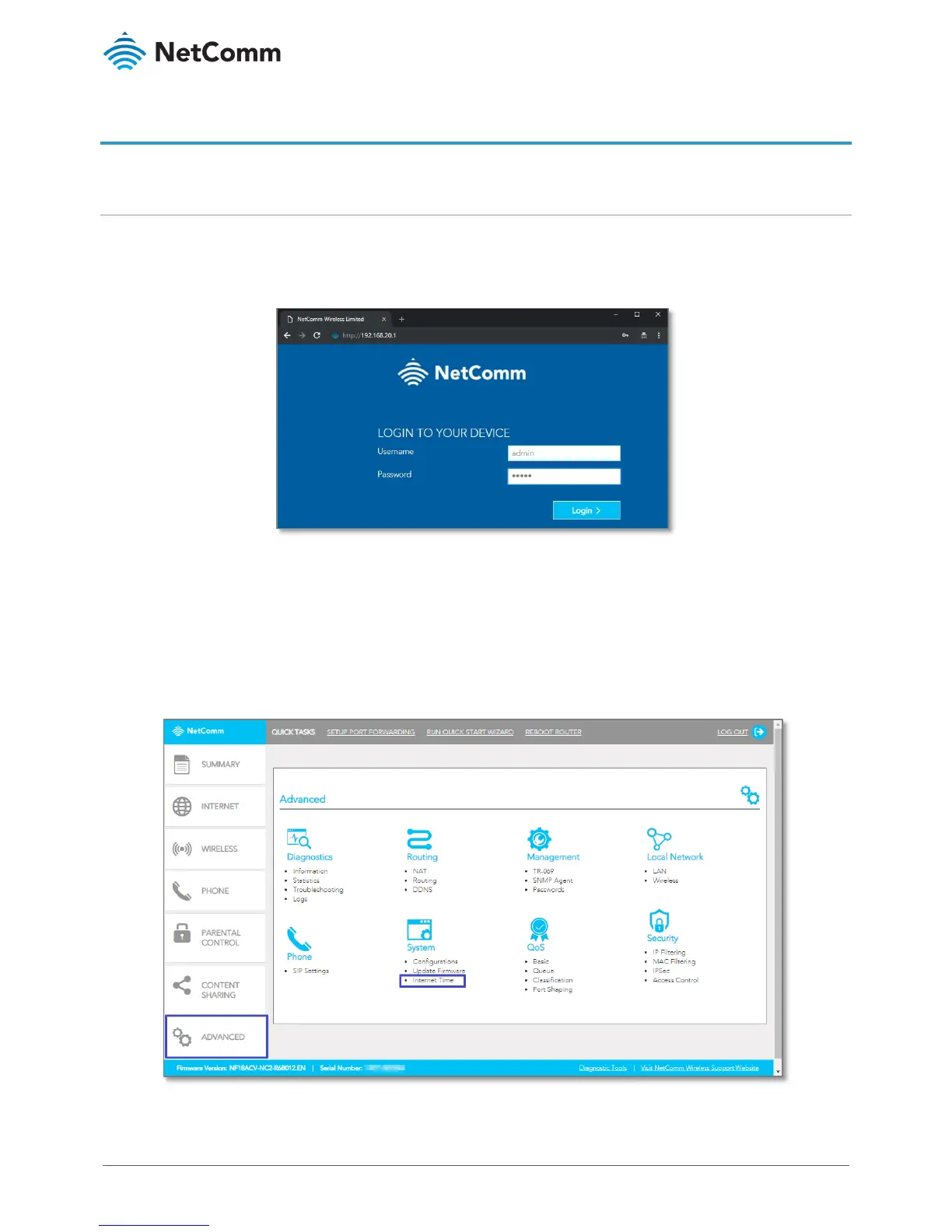
1 Open a web browser (such as Google Chrome or Mozilla Firefox), type following address into the address
bar and press
Enter.
http://192.168.20.1
2 Enter the following credentials in the
User Name and Password fields:
User Name:
admin
Password:
admin
3 Click the
Login > button.
The NF18ACV’s web interface will open in the
SUMMARY page.
4 Select the
ADVANCED menu, then select Internet Time from the System group.



 To Next Page