EasyManua.ls Logo

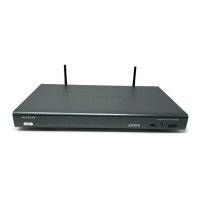
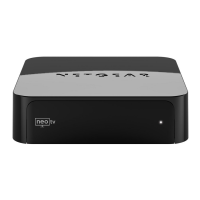
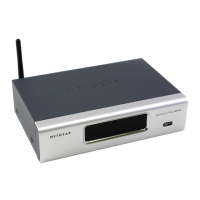
NETGEAR EVA8000 - Digital Entertainer HD Front View; Digital Entertainer HD Rear View

NETGEAR EVA8000
110 pages
To Next Page IconTo Next Page
To Previous Page IconTo Previous Page
Loading...
1-4
Digital Entertainer HD Front View
The front view of the of the Digital Entertainer HD is shown in the
following figure:
Digital Entertainer HD Rear View
The rear view of the Digital Entertainer HD is shown in the following
figure:
Figure 1-1
Figure 1-2
~Í?ËÍjÁÍ?jÁËË7oååå
Sensor
USB port
Headphone jack
window
Power button
.7aj
:
¬M
¬Á
¬jÍË7aj
-
.Ê+Ë?Þ?
¬ÄÍjË7aj
Öa
ÖÍ
.-
.¬jja
Ê0
+ÝjÁ
¤ååÔ|å7IyåÉåã±Ë¤±ÔË?Þ±
-jÄjÍ
Ë]ËË+:ÏåyÏååå¤
Ë]Ë|åy|åyÏååå¤Ë
±0±±ËÔ¤ÔÈÈo

®ÝÁja¯

®ÝÁjjÄį
.Ê+Ë#¬ÍW?
2.
 
.W?ÁÍ
~Í?ËÍjÁÍ?jÁËË7oååå
Component
SCART
S-Video
Stereo
S/PDIF
Ethernet port
Composite
coaxial
(audio)
HDMI
Optical
USB
Power
video
with LEDs
audio port
port
video
audio
Wireless
antenna
Reset
Wireless
antenna

Table of Contents

Other manuals for NETGEAR EVA8000

Related product manuals