4-7
Using the Remote Control When Recorded Video is Playing
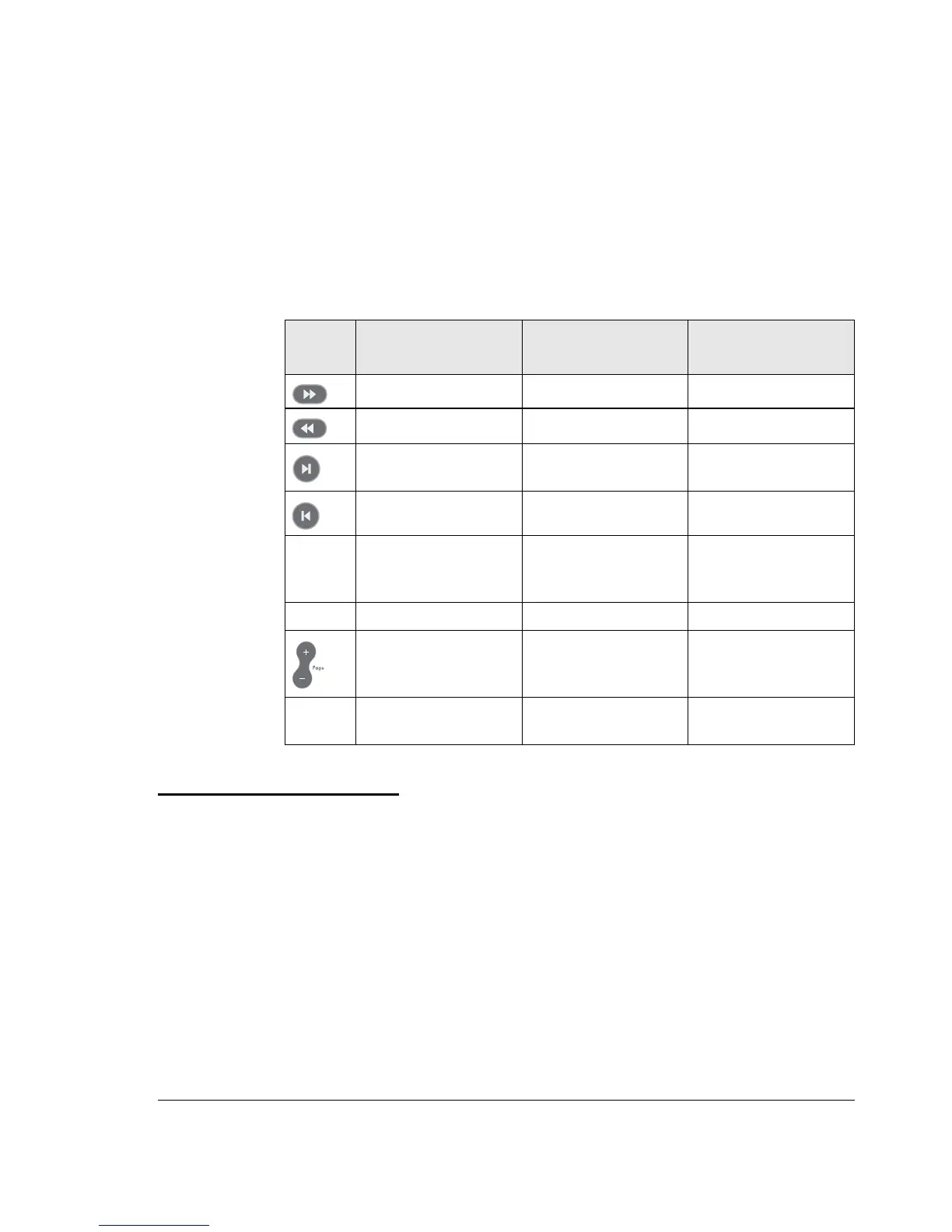
The following table describes how to use the remote control when video
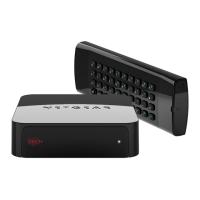
is playing. For a complete list of all remote control buttons, see
“NETGEAR Remote Control” on page 1-6.
Viewing Television
You can use your Digital Entertainer HD to watch television.
To do so, you will need the following:
• A PC with a TV tuner. See “Setting Up a PC TV Tuner for Viewing
TV Programming” in Appendix A for a list of compatible tuners.
Table 4-3. Using the remote control when video is playing
Button When Playing When Paused
During Fast Forward
or Rewind
Fast forward Slow motion Fast forward faster
Rewind - Rewind faster
Go forward 30
seconds
Single frame Go forward 15
minutes
Go back 10 seconds - Go back 15 minutes
0-9 Jump in file to 0%,
10%, 20%, … 90% of
file
Jump in file to 0%,
10%, 20%, … 90% of
file
Jump in file to 0%,
10%, 20%, … 90% of
file
Zoom Toggle aspect ratio Toggle aspect ratio Toggle aspect ratio
Zoom Video in / out
Press “Home” twice to
restore original size
Zoom Video in / out
Press “Home” twice to
restore original size
-
back
arrow
Go back to last Video
Browser menu
Go back to last Video
Browser menu
Go back to last Video
Browser menu


 To Next Page