EasyManua.ls Logo

NETGEAR EVA8000 - Chapter 7 Maintenance and Troubleshooting; Resetting to Factory Defaults

NETGEAR EVA8000
110 pages
To Next Page IconTo Next Page
To Previous Page IconTo Previous Page
Loading...
7-1
Chapter 7
Maintenance and Troubleshooting
Resetting to Factory Defaults
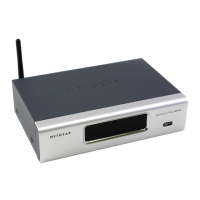
You can use the reset button on the rear panel of the Digital Entertainer
HD to reset to factory defaults. Use a pen or paperclip to press the button,
and hold it in for 5 seconds.
You can also use the menus to reset to factory defaults. Push Home
and select More > Supervisor functions > Advanced > Data backup and
restore.
For information about factory default settings, see “Default Settings” in
Appendix A.
Figure 7-1

.7aj
:
¬M
¬Á
¬jÍË7aj
-
.Ê+Ë?Þ?
¬ÄÍjË7aj
Öa
ÖÍ
.-
.¬jja
Ê0
+ÝjÁ
¤ååÔ|å7IyåÉåã±Ë¤±ÔË?Þ±
-jÄjÍ
Ë]ËË+:ÏåyÏååå¤
Ë]Ë|åy|åyÏååå¤Ë
±0±±ËÔ¤ÔÈÈo

®ÝÁja¯

®ÝÁjjÄį
.Ê+Ë#¬ÍW?
2.
 
.W?ÁÍ
~Í?ËÍjÁÍ?jÁËË7oååå
reset

Table of Contents

Other manuals for NETGEAR EVA8000

Related product manuals