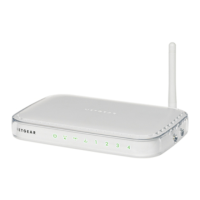
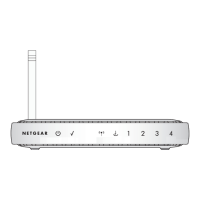
Wireless-G Router WGR614v10 Reference Manual
Index-2
v1.0, February 2010
user-defined services 3-4
WPA security 2-9
See also adding
connection mode 1-10
connection status settings 6-4
connection types 5-22
content filtering 3-1
crossover cable 7-4
CTS/RTS Threshold 2-11
custom service (port forwarding) 5-7
Customer support 1-ii
D
data packets, fragmented 5-21
date and time, troubleshooting 7-9
daylight savings time 3-6, 7-9
default DMZ server 4-6
default factory settings
listed A-2
restoring 7-13
default gateway 6-4
default LAN IP configuration 4-2
deleting configuration 6-7
device name 4-2
DHCP server 4-2, 6-4
DHCP setting 6-2
disabling
firewall 4-6
wireless client association 4-11
DMZ server 4-6
DNS servers 5-2
Documentation Web page 1-4
documents, reference B-1
domain name 1-7
Domain Name Server (DNS) addresses
current 6-2
entering 1-8, 1-11
troubleshooting 7-6
Dynamic DNS 4-4
dynamic IP addresses 1-8
DynDNS.org 4-4
E
electromagnetic emissions, specifications A-1
encryption 2-1
encryption keys 2-8
environmental specifications A-1
erasing configuration 6-7
Ethernet light, troubleshooting and 7-3, 7-4
Ethernet MAC address 6-6
F
factory default settings
restoring 7-13
filtering content 3-1
firewalls
disabling 4-6
overview 2-17
Firmware Upgrade Assistant 1-3, 6-8
firmware version 6-2
fixed font text xi
fixed IP addresses 1-8
Fragmentation Threshold 2-11
fragmented data packets 5-21
frequency, channel 2-7
G
games, QoS for 5-16
generating encryption keys 2-8
Gigabit Ethernet 5-23
Guest Networks 2-14
H
hardware version 6-2
host name 1-7, 6-2, 6-6


 To Next Page
 Loading...