EasyManua.ls Logo

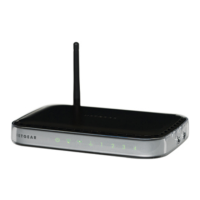
NETGEAR WNR1000v2 - Wireless- N Router - User Manual

NETGEAR WNR1000v2 - Wireless- N Router
128 pages
Print Icon
To Next Page IconTo Next Page
Loading...
202-10546-01
September 2009
v1.0
NETGEAR, Inc.
350 E. Plumeria Drive
San Jose, CA 95134 USA
Wireless-N 150 Router
WNR1000v2 User Manual

Table of Contents

Questions and Answers

  • A
    Aaron AcostaJul 26, 2025
    How to fix corrupted firmware on NETGEAR WNR1000v2 - Wireless- N Router?
    • S
      Shannon WardJul 26, 2025
      To restore your NETGEAR Wireless Router firmware: 1. Make sure your PC is connected to your router and the router is powered on. 2. Insert the Resource CD that came with your router into your PC. 3. Click Supporting Software, then Netgear Firmware Recovery Utility, and follow the prompts for the recovery process. 4. After firmware recovery is completed, follow the prompts to restore your configuration settings.
  • M
    Maria HernandezAug 1, 2025
    Why is the Push 'N' Connect (WPS) push-button blinking amber on my NETGEAR Wireless Router?
    • M
      melissamcguireAug 1, 2025
      The Push 'N' Connect (WPS) push-button might be blinking amber because you are using the router’s built-in registrar instead of the push-button. It could also mean that PIN verification has not succeeded for the WPS-enabled device you are connecting to the router, or that you pushed the push-button after disabling the WPS function. Another reason can be that the router is in the temporary AP setup locked state.
  • L
    Lawrence OlsenAug 7, 2025
    Why is the Internet light amber on my NETGEAR WNR1000v2 - Wireless- N Router?
    • R
      Robert SantosAug 7, 2025
      The Internet light might be amber on your NETGEAR Wireless Router because the Internet is not accessible. To solve this, confirm that you have the correct internet setting. Alternatively, you can clear the router’s configuration to factory defaults, which will set the router’s IP address to www.routerlogin.net. You can also try turning the power off and back on to see if the router recovers.
  • A
    Andrew OneillAug 13, 2025
    What to do if the Power light is not on on my NETGEAR WNR1000v2 - Wireless- N Router Wireless Router?
    • E
      Edward SheltonAug 13, 2025
      If the Power light on your NETGEAR Wireless Router is not on, make sure that the power cord is properly connected to your router and the power adapter is properly connected to a functioning power outlet. Also, check that you are using the power adapter supplied by NETGEAR for this product.
  • G
    gfletcherAug 19, 2025
    What to do if the Internet or LAN port lights are not on on my NETGEAR Wireless Router?
    • C
      Carl Salazar PhDAug 19, 2025
      If the Internet or LAN port lights are not on, ensure that the Ethernet cable connections are secure at both the router and the computer. Also, make sure that power is turned on to the connected computer and that you are using Ethernet cables like the cable that was supplied with the wireless router.

Summary

Configuring Basic Connectivity

Logging In To Your Wireless Router

Instructions for accessing the router's web-based configuration utility via a browser.

Setting Up and Testing Basic Wireless Connectivity

Guides users through the process of establishing and verifying basic wireless network connections.

Safeguarding Your Network

Choosing Appropriate Wireless Security

Discusses wireless security options and factors to consider when selecting a security level.

Configuring WPA-PSK and WPA2-PSK Wireless Security

Details on setting up strong wireless security using WPA-PSK and WPA2-PSK encryption.

Customizing Your Network Settings

Fine-Tuning Your Network

Using Network Monitoring Tools

Troubleshooting

Restoring the Default Configuration and Password

Explains how to reset the router to its original factory settings and default credentials.

NETGEAR WNR1000v2 - Wireless- N Router Specifications

General IconGeneral
Wireless StandardIEEE 802.11n
Frequency Band2.4 GHz
Wireless SpeedUp to 150 Mbps
Ethernet Ports4 x 10/100 Mbps
WAN Port1 x 10/100 Mbps
Weight0.44 lb (0.2 kg)
Power Supply12V DC, 0.5A
SecurityWEP, WPA/WPA2
AntennasInternal

Related product manuals