ADSL2+ Modem Router User Manual
12
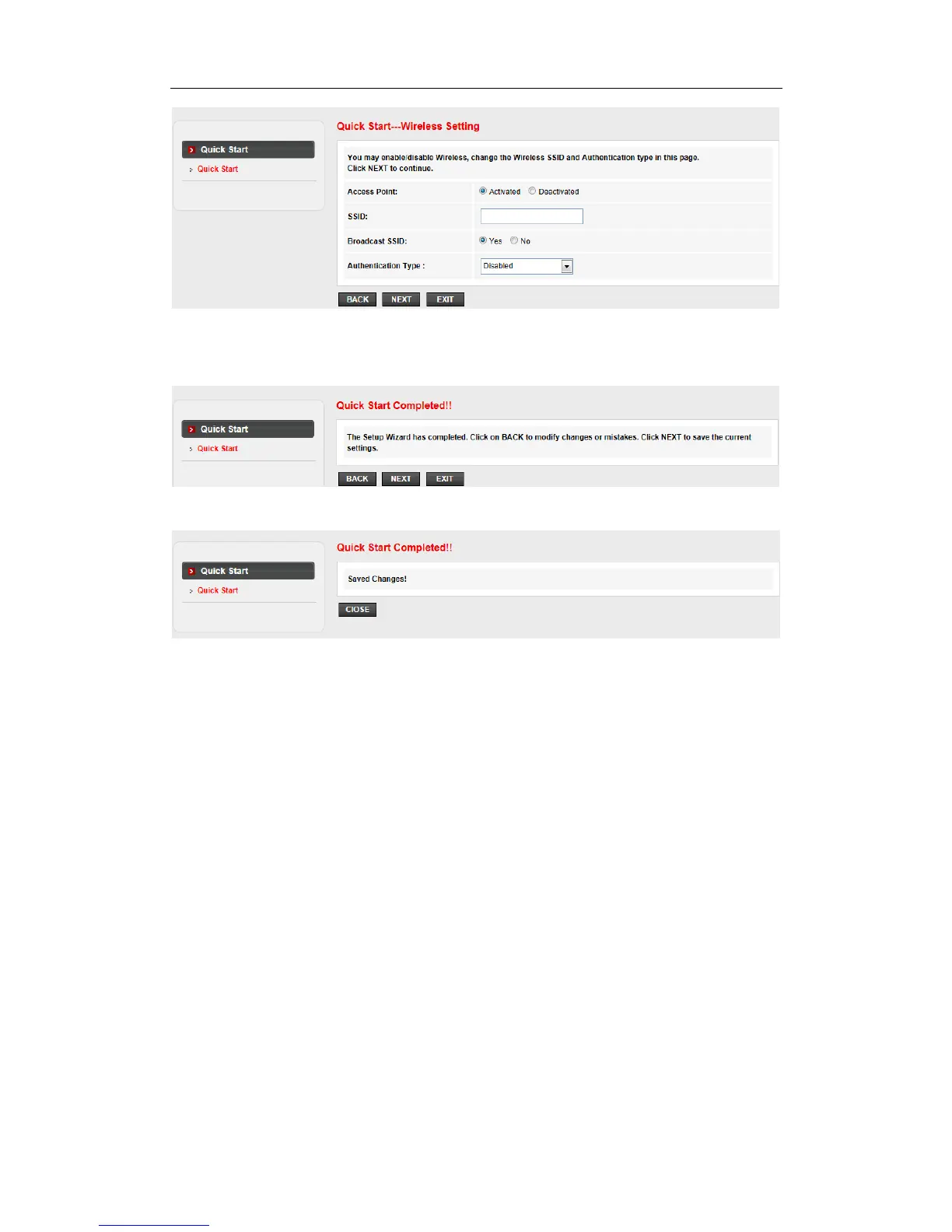
You may enable/disable Wireless, change the wireless SSID and authentication type in this
page, then click NEXT to continue.
Click NEXT to save the current settings
Save Change !
4.2 Status
Choose Status, you can see the next submenus: Device info and Statistics.
Click any of them, and you will be able to see the information and statistics of the Modem
Router.
4.2.1 Device Information
Device_info>Device_info shows the basic information of the Modem Router, including System,
DSL, LAN Configuration, DNS Status, WAN Configuration and WAN IPV6 Configuration.



 To Next Page