ADSL2+ Modem Router User Manual
38
When 'Deny Listed' is selected, these wireless clients on the list will not be able to connect the
Access Point.
MAC Address: input the MAC address in the blank, and click “Add” to add it to “Current Access
Control List”
4.3.3.5 Advanced
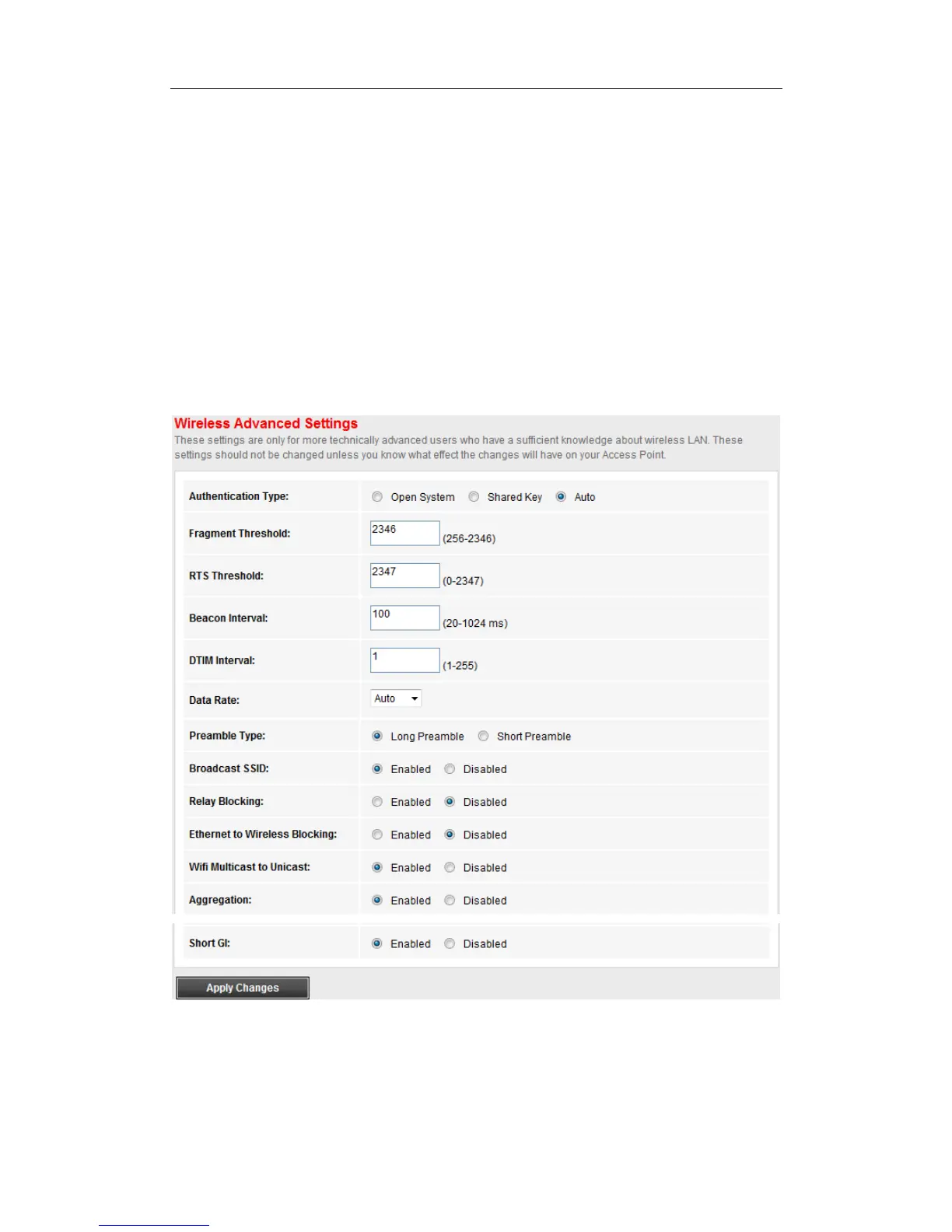
Go to Setup>WLAN>Advanced page, you can configure the Wireless Advanced Settings.
These settings are only for more technically advanced users who have a sufficient knowledge
about wireless LAN. These settings should not be changed unless you know what effect the
changes will have on your Access
4.3.3.6 Wi-Fi Protected Setup
Go to Setup>WLAN>WPS, you can change the setting for WPS (Wi-Fi Protected Setup).
Using this feature could let your wireless client automically syncronize its setting and connect to
the Access Point in a minute without any hassle.



 To Next Page