ADSL2+ Modem Router User Manual
78
When you set the NTP configuration correctly, press the button “Get GMT Time” to start the
NTP function. Then you can see the GMT time obtained from NTP server.
Note: The ADSL Router built-in some NTP Servers, when the Modem Router connects to
internet, it will get the system time automatically from the NTP Server. You can also configure
the NTP Server address manually, then it will get the time from the specific server firstly.
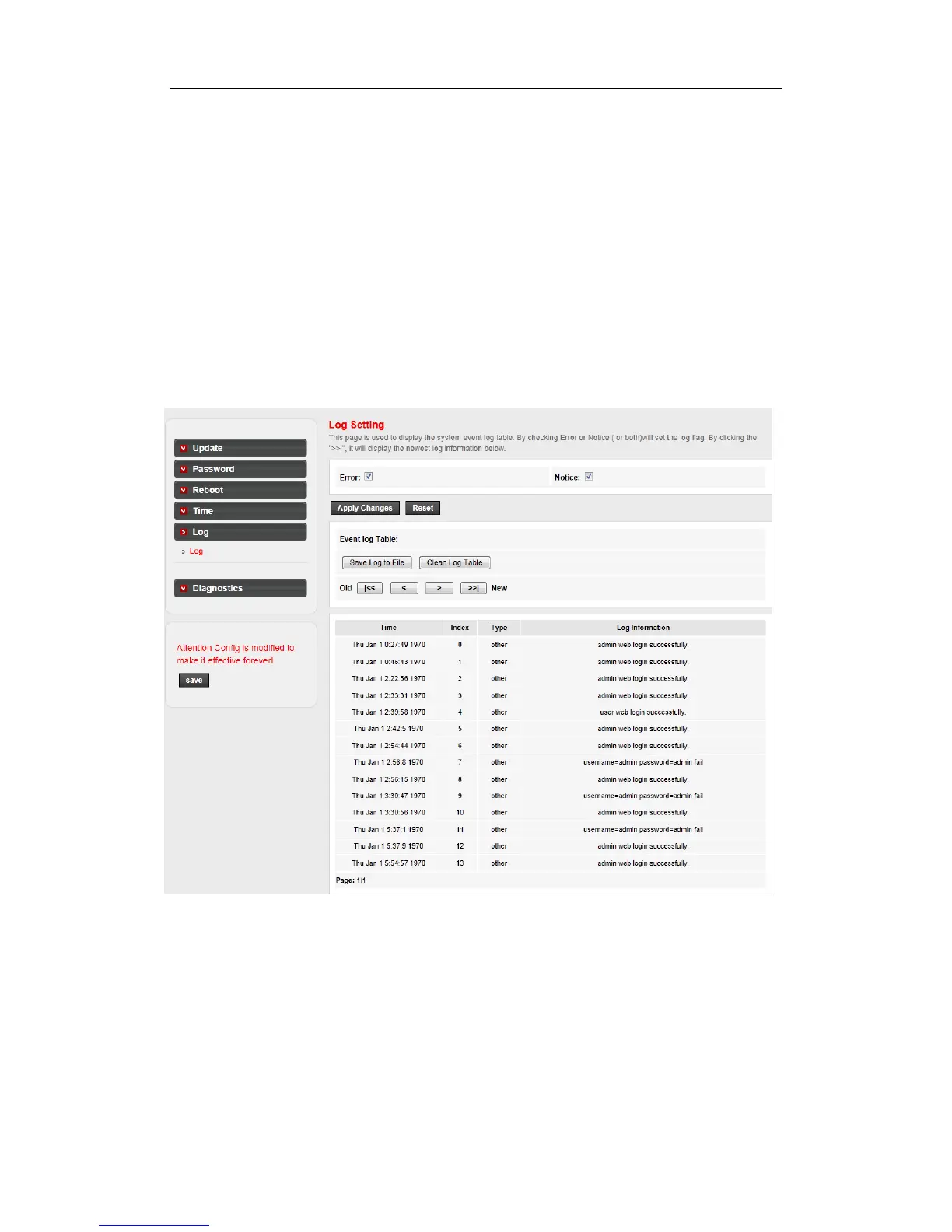
4.5.5 Log
Go to Maintenance->Log page, you can configure the parameters of the system log, and view
the system log information.
4.5.6 Diagnostics
The router provides several useful diagnostic tools.
4.5.6.1 Ping
The router provides a ping command to send a message to the host you specify.
Go to Maintenance->Diagnostics->Ping page, you can ping a host you wanted.



 To Next Page