Wireless-N USB Adapter User Manual
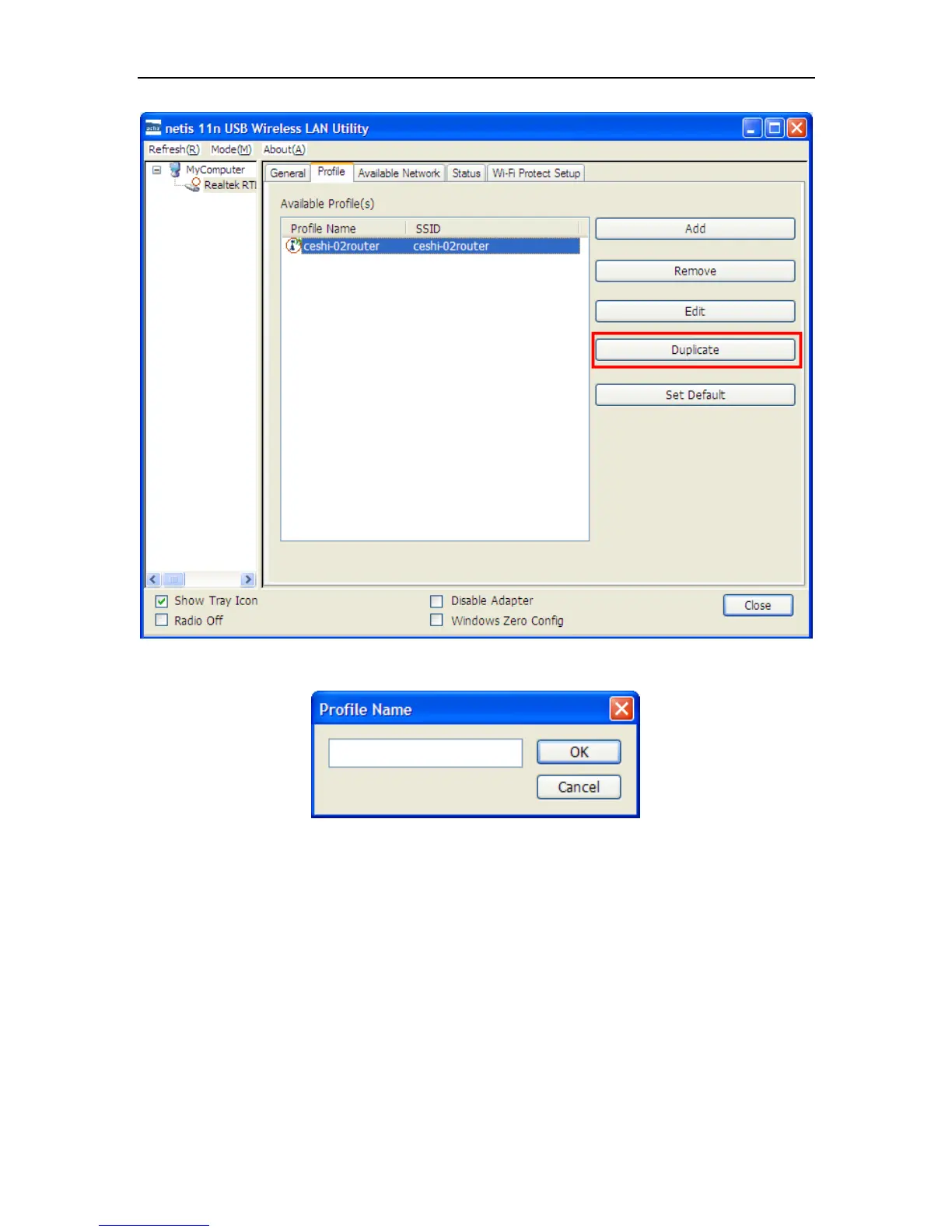
Figure 3-10
Import the new profile name in the popup window blank (the following picture)
Figure 3-11
3.2.5 Set default
When you want to make one profile as a default wireless connection, you should select the profile
and click Set default button. The wireless adapter will use this profile to connect to wireless
network automatically when the utility running next time.


 To Next Page