Wireless-N USB Adapter User Manual
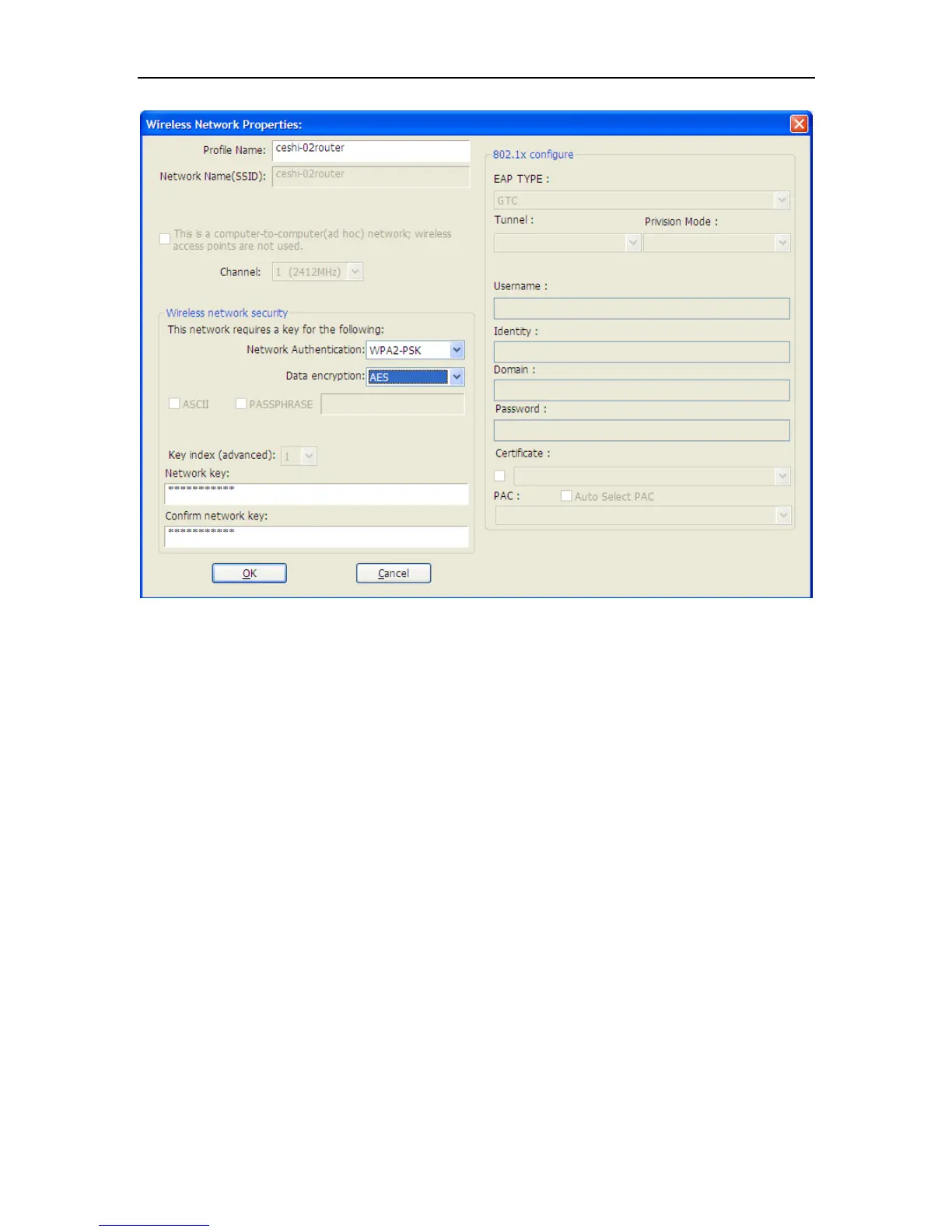
Figure 3-14
Refer to the former picture choose the Authorization modes and Encryption modes in the
drop-down box. If the wireless network uses a Passphrase, enter the Passphrase in the Passphrase
field. If the wireless network uses a WEP key, enter the WEP key in the Key field. Click the OK
button to complete the network connection.
3.4 Status
The Status tab displays the detailed information of current device and wireless connection.


 To Next Page