Wireless-N USB Adapter User Manual
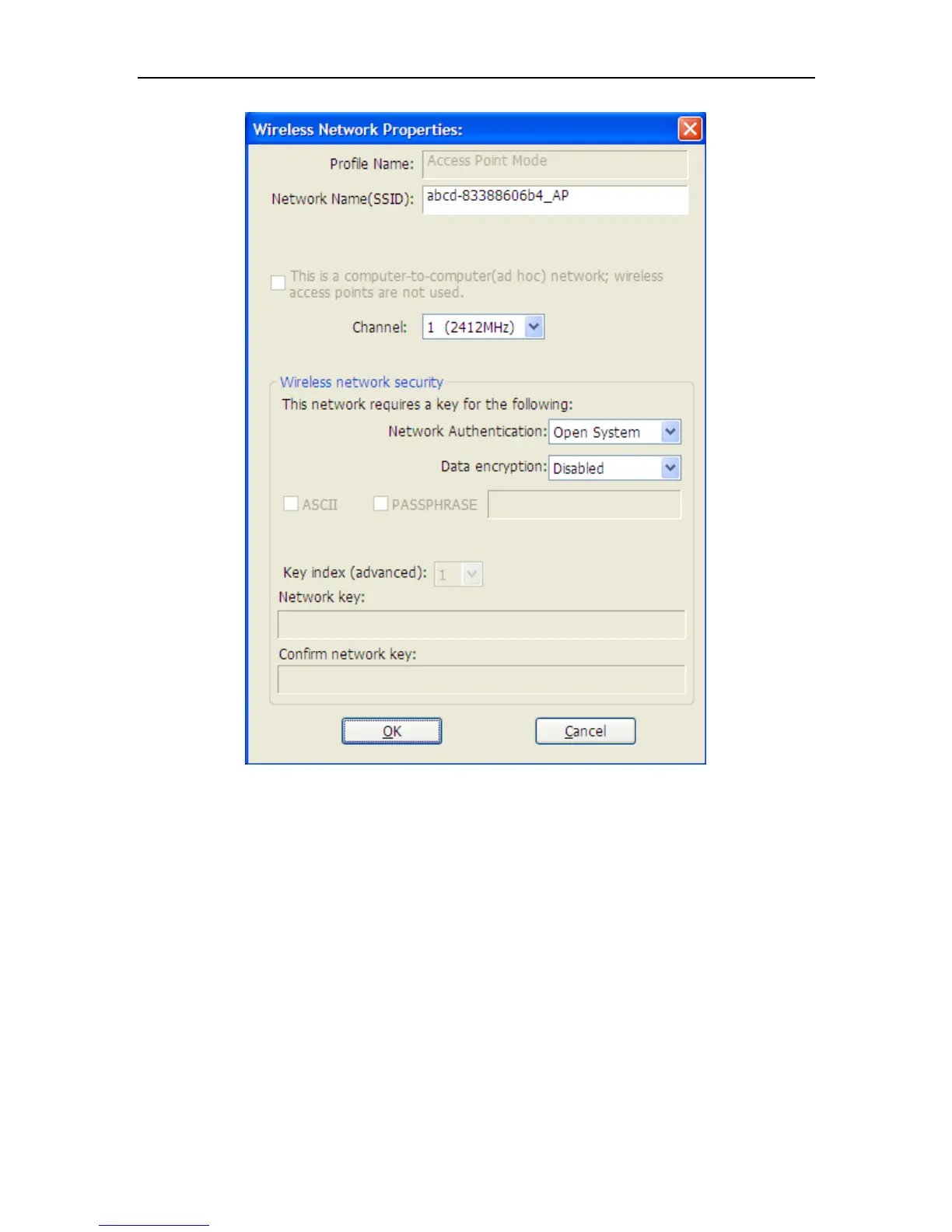
Figure 4-2
Profile name: The default is Access Point Mode and can’t be modified
Network name (SSID): The name of this AP and can be modified
Channel: You can select channel 1 to 14, which provides a choice of avoiding
interference
Network authentication: It contains open system, shared key, WPA-PSK and
WPA2-PSK. You can configure safe encryption mode for this AP. If you select
encryption mode, then you will need to enter key


 To Next Page