WF-2405 User Manual
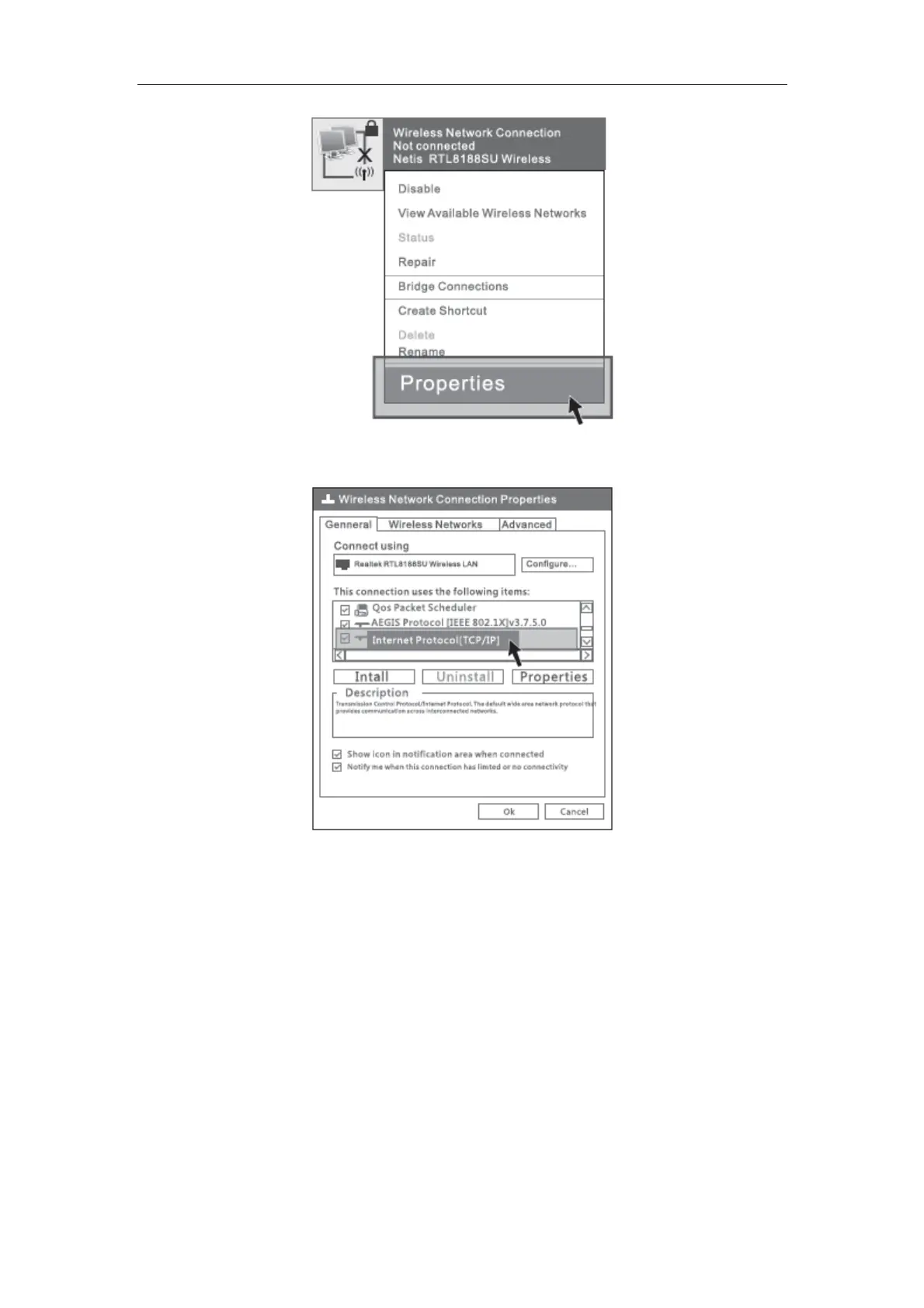
Figure 5-2
3) Select “Internet Protocol[TCP/IP]”, double click.
Figure 5-3
4) Select “Use the following IP address” and input IP address “192.168.1.214”, input
Subnet mask “255.255.255.0”, then choose “Obtain DNS server address
automatically”, then click “OK”.


 To Next Page