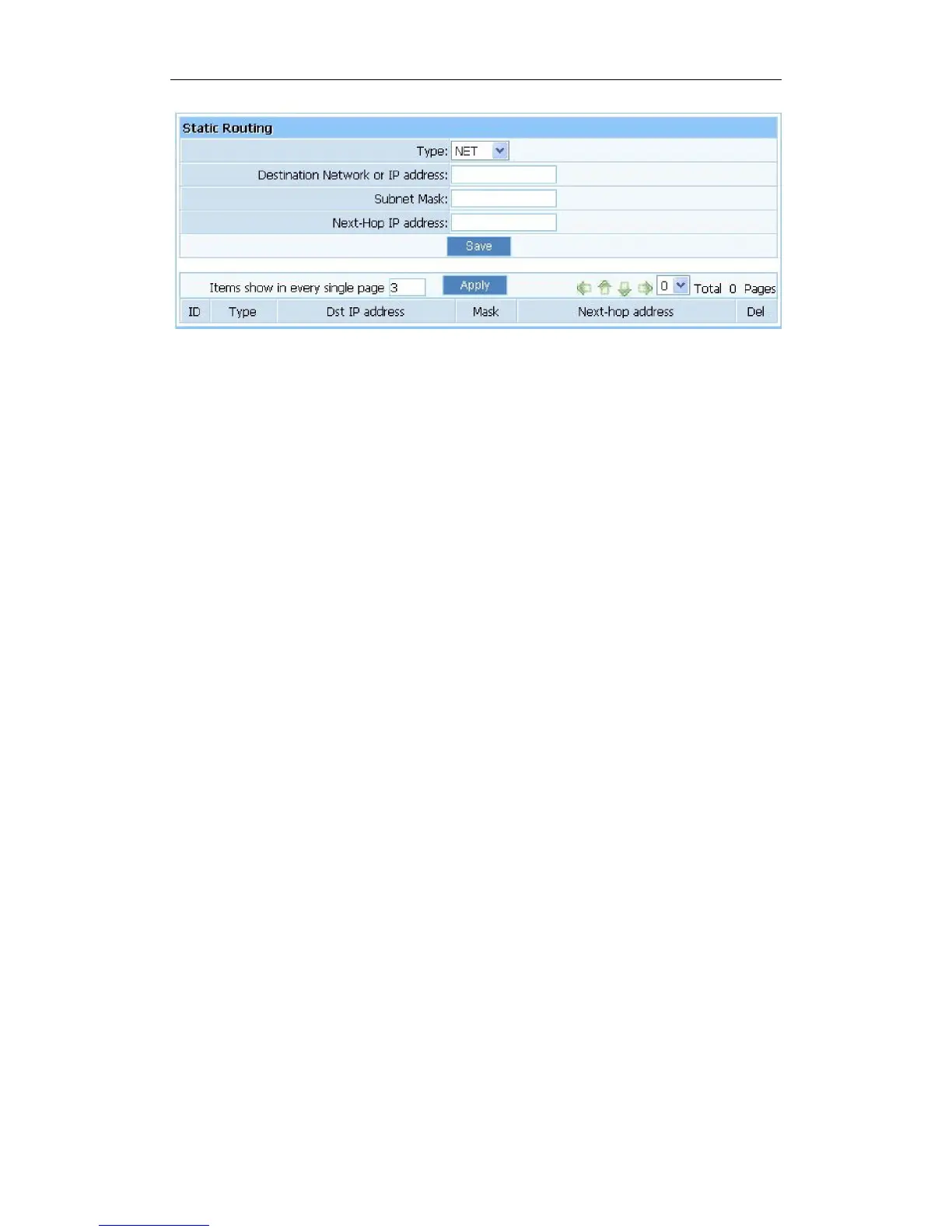
Figure 4-46
Destination Network or IP Address: Specify a certain destination Network or IP address
which static route forward to.
Subnet Mask: Subnet mask is used for distinguish Network portion and Host portion for an
IP address.
Next-hop IP Address: This is an IP address of the next-hop device (and also is the gateway
address for local host) that allows forwarding data between router and remote network or
host.
Routing Table: You can check out all current route items, click “delete” button to delete a
route item existed in routing table.



 To Next Page