NETmc Marine DVR Manual-Rev7.2 Dec 2020 28 of 52
© NETmc Marine Ltd 2020
12. RTSP input
RTSP (Real Time Streaming Protocol) is a popular mechanism for delivering a video image from an
encoder or camera over a network.
This can be a local network (e.g. around a room) or a wide area network (e.g. from a ship to the
shore).
The stream can have viewing restrictions / permissions – and can contain any video codec, format,
image size – typically the most aggressive compression is desirable so the image can be sent over
a low bandwidth link.
It is often considered to be a ‘best effort’ service – prone to glitching and image artefacts due to data
loss during transmission.
It is our preference to use a hardware decider box where possible to receive the stream and output
a regular video signal (composite / HDMI) as this will preserve the integrity of the DVR despite the
erratic nature of the stream.
However – this may not always be possible – so we offer an RTSP input option.
The DVR is equipped with 2 LAN ports. To receive a stream, one of those ports has to be
connected to the LAN which is delivering the stream – with IP and gateway settings such that the
stream can be received.
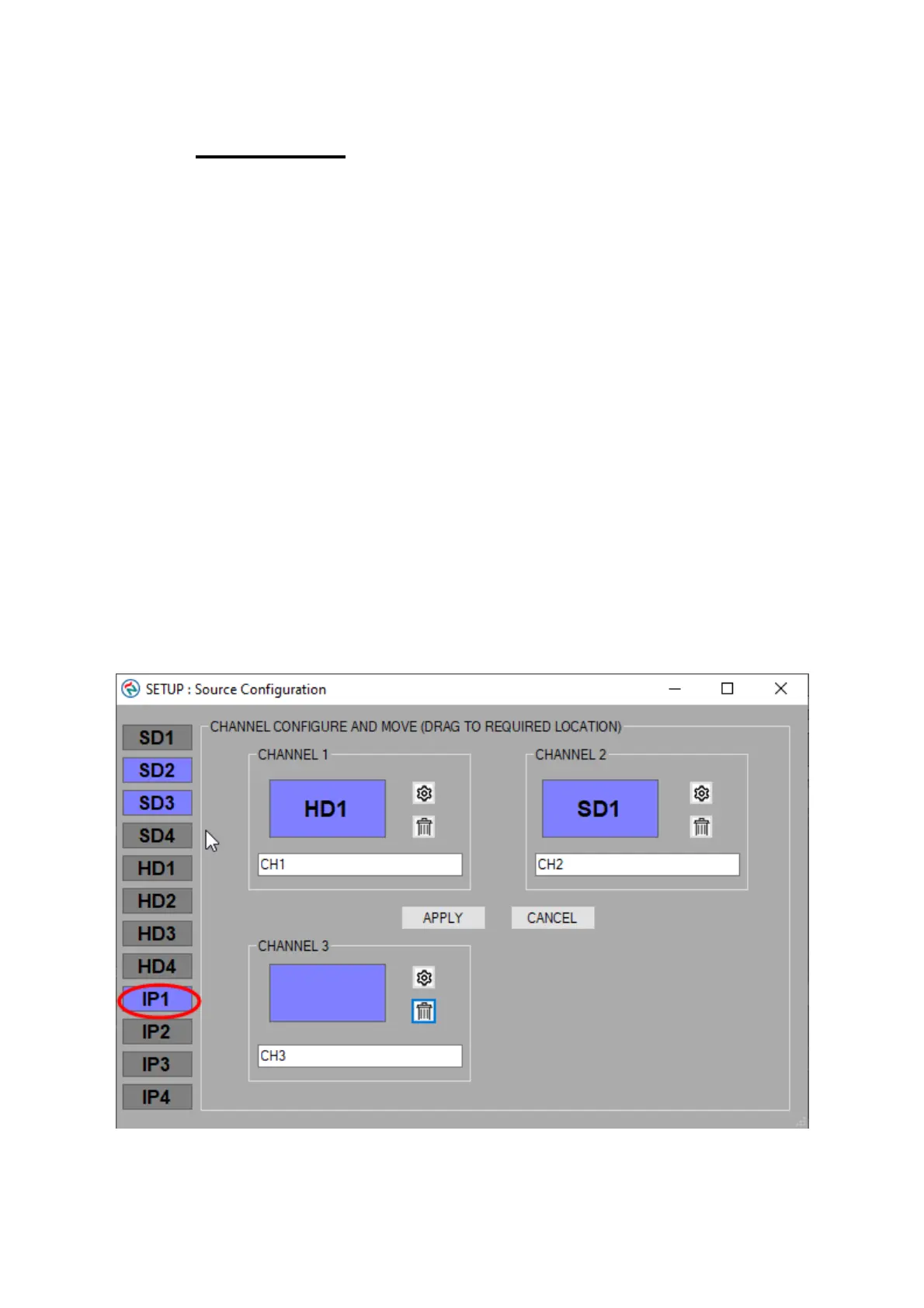
If the RTSP option has been licensed, an RTSP option will appear in the source list in the setup
page
If selected (dragged into one of the available channel boxes), the settings icon will allow additional
setup (in the shape of a gearwheel)



 To Next Page