NETmc Marine DVR Manual-Rev7.2 Dec 2020 9 of 52
© NETmc Marine Ltd 2020
4. Operation
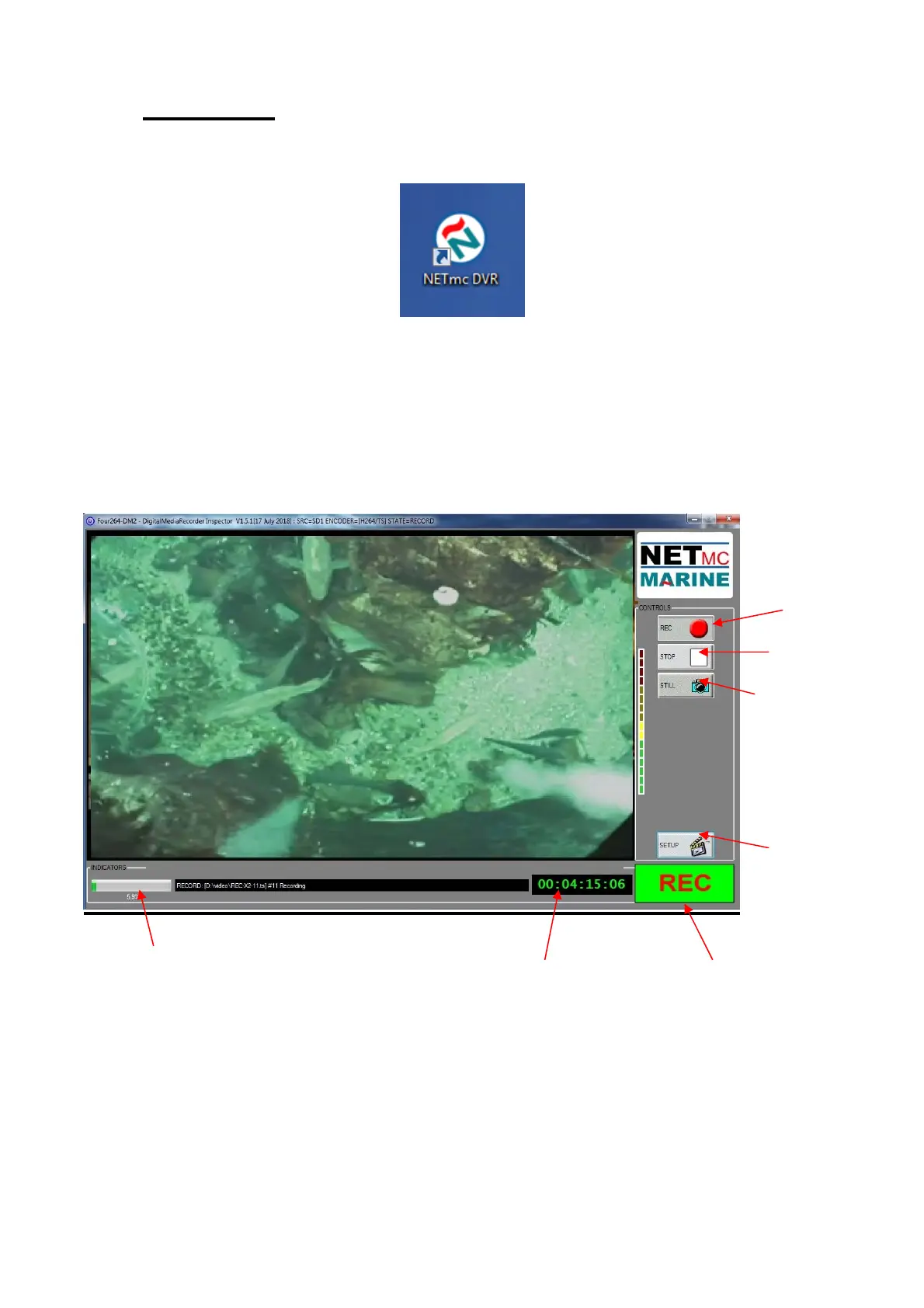
A shortcut on the desktop will launch the software which controls the DVR
Once the program has started, the operation controls are displayed.
From here the user can start and stop recording, take still images (snapshots) and/ or video clips
and enter the set-up screen.
Drive Capacity
Note that this display changes colour according to how much disk space is free:
The display is:
Time Encoded
This Session
Start Recording
Stop Recording
Take Snapshot /
Still Image Grab
Enter Setup
Recording
Status Indicator
Drive Capacity
Indicato


 To Next Page