NETmc Marine DVR Manual-Rev7.2 Dec 2020 36 of 52
© NETmc Marine Ltd 2020
Appendix 3
Coabis Interfacing
To connect with Coabis (or other 3
rd
party inspection tools) – the appropriate license must be
installed. (see license manager in section 5)
If not already installed, a license can be purchased or rented to enable the feature for the duration of
a job or project.
If the license has been enabled, ensure the DVR and Coabis machine are on the same network and
network IP address range.
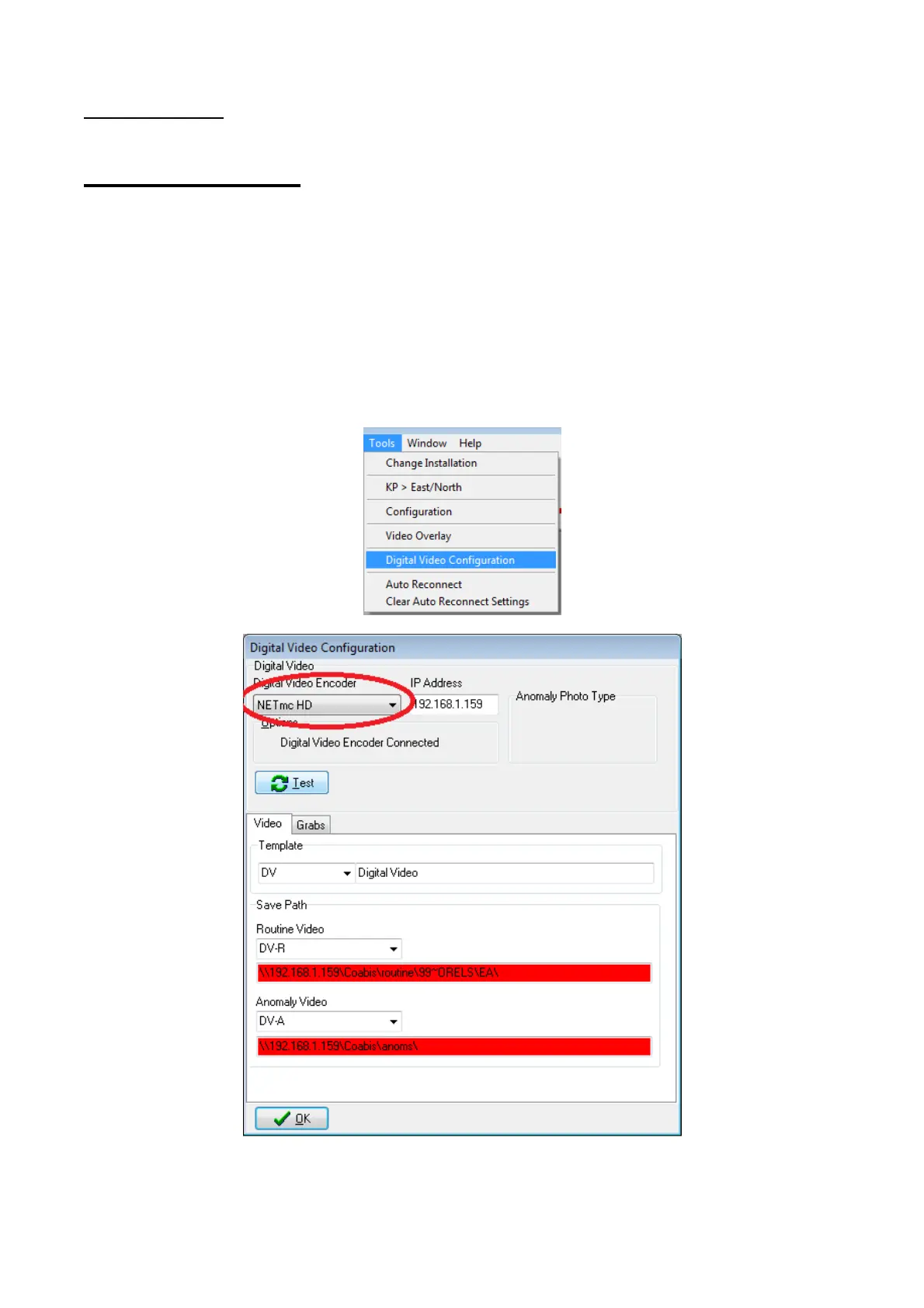
In Coabis site, from the Tools menu, select Digital Video Configuration. From the pulldown, select
NETmc HD as the recorder type, enter the IP address of the DVR and click test.
(sharing / storage paths need to be configured in above example)


 To Next Page