NETmc Marine DVR Manual-Rev7.2 Dec 2020 23 of 52
© NETmc Marine Ltd 2020
9. Blackbox
Blackbox can either be an additional recording function added to a unit – or just using a regular
recorder for the function of Blackbox. This is typically thought of as a unit which will record for ever
– over writing the oldest video in a rolling loop.
The rolling loop is created by deleting old video off using a process called Black Box Manager -
which will delete the oldest file in a location, to make room for new video to be created.
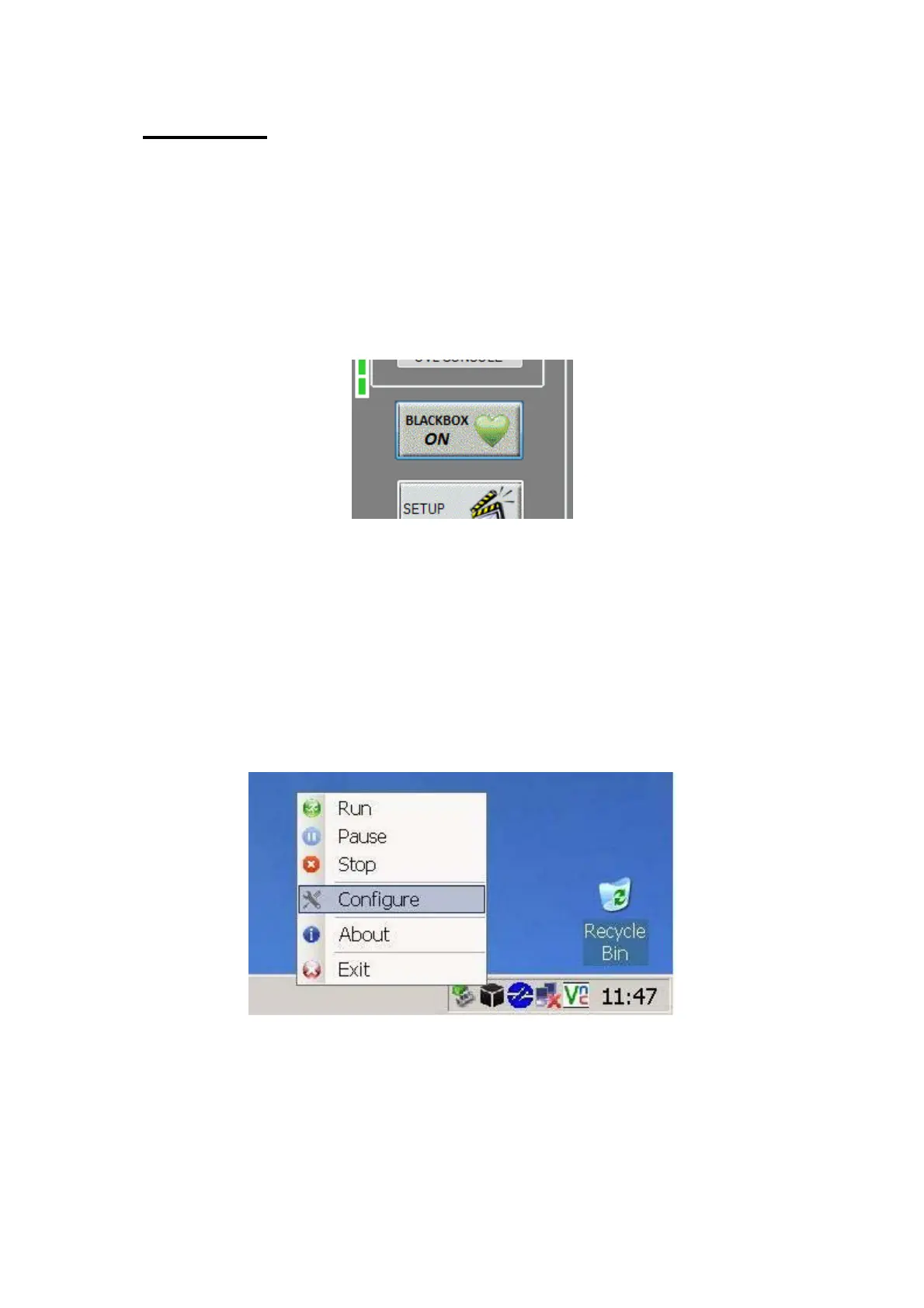
If Blackbox is enabled (licensed) on a regular recorder, there is a notification image on the main
display above the setup button.
The Blackbox runs automatically upon starting of the DVR software – green heart shows running ok
The icon will change to a red, flashing, broken heart if there is a problem
Blackbox will always record to the ‘B’ drive.
A delete agent (Blackbox icon in the taskbar) auto deletes old files to maintain a rolling recording.
This is setup automatically - - but user modification can be done by right clicking on the icon
(**advanced users only**)
Right click black box icon located at the bottom right of the taskbar which will open the options list.
Click on configure and this will open the black box storage manager.
When the delete agent stops running the Black Box Manager icon will flash red with a white cross
as below


 To Next Page