NETmc Marine DVR Manual-Rev7.2 Dec 2020 39 of 52
© NETmc Marine Ltd 2020
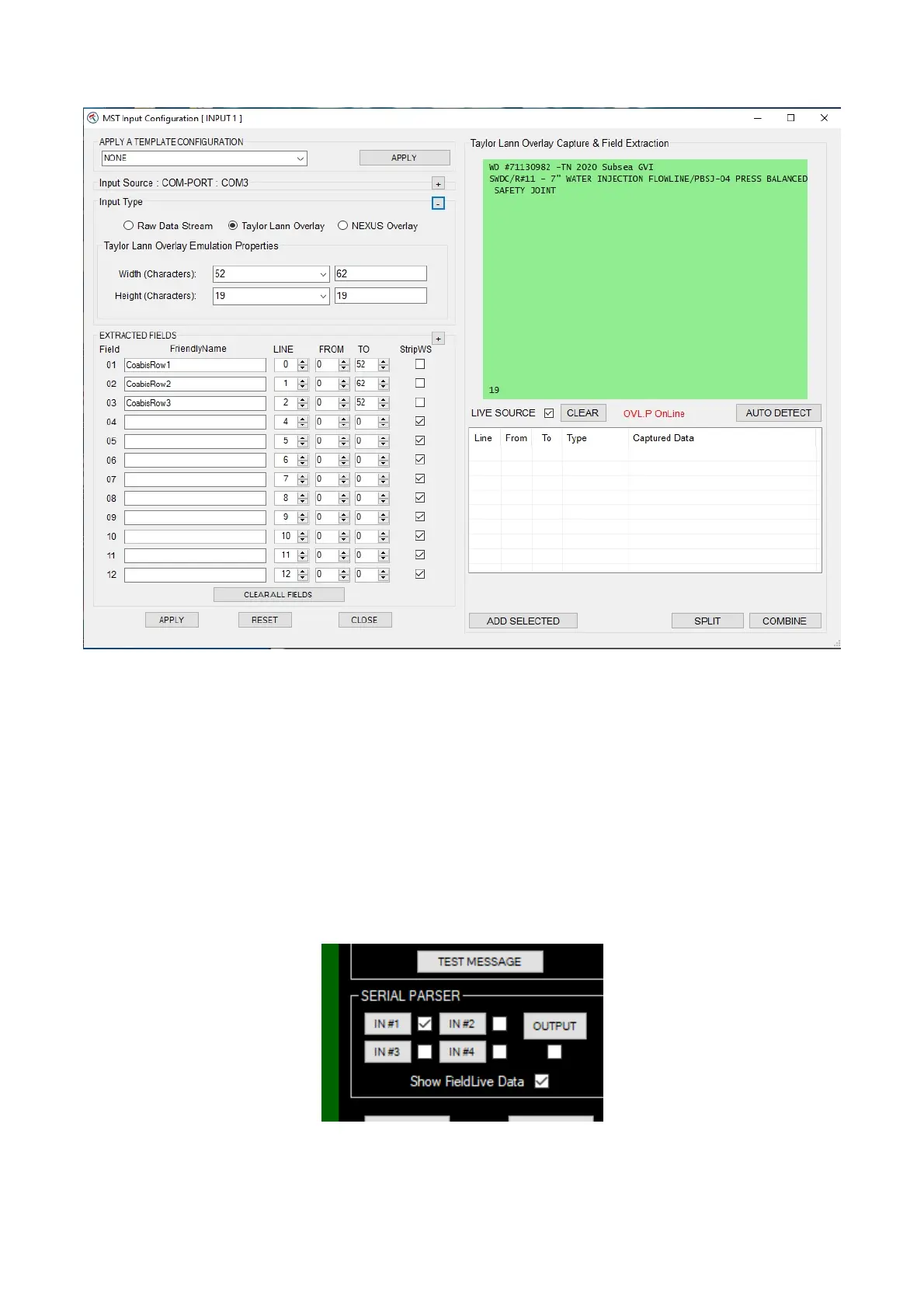
And expand the Input type
Select Taylor Lann Overlay from the input type selection on the left
Ensure Live Source is ticked and have Coabis send a string to the DVR
The string will appear in the light green box – which is the same size as a Taylor Lann overlay would
expect. In this example, it is 2 rows of text, but in the second row is longer than the screen and will
wrap round.
This means that 3 rows are required to encapsulate all the information – clicking AUTO DETECT
will automatically populate the Extracted fields section (bottom left) – and the user can give them
logical friendly-names, in this case CoabisRow1 / 2 / 3
No return to the setup menu and configure the Output


 To Next Page