[ENG] UniPing server solution v4/SMS & UniPing server solution v3, User guide -[USS] Sockets and Indication Elements
[USS] Sockets and Indication Elements
–
•
•
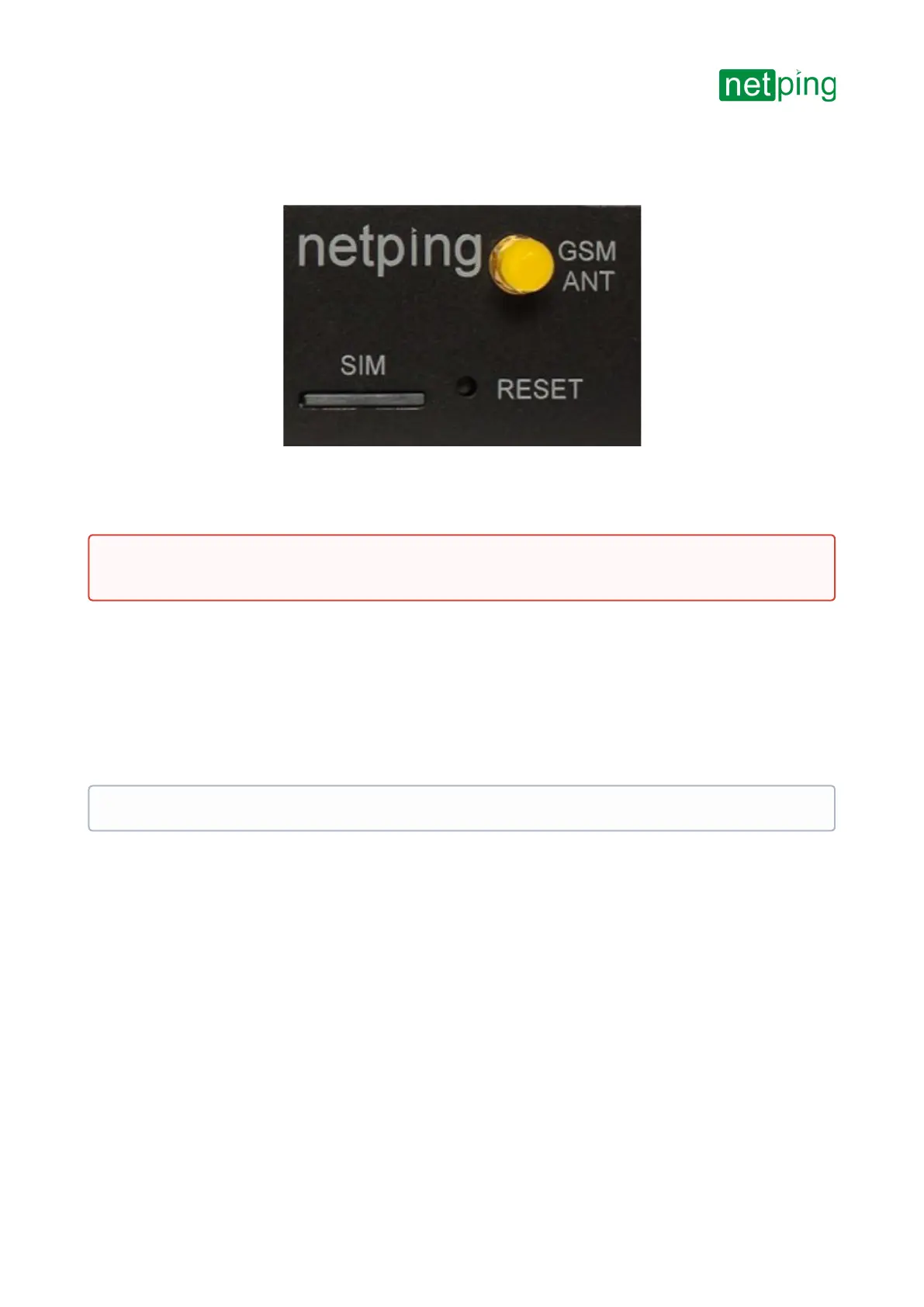
GSM Sockets
Picture 15– GSM modem sockets(UniPing server solution v4/SMSmonitoring unit)
AGSMANTsocket is designed for plugging in an external antenna, which is included into a shipping kit. A
SIMCardslot is designed for installing a SIM card.
Reset Button
A Reset button is designed for resetting parameters to default values. To reset the parameters, press
aResetbutton with a sharp object and hold it during a device is turning on.
Power Supply Inputs
There are two power inputs on the rear panel:
The first one (pictures 16, 17) is used to power the device from an external 5V DC power supply (not less than
1.5 A). The power supply must have a galvanic barrier with a 220V network.
The other pictures 18, 19) is used to power the device from 220V AC.
Important! Before installing a SIM card into a device, disable PIN code verification on it, using an ordinary cell
phone.
It is possible to power the device from two inputs simultaneously


 To Next Page