NV-202 VDSL2 Bridge with DIP Switch USER’S MANUAL Ver. A4
14
3.1 Front Panel
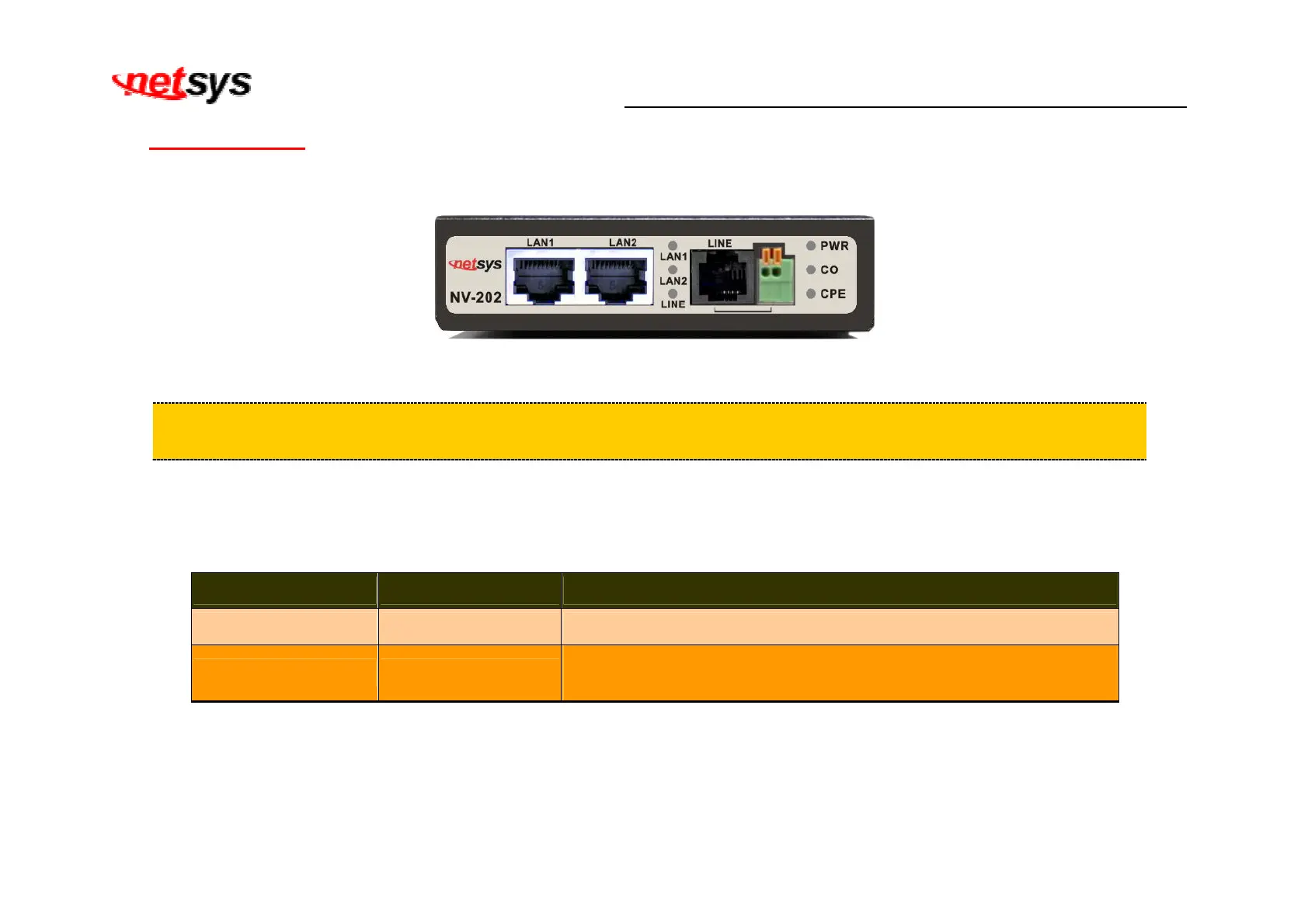
The front panel provides a simple interface monitoring of the bridged. (Figure 3.1)
Figure 3.1 Front Panel
Tip:
At a quick glance of the front panel, it is easy to determine if it has Ethernet signal from its RJ-45 port and
if there is vdsl line signal on RJ-11 port.
And the table shows the description. (Table 3-1)
Table 3-1 Description of the bridge front connectors
Connectors Type Description
LAN1 / LAN2 RJ-45 For connecting to an Ethernet equipped device.
Line RJ-11/Terminal Block
For connecting to VDSL2 bridge. (Do not use RJ11 and Terminal
Block at the same time.)


 To Next Page