NV-202 VDSL2 Bridge with DIP Switch USER’S MANUAL Ver. A4
26
Appendix C:
DIN-Rail mount installation
This appendix describes how to install the DIN-Rail to the bridged. The accessory is optional.
Please refer to install the DIN-RAIL as following step:
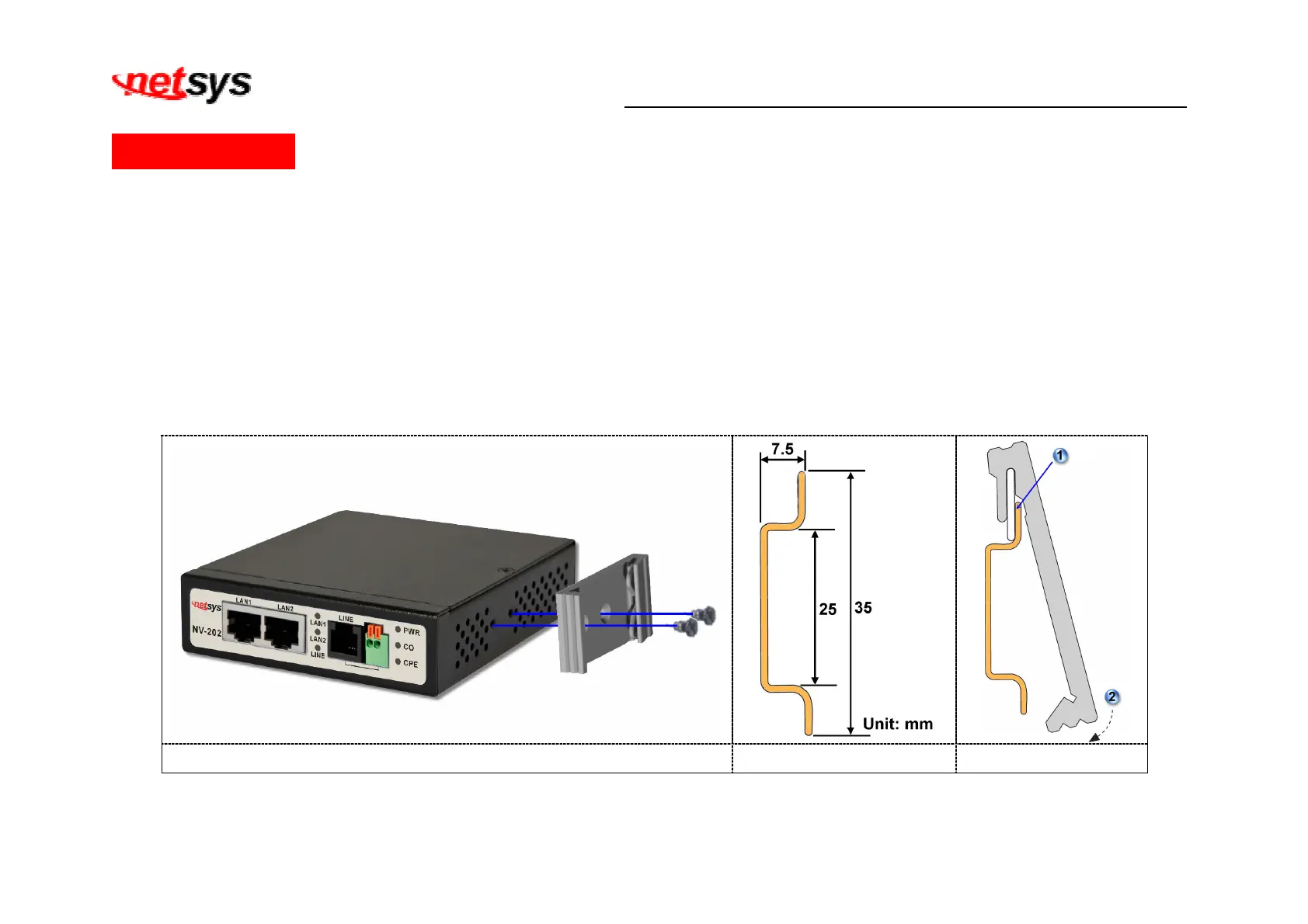
1. Install the DIN-Rail mounting plate to the NV-202. (Figure C-1)
2. Please use the suitable DIN-Rail to install, please refer to the dimensions of the DIN-Rail.(Figure C-2)
3. Insert the top of the DIN-Rail into the top slots on the DIN-Rail mounting plate and the DIN-Rail mounting plate will snap into
place. (Figure C-3)
Figure C-1 Figure C-2 Figure C-3


 To Next Page