NV-202 VDSL2 Bridge with DIP Switch USER’S MANUAL Ver. A4
16
3.3 Rear Panel
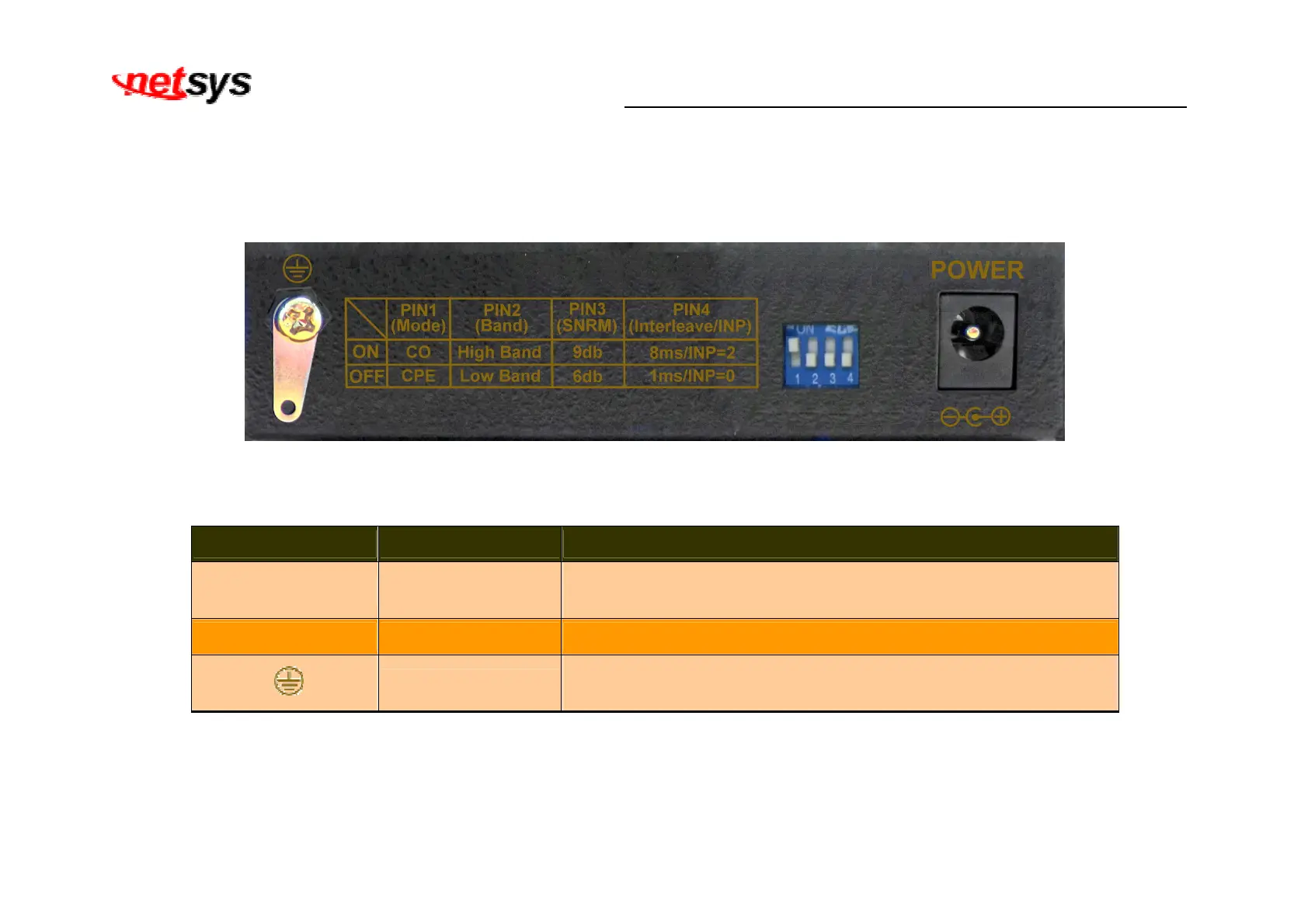
The following figure shows the rear panel. (Figure 3.2)
Figure 3.2 Rear Panel
And the table shows the description. (Table 3-3)
Table 3-3 Description of the bridge front connectors
Connectors Type Description
Power DC Power Jack
External Power Adapter: Input: AC 85~240Volts/50~60Hz
Output: DC 12V/1A
DIP Switch 4 Pins DIP Switch Provide 4 selectable transmission modes.
Ground
Earthing strip
Please connect the ground lug to the earth. To prevent an electric
shock when user touches.
The following figure shows the DIP switch connection. By switching the transmission modes, you can obtain a best transmission
mode to suit with phone line quality or distance or connectivity. (Figure 3.3)


 To Next Page