NV-202 VDSL2 Bridge with DIP Switch USER’S MANUAL Ver. A4
15
3.2 Front Indicators
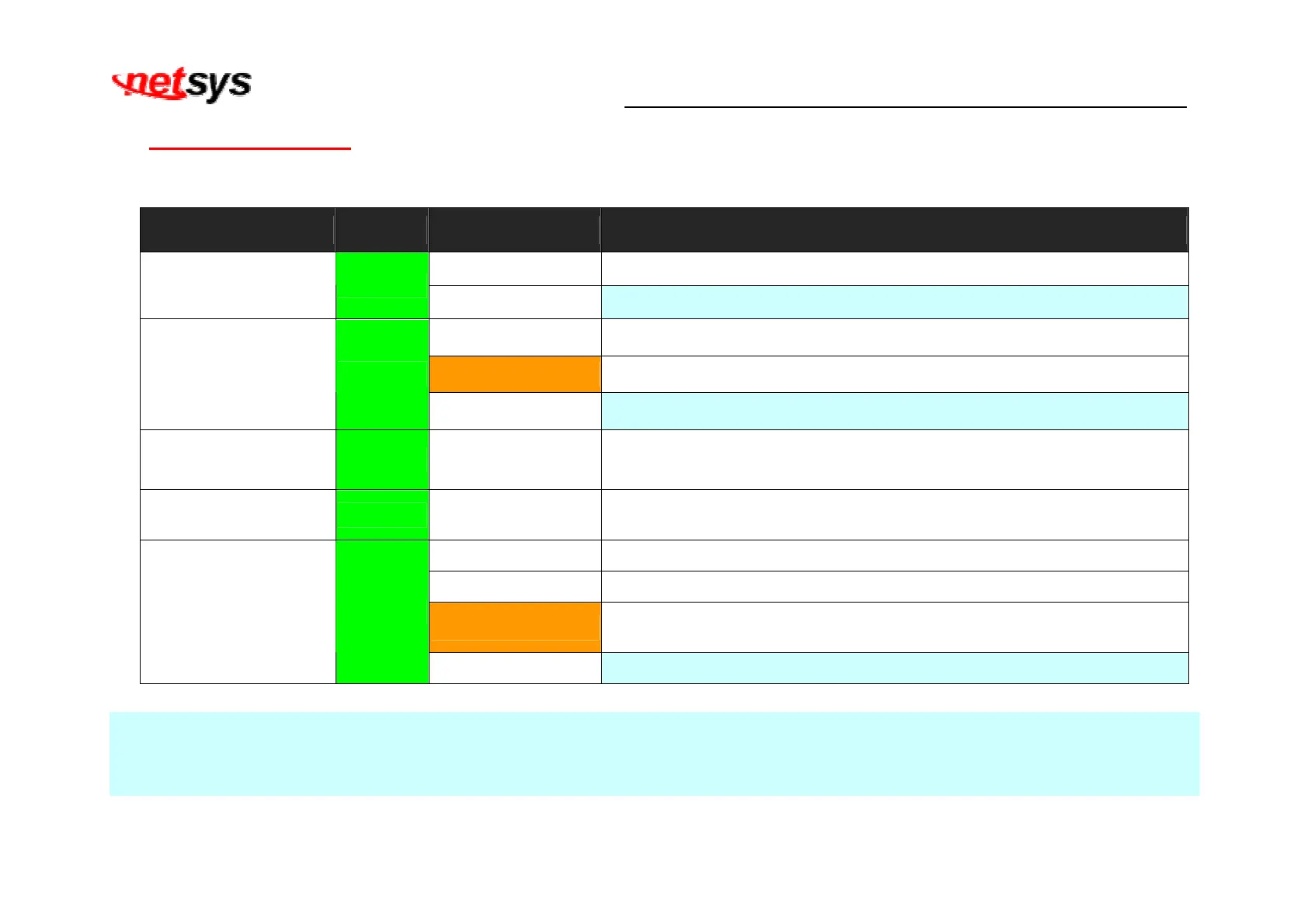
The bridge has Eight LED indicators. The following Table shows the description. (Table 3-2)
Table 3-2 LED Indicators Description and Operation
LED Color Status Descriptions
On(Steady) Lights to indicate that the VDSL2 bridge had power
PWR
(Power LED)
Green
Off The device is not ready or has malfunctioned.
On(Steady) The device has a good Ethernet connection.
Blinking The device is sending or receiving data.
LAN 1-2
(Ethernet LED)
Green
Off The LAN is not connected.
CO (Local Side)
(CO LED)
Green On(Steady) Indicate the VDSL2 bridge is running at CO(Master) mode.
CPE (Remote Side)
(CPE LED)
Green On(Steady) Indicate the VDSL2 bridge is running at CPE(Slave) mode.
On(Steady) The Internet or network connection is up.
Blinking slowly The CO device is auto-detecting CPE device.
Blinking fastly
1. The CO device has detected a CPE device and ready to connect.
2. The device is sending or receiving data.
LINE
(VDSL LINK LED)
Green
Off The Internet or network connection is down or has malfunctioned.
Note:
It is normal for the connection between two bridged to take up to 3 minutes, due to NV-202 to establish a link mechanism in
auto-negotiation, that detects and calculates CO and CPE both PBO and PSD level, noise levels and other arguments for getting a
better connection.


 To Next Page