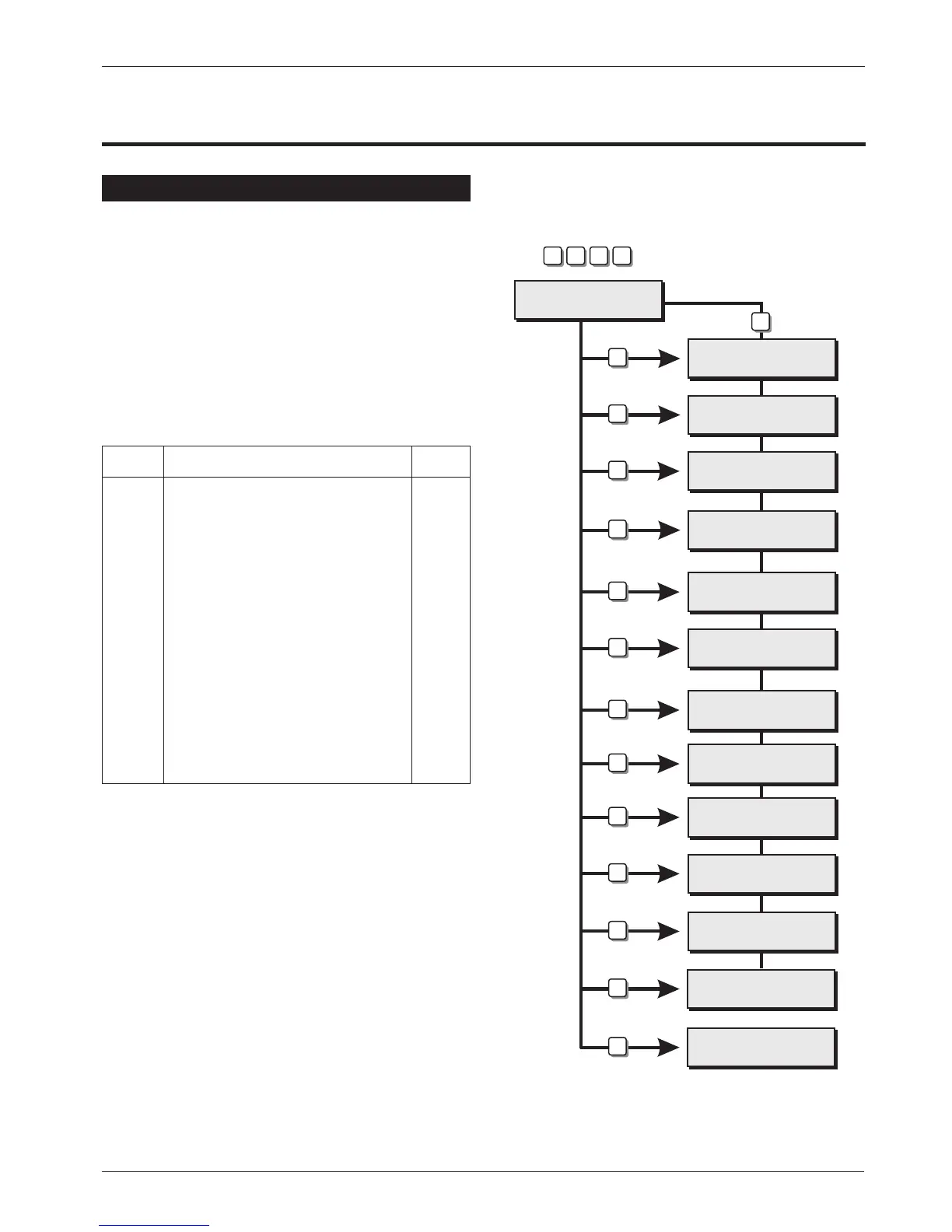
Engineer’s Menu 1
Introduction
Engineers menu 1 is the first of three engineers
menus, which is selected when the engineer’s
passcode is entered. The engineer may leave
“Engineer menu 1" by pressing the [ESC] key. The
system will return to the unset condition but the
remote keypads will show ”Engineer-on- site". This
message will be cleared the next time avalid user
passcode is entered or by exiting the engineer's
mode via user menu 1.
Menu contents
Hotkey Option Page
1
Program Panel Outputs 22
2
Program Digicom Outputs 22
3
Program Digicom Channels 22
4
Program Circuits & Attributes 25
5
Program System Timers 27
6
Program Setting Modes 30
7
System Print-out 30
8
Remote Reset Number 31
9
Program Configuration 31
0
Goto User Menu 1 33
B
View Location Text 34
Engineers menu 1
Select Option :-
Engineers menu 2
Select option :-
Panel output ?
Enter Number >-
Digi output ?
Enter Number >-
Digi channel ?
Enter Number >-
Program circuits
Enter CCT No.>--
System Timers
Enter Number >--
Setting Modes ?
Enter Group >-
System Print Out
Line Number 001
Remote Reset
Algorithm >004
Configuration
Enter Number
User menu 1
Select Option:-
Engineer on Site
12:19 Wed 22 AUG
1
2
3
4
5
6
7
8
9
0
ENT
ESC
ESC
1 2 3 4
Enter Engineer's
Passcode
PANEL IS IN
RECEPTION CLOSET
B
Engineers Menu 1
TS900 Installation Manual Engineer's Menu 1
21



 To Next Page