User Manual
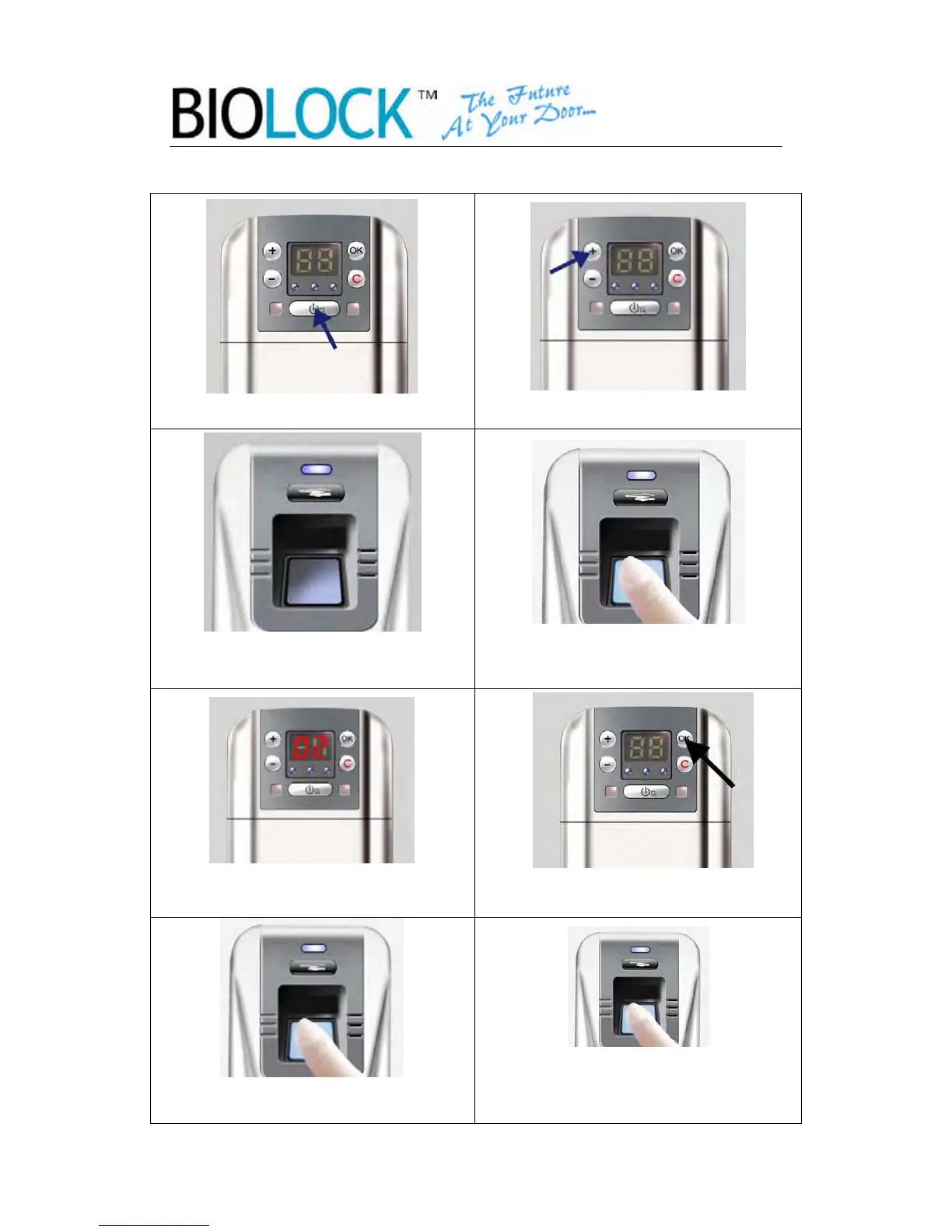
2.3.2 Enroll the master
1.Press the indoor Power Key 2.Press the Add Key
3.The reader will light after the beep. 4. Verify the finger of the super
master(N°1) to get access.
5. First available master number will
display.(N°2 or N°3)
6. Select the master number.
Then press OK
7. Place the finger of the master once
for registration.
8. Then place the finger of the master one more
time. The light will flash 3 times in
sequence. The Operation is complete
.
-8-


 To Next Page