
 Need help?
Do you have a question about the Newland BS8060 Piranha and is the answer not in the manual?
Provides detailed instructions for setting up and using the NLS-BS80 barcode scanner.
Crucial guidelines for safe operation and handling of the barcode scanner.
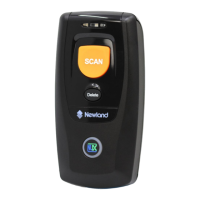
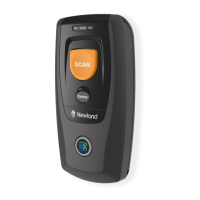
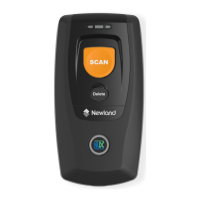
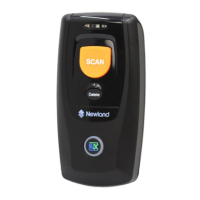
Introduces the BS80 as a wireless pocket barcode scanner for various devices.
Identifies and describes the physical components and parts of the BS80 scanner.
Details the functionality and operation of each button on the BS80 scanner.
Explains the process of charging the scanner's battery using a Micro USB cable.
Guides users through connecting the BS80 scanner to mobile devices via Bluetooth.
Offers guidance on optimal techniques for scanning 1D and 2D barcodes with the BS80.
Explains the different operating modes available for the scanner: Bluetooth and USB.
Details configurations and transmission types for Bluetooth connectivity.
Details configurations and transmission types for USB connectivity.
Configuration options for audible alerts triggered by scanner events.
Configuration options for vibration alerts triggered by scanner events.
Settings for scanner auto power-off timer and manual power off options.
Procedure to set or synchronize the scanner's date and time with a host device.
Selection of keyboard layout for USB HID-KBW mode.
Step-by-step guide for updating the scanner's firmware.
Settings and configurations for various 1D barcode symbologies.
Configuration options for the Code 128 barcode symbology.
Configuration options for the EAN-8 barcode symbology.
Configuration options for the EAN-13 barcode symbology.
Configuration options for the Code 39 barcode symbology.
Settings and configurations for 2D barcode symbologies.
Allows reading of inverted 2D barcodes (bright on dark).
Configuration options for QR Code in 2D scanner context.
Configuration options for Data Matrix in 2D scanner context.
Settings for adding prefixes and suffixes to 1D barcode data.
Allows setting a user-defined prefix for scanned data.
Allows setting a user-defined suffix for scanned data.
Adds a character to mark the end of transmitted data.
Settings for adding prefixes and suffixes to 2D barcode data.
Allows setting a user-defined prefix for 2D scanned data.
Allows setting a user-defined suffix for 2D scanned data.
A comprehensive table listing default settings for various scanner parameters.
Default settings for barcode symbologies, including lengths and check digits.
Barcodes representing digits 0-9 for programming 1D scanner settings.
Barcodes used to save or cancel configurations for 1D scanner.
Table mapping symbologies to AIM IDs for 1D scanners.
Table mapping symbologies to Code IDs for 1D scanners.
Reference table for ASCII character codes, decimal, and hexadecimal values.
 General
| Type | - |
|---|---|
| Sensor type | CMOS |
| Scanner type | 1D/2D |
| Scanner resolution | 5 mm |
| Tilt reading angle | 0 - 360 ° |
| Pitch reading angle | -55 - 55 ° |
| Linear (1D) barcodes supported | Codabar, Code 128, Code 39, Code 93, EAN-13, EAN-8, GS1-128 (UCC/EAN-128), Interleaved 2 of 5 |
| 2D (matrix & stacked) barcodes supported | Data Matrix, PDF417, QR Code |
| Wireless range | 50 m |
| Standard interfaces | Bluetooth, USB |
| Connectivity technology | Wired & Wireless |
| Certification | FCC Part15 Class B, CE EMC Class B |
| Product color | Black |
| LED indicators | Yes |
| Internal memory | 1 MB |
| Protection features | Shock resistant |
| International Protection (IP) code | IP42 |
| Battery life | 6 h |
| Charging time | 5 h |
| Battery voltage | 3.7 V |
| Battery capacity | 900 mAh |
| Power source type | Battery |
| Storage temperature (T-T) | -40 - 70 °C |
| Operating temperature (T-T) | -20 - 50 °C |
| Operating relative humidity (H-H) | 5 - 95 % |
 Weight and Dimensions
| Depth | 88 mm |
|---|---|
| Width | 46 mm |
| Height | 24.5 mm |
| Weight | 629 g |


 To Next Page