
 Need help?
Do you have a question about the Newland NLS-BS80 and is the answer not in the manual?
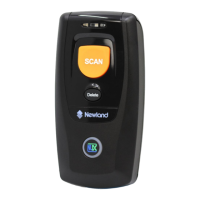
Overview of the NLS-BS80 pocket Bluetooth barcode scanner and its capabilities.
Instructions for initial setup, unpacking, and basic operation of the BS80 scanner.
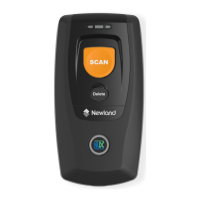
Detailed description of the scanner's physical parts, buttons, and their functions.
Guide to connecting the scanner to devices via Bluetooth and understanding notifications.
Overview of system parameters and configuration options for the BS80 scanner.
Procedure to reset scanner settings to their original factory default values.
Explanation of Bluetooth and USB modes, including connection and profile selection.
Settings for delays, power management, device naming, packet mode, and firmware updates.
Guide to configuring scanner's ability to identify various barcode symbologies.
Enabling/disabling and setting parameters for 1D barcodes like Code 128, EAN, UPC.
Configuring barcode length ranges, add-on codes, and check character verification.
Enabling/disabling and setting parameters for 2D barcodes like QR Code, Data Matrix.
Explanation of how to append custom prefixes, suffixes, and terminating characters to barcode data.
Adjusting decode area and specifying decoding regions for optimal 2D barcode reading.
Modifying scanner output using data formats via programming barcodes or serial commands.
Using commands to manipulate data strings, insert characters, and manage output.
Reference tables for default scanner settings and symbology identification numbers.
Tables for digit barcodes, save/cancel operations, and AIM ID tables for programming.
Reference for ASCII character codes and function key mappings for various keyboard layouts.
 General
| Brand | Newland |
|---|---|
| Model | NLS-BS80 |
| Category | Barcode Reader |
| Language | English |

 To Next Page