
 Need help?
Do you have a question about the Newland NLS-HR32-BT and is the answer not in the manual?
Manual introduction, purpose, and overview of each chapter's content.
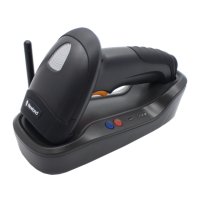
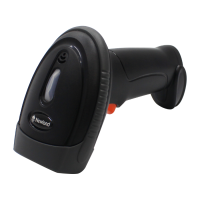
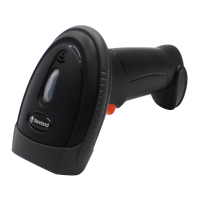
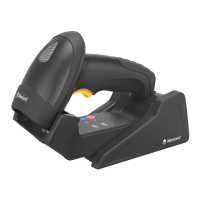
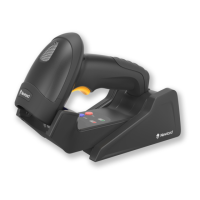
Overview of the NLS-HR32 scanner, cradle, and key features.
Instructions for mounting, connecting the cradle, and pairing the scanner.
Powering operations, cleaning guidelines, and basic scanning steps.
Introduction to the EasySet software for scanner configuration.
Details on barcode, command, and EasySet programming methods.
Syntax for programming commands and usage of programming barcodes.
Configuration for scanner illumination, aiming pattern, and feedback indicators.
Selection of scan modes and adjustment of timeouts and sensitivity.
Methods to customize scanned data with formats and control output.
Management of prefixes, suffixes, and batch programming for data manipulation.
Setup for wireless modes and batch data transmission options.
Parameters for RS-232 and various USB connection types.
Cradle data reports, sending commands, and VID/PID information.
Enabling or disabling entire categories of symbologies.
Detailed configuration for various barcode symbologies like Code 128, EAN, UPC, etc.
Tables for digits, hex characters, AIM IDs, Code IDs, and Symbology IDs.
Reference for default settings and keyboard layout maps.
Information regarding FCC compliance and potential interference issues.
 General
| Type | Handheld |
|---|---|
| Connectivity | Bluetooth |
| Light Source | LED |
| Charging Time | 4.5 hours |
| Operating System Compatibility | Windows, Android, iOS |
| Storage Temperature | -40°C to 70°C (-40°F to 158°F) |
| Operating Humidity | 5% to 95% (non-condensing) |
| Scanning Capability | 1D, 2D |
| Scanning Technology | CMOS |
| Scan Rate | 300 scans/second |
| Image Sensor | 640 x 480 pixels |
| Scan Angle | 360° |
| Battery | Rechargeable Lithium-ion Battery |
| Operating Time | Up to 12 hours |
| Drop Resistance | 1.5m |
| Supported Barcodes | PDF417, Data Matrix, QR Code |


 To Next Page