
 Need help?
Do you have a question about the Newland NLS-HR3290 and is the answer not in the manual?
This manual provides detailed instructions for setting up and using the NLS-HR3290 series cordless 2D barcode scanner.
Describes the content of each chapter of the manual.
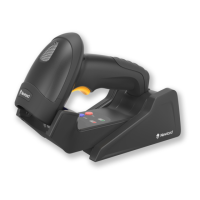
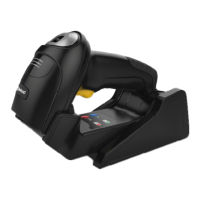
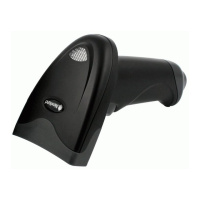
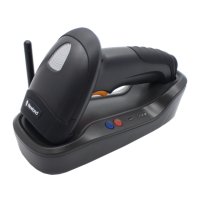
The HR32 cordless scanner reads a 1D or 2D barcode by capturing its image.
Lists key features: Comprehensive data capture, Fast decoding, Easy configuration.
Describes the scanner's components, including LED and Trigger.
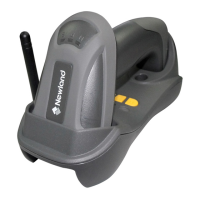
Details the cradle's buttons, LEDs, and ports.
Provides steps for connecting the cradle using a USB cable.
Provides steps for connecting the cradle using an RS-232 cable.
Describes basic scanner operations: powering on, sleep, power off, and rebooting.
Guides the user on how to scan a barcode with the scanner.
Explains how to configure the scanner by scanning programming barcodes.
Explains how to configure the scanner using command strings sent from the host.
Covers pairing procedures for the scanner and cradle, and cradle with routers.
Configures the scanner's automatic power-off time when in sleep mode.
Sets options for the illumination LEDs: Normal, Always ON, or OFF.
Configures the aiming pattern behavior: Normal, Always ON, or OFF.
Details the configuration and behavior of the Manual Scan Mode.
Sets the maximum duration for a single barcode decode session.
Enables decoding only within a user-defined area of the scanner's view.
Describes how to retrieve details like model, serial number, and firmware version.
Describes how to retrieve details for the cradle unit.
Explains how to inquire about or clear data stored in the scanner's flash memory.
Details the three wireless communication modes: Synchronous, Asynchronous, and Batch.
Manages host device validation of scanned data and scanner feedback.
Covers RS-232 specific settings like Baud Rate, Parity Check, and Stop Bit.
Details USB communication options: HID-KBW and COM Port Emulation.
Allows selection of the keyboard layout for USB HID-KBW.
Changes the case (upper, lower, invert) of the scanned barcode data.
Configuration options for the Code 128 barcode symbology.
Configuration options for the EAN-8 barcode symbology.
Configuration options for the EAN-13 barcode symbology.
Configures 2-digit and 5-digit add-on codes for EAN-13 barcodes.
Configuration options for the UPC-E barcode symbology.
Configuration options for the UPC-A barcode symbology.
Configuration options for the Interleaved 2 of 5 barcode symbology.
Configuration options for the Code 39 barcode symbology.
Configuration options for the Codabar barcode symbology.
Configuration options for the QR Code symbology.
Configuration options for the Data Matrix symbology.
Configures user-defined prefixes to be added to scanned data.
Configures the addition of AIM symbology identifiers as prefixes.
Configures the addition of Code IDs as prefixes to identify barcode type.
Configures user-defined suffixes to be appended to scanned data.
Configures special characters to mark the end of scanned data.
Adjusts scanner sensitivity to ambient lighting conditions.
Describes the process of creating custom data formats.
Details steps for programming data formats by scanning specific barcodes.
Explains creating data formats using batch commands sent from the host.
Enables or disables the entire data formatter feature.
Details commands for manipulating scanned data strings.
Commands for finding specific characters or strings within scanned data.
Other available formatter commands like suppressing or replacing characters.
Explains the syntax and structure for creating batch commands.
Describes how to generate batch barcodes from created commands.
Provides instructions on how to apply a generated batch barcode to the scanner.
Lists barcodes representing numeric digits 0 through 9.
A comprehensive table listing all factory default settings for scanner parameters.
A table mapping each symbology to its corresponding ID number.
A reference table showing ASCII values, decimal equivalents, and characters.
 General
| Scan Rate | Up to 300 scans per second |
|---|---|
| Humidity | 5% to 95% (non-condensing) |
| Ingress Protection | IP42 |
| Type | Handheld Barcode Reader |
| Image Sensor | CMOS |
| Light Source | LED |
| Interface | USB, RS-232 |
| Decode Capability | 1D, 2D |
| Operating Temperature | 0°C to 50°C (32°F to 122°F) |
| Storage Temperature | -40°C to 70°C |
| Drop | 1.5m |
| Power Supply | 5 VDC |


 To Next Page