
 Need help?
Do you have a question about the Newland NLS-HR3260 Series and is the answer not in the manual?
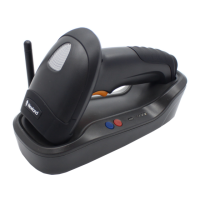
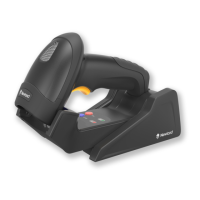
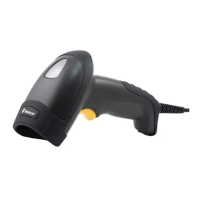
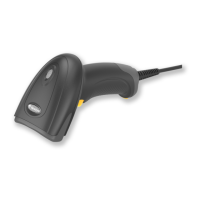
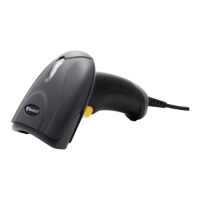
Details the scanner's physical parts and LED status indicators for operation.
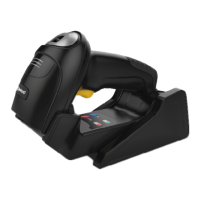
Describes the CD32 cradle's buttons, LEDs, and ports for connection and status.
Explains synchronous, asynchronous, and batch modes for data transfer.
Details the pinout configuration of the CD32 cradle's data port.
Details how to connect the cradle to a host using USB or RS-232 interfaces.
Illustrates the physical connection process of the cradle to a host device.
Step-by-step instructions for connecting the cradle and scanner via a USB cable.
Step-by-step instructions for connecting the cradle and scanner via an RS-232 cable.
Covers powering on, entering sleep mode, powering off, and rebooting the scanner.
Provides instructions for cleaning and maintaining the scanner to ensure optimal performance.
Presents physical dimensions of the scanner and CD32 cradle with diagrams.
Step-by-step guide on how to scan barcodes using the scanner in Manual mode.
Defines acceptable pitch, roll, and skew angles for successful barcode decoding.
Introduces barcode, command, and EzSet123 programming for scanner setup.
Explains configuring the scanner via scanning specific programming barcodes.
Explains configuring the scanner using command strings sent from the host.
Describes convenient scanner configuration using the EzSet123 tool.
Explains the structure and components of programming barcodes and commands.
Explains how to enter setup mode and configure scanner settings using barcodes.
Procedure to reset the scanner and cradle to their original factory settings.
Details how to pair the scanner with the cradle and search for paired devices.
Configures scanner behavior like power-off timeout and reboot options.
Setting the time before the scanner powers off automatically after inactivity.
Adjusts scanner illumination LEDs behavior for optimal scanning.
Configures the scanner's aiming pattern display options.
Manages good read beep and startup beep functionalities.
Adjusting the volume level of the good read beep.
Enabling or disabling the beep sound emitted when the scanner starts up.
Configuring messages transmitted when a barcode is not successfully decoded.
Editing custom non-good read (NGR) messages using numeric barcodes.
Configures Manual, Sense, and Continuous scanning modes.
Configuration specific to the Manual scanning mode.
Setting the maximum time for a decode session attempt.
Configuration specific to the Sense scanning mode.
Setting the time the scanner waits for image stabilization before decoding.
Defines scanner behavior after a successful barcode read.
Setting timeout between consecutive scans of the same barcode.
Adjusting scanner sensitivity to ambient light changes.
Configuration specific to the Continuous scanning mode.
Setting the timeout period between successive decode sessions.
Scan barcodes to retrieve scanner model, serial number, and firmware version.
Scan barcodes to retrieve cradle model, serial number, and firmware version.
Inquire about stored barcodes or delete all barcodes from flash memory.
Configures synchronous, asynchronous, and batch modes for wireless scanner-cradle communication.
Sets baud rate, parity, stop bits, and flow control for RS-232 serial communication.
Configures the data transmission rate for RS-232 communication.
Sets the parity check option for RS-232 serial communication.
Configures the number of stop bits for RS-232 serial communication.
Enables or disables hardware flow control for RS-232 communication.
Configures USB HID-KBW, keyboard types, delays, and COM port emulation.
Configures the scanner for USB Keyboard Wedge (HID-KBW) emulation.
Selects the appropriate keyboard layout for USB HID-KBW.
Sets the delay between emulated keystrokes for USB HID-KBW.
Converts scanned data case (upper, lower, invert) via USB HID-KBW.
Configures the scanner for USB COM Port emulation, requiring a driver.
Enables or disables all, 1D, or 2D symbologies for scanner recognition.
Allows the scanner to read inverted barcodes by enabling or disabling video reverse.
Configure Code 128 settings including defaults, enable/disable, and length range.
Sets EAN-8 defaults, enable/disable, check digit, and add-on code options.
Sets EAN-13 defaults, enable/disable, check digit, and add-on code options.
Configures UPC-E defaults, enable/disable, check digit, and add-on code options.
Sets UPC-A defaults, enable/disable, check digit, and add-on code options.
Configures Interleaved 2 of 5 defaults, enable/disable, length range, and check digit verification.
Configures Matrix 2 of 5 defaults, enable/disable, length range, and check digit verification.
Configures Code 39 defaults, enable/disable, length range, check digit, and ASCII.
Configures Codabar defaults, enable/disable, length range, check digit, and start/stop characters.
Configures Code 93 defaults, enable/disable, length range, and check digit verification.
Configures UCC/EAN-128 defaults, enable/disable, and length range.
Configures GS1 Databar defaults, enable/disable, and application identifier.
Configures Code 11 defaults, enable/disable, length range, and check digit verification.
Configures ISBN defaults, enable/disable, format, and add-on code options.
Configures ISSN defaults, enable/disable, and add-on code options.
Configures AIM-128 defaults, enable/disable, and length range.
Configures Industrial 25 defaults, enable/disable, length range, and check digit verification.
Configures Standard 25 defaults, enable/disable, length range, and check digit verification.
Configures Plessey defaults, enable/disable, length range, and check digit verification.
Configures MSI-Plessey defaults, enable/disable, length range, and check digit verification.
Configures PDF417 defaults, enable/disable, and length range.
Configures QR Code defaults, enable/disable, and length range.
Enables or disables the Micro QR barcode symbology.
Configures Data Matrix defaults, enable/disable, length range, rectangular, and mirror image.
Enables or disables all prefix/suffix features and sets prefix sequence options.
Enables, disables, and sets custom prefixes to be appended to scanned data.
Configures the scanner to append the AIM symbology identifier as a prefix.
Configures the scanner to append a user-defined Code ID as a prefix.
Allows modification of Code IDs for various symbologies and restoration of defaults.
Enables, disables, and sets custom suffixes to be appended to scanned data.
Configures terminating characters like CR or CRLF to mark the end of data.
Adjusts scanner sensitivity to ambient light conditions for optimal performance.
Reference for digit barcodes (0-9) used in scanner programming.
Barcodes used to save, cancel, or delete programming entries.
Table listing default settings for scanner system, communication, and symbology parameters.
Reference mapping symbologies to their corresponding AIM Identifiers.
Reference mapping symbologies to their corresponding Code IDs.
Reference table for ASCII hexadecimal, decimal, and character representations.
 General
| Drop | 1.5m |
|---|---|
| Sealing | IP54 |
| Tilt Angle | ±60° |
| Rotation Angle | 360° |
| Operating Voltage | 5 VDC ± 5% |
| Image Sensor | CMOS |
| Light Source | LED |
| Interfaces Supported | USB, RS232 |
| Operating Temperature | 0°C to 50°C |
| Humidity | 5% ~ 95% (non-condensing) |
| Symbologies | 1D Barcodes |

 To Next Page
