
 Need help?
Do you have a question about the Newland NLS-NVH200 and is the answer not in the manual?
Introduces the NLS-NVH200 scanner and the contents of the user guide.
Lists the chapters and their respective content within the user guide.
Provides an overview of the NVH200 scanner's capabilities and specifications.
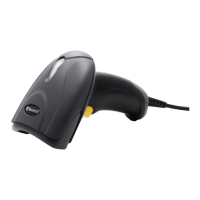
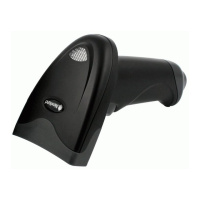
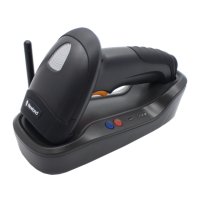
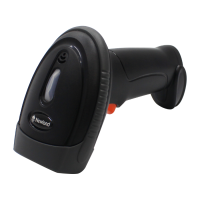
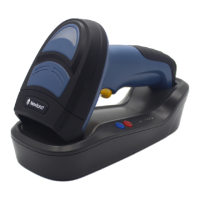
Details the scanner components, indicator definitions, and unpacking instructions.
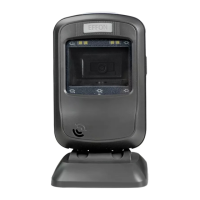
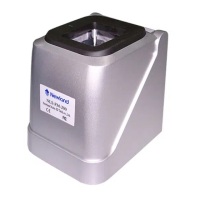
Illustrates the CD200 pedestal's appearance and defines its keys and indicators.
Explains communication modes and defines the CD200 data line interface pinout.
Details how to connect the scanner to a host device via USB or RS-232.
Covers powering on/off, sleep modes, and essential maintenance procedures.
Illustrates the physical dimensions of the scanner from multiple views.
Explains optimal reading angles and provides step-by-step scanning instructions.
Introduces EasySet, a configuration tool for Newland barcode scanners.
Outlines barcode, command, and EasySet programming for scanner configuration.
Configures scanner illumination and aiming pattern settings.
Manages beep and vibration feedback for successful barcode reads.
Sets scan modes, reading timeouts, and delay intervals.
Manages factory defaults, custom defaults, and scanner-base pairing.
Retrieves comprehensive system details like firmware and serial numbers.
Queries specific device information such as product name and hardware version.
Details synchronous, asynchronous, and batch wireless communication modes.
Configures baud rate, parity check, data bits, and stop bits for serial ports.
Configures USB connection types: HID Keyboard or HID CDC COM Port.
Enables or disables all 1D, 2D, and postal barcode symbologies.
Configures common symbologies like Code 128, EANs, and UPCs.
Configures Interleaved 2 of 5, ITF, Matrix, Code 39, and Codabar symbologies.
Configures PDF417, QR Code, Aztec, Data Matrix, and Maxicode symbologies.
Explains how to use the Data Formatter to modify scanner output.
Details commands for sending, moving, and searching within data strings.
Enables or disables all prefixes and suffixes for barcode data.
Allows setting custom prefixes and suffixes for barcode data.
Explains rules for integrating commands into a single batch barcode.
Guides on creating and applying batch barcodes for scanner configuration.
Lists barcodes used for data input and saving settings.
Describes the function of Save and Cancel barcodes for settings management.
 General
| Humidity | 5% to 95% (non-condensing) |
|---|---|
| Input Voltage/Operating Voltage | 5VDC |
| Scanning Technology | 2D Imager |
| Connectivity/Interface | Bluetooth |
| Operating System Compatibility | Windows, Android, iOS |
| Supported Barcode Types/Decoding Capability | 1D, 2D |
| Image Sensor | CMOS |
| Light Source | LED |
| Scanning Speed | 300 scans per second |
| Operating Temperature | 50°C |
| Supported Symbologies | QR Code, Data Matrix, PDF417 |
| Drop Specification | 1.5m to concrete |
| Reading Distance | 50mm to 300mm |

 To Next Page