
 Need help?
Do you have a question about the Newland NLS-FR40 and is the answer not in the manual?
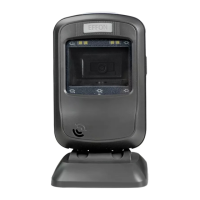
Provides an overview of the NLS-FR40XX-3X fixed mount barcode scanner and its manual.
Outlines the content and purpose of each chapter in the user guide.
Explains the FR40 scanner's basic function of reading 1D and 2D barcodes.
Highlights key features like comprehensive data capture, speed, accuracy, and ease of use.
Instructs users on how to open the package and check the scanner and its accessories.
Describes the button to switch between Screen and Regular modes, indicated by LED color.
Explains the meaning of the LED indicator, specifically when a barcode is decoded.
Details how to connect the scanner to a host device using USB or RS-232 cables.
Provides guidelines for keeping the scanner clean and undamaged, and warranty exclusions.
Illustrates the left side of the scanner with dimensional measurements.
Illustrates the front of the scanner with dimensional measurements.
Explains the two primary methods for configuring the scanner: barcode and command programming.
Configure scanner by scanning programming barcodes.
Configure scanner using command strings sent from the Host.
Details how to enter setup mode and use barcodes to configure scanner settings.
Enables or disables the audible beep that signals a successful barcode decode.
Allows adjustment of the volume level for the good read beep.
Enables or disables the beep sound that occurs when the scanner powers on.
Lists various beep sequences and their corresponding indications.
Allows users to define a custom message transmitted when a barcode decode fails.
Restores all scanner settings to their original factory-configured state.
Enables saving and recalling user-defined configurations for quick setup.
Optimized for reading barcodes printed on paper or physical objects.
Optimized for reading barcodes displayed on mobile phone screens or LCDs.
Scanner automatically attempts to decode barcodes when presented within its view.
Sets the maximum duration for a single barcode decoding attempt.
Explains how to enable RS-232 communication and configure necessary parameters.
Covers essential settings like baud rate, parity, data bits, and stop bits for serial communication.
Configures the number of data bits and the parity check method for serial transmission.
Presents two USB connection options: HID-KBW and COM Port Emulation.
Simulates keyboard input via USB, requiring no drivers for plug-and-play operation.
Guides on configuring symbologies to optimize barcode recognition and scanner performance.
Allows enabling or disabling all barcode symbologies simultaneously.
Turns off the scanner's capability to read 1D barcode types.
Activates the scanner's capability to read 2D barcode types.
Turns off the scanner's capability to read 2D barcode types.
Covers settings for the Code 128 barcode symbology, including defaults and enablement.
Resets AIM-128 symbology settings to their default values.
Controls whether the AIM-128 symbology is active for scanning.
Resets GS1-128 (UCC/EAN-128) symbology settings to their default values.
Controls whether the UCC/EAN-128 symbology is active for scanning.
Resets EAN-8 symbology settings to their default values.
Controls whether the EAN-8 symbology is active for scanning.
Determines if the EAN-8 check digit is included in the transmitted data.
Configures how EAN-8 barcodes are extended to 13 digits using leading zeros.
Resets EAN-13 symbology settings to their default values.
Controls whether the EAN-13 symbology is active for scanning.
Determines if the EAN-13 check digit is included in the transmitted data.
Resets UPC-E symbology settings to their default values.
Controls whether the UPC-E symbology is active for scanning.
Determines if the UPC-E check digit is included in the transmitted data.
Configures UPC-E barcodes to match UPC-A length compatibility.
Controls the transmission of the UPC-E system character '0'.
Resets UPC-A symbology settings to their default values.
Controls whether the UPC-A symbology is active for scanning.
Determines if the UPC-A check digit is included in the transmitted data.
Controls the transmission of the UPC-A preamble character '0'.
Resets Interleaved 2 of 5 symbology settings to their default values.
Controls whether the Interleaved 2 of 5 symbology is active for scanning.
Resets Matrix 2 of 5 symbology settings to their default values.
Controls whether the Matrix 2 of 5 symbology is active for scanning.
Resets Code 39 symbology settings to their default values.
Controls whether the Code 39 symbology is active for scanning.
Configures the transmission of start/stop characters for Code 39.
Resets Codabar symbology settings to their default values.
Controls whether the Codabar symbology is active for scanning.
Resets Code 93 symbology settings to their default values.
Controls whether the Code 93 symbology is active for scanning.
Resets GS1 Databar (RSS) symbology settings to their default values.
Controls whether the GS1 Databar symbology is active for scanning.
Manages the transmission of the GS1 Databar Application Identifier '01'.
Resets Code 11 symbology settings to their default values.
Controls whether the Code 11 symbology is active for scanning.
Resets ISSN symbology settings to their default values.
Controls whether the ISSN symbology is active for scanning.
Specifies if ISSN barcodes require an add-on code for decoding.
Resets ISBN symbology settings to their default values.
Controls whether the ISBN symbology is active for scanning.
Selects the ISBN format (ISBN-13 or ISBN-10) for the scanner.
Resets Industrial 25 symbology settings to their default values.
Controls whether the Industrial 25 symbology is active for scanning.
Resets Standard 25 symbology settings to their default values.
Controls whether the Standard 25 symbology is active for scanning.
Resets Plessey symbology settings to their default values.
Controls whether the Plessey symbology is active for scanning.
Resets MSI-Plessey symbology settings to their default values.
Controls whether the MSI-Plessey symbology is active for scanning.
Covers PDF417 symbology settings, including defaults and enablement.
Resets QR Code symbology settings to their default values.
Controls whether the QR Code symbology is active for scanning.
Resets Data Matrix symbology settings to their default values.
Controls whether the Data Matrix symbology is active for scanning.
Configures whether to decode mirrored Data Matrix barcodes.
Explains how to edit and distinguish barcode data using prefixes, suffixes, and terminators.
Globally enables or disables all prefix and suffix functionalities.
Defines the order in which Code ID, Custom Prefix, and AIM ID are applied.
Allows or disallows the addition of a user-defined prefix to scanned data.
Lets users define a custom prefix by inputting its hexadecimal value.
Manages the use of Code ID to identify barcode types.
Allows modification of Code IDs for specific symbologies or restoration of all defaults.
Allows or disallows the addition of a user-defined suffix to scanned data.
Lets users define a custom suffix by inputting its hexadecimal value.
Controls the addition of terminating characters like CR or CRLF.
Provides a comprehensive list of all scanner parameters and their default settings.
 General
| Brand | Newland |
|---|---|
| Model | NLS-FR40 |
| Category | Barcode Reader |
| Language | English |

 To Next Page