
 Need help?
Do you have a question about the Newland BS80 and is the answer not in the manual?
Provides setup and usage instructions for the NLS-BS80 barcode scanner.
Outlines the content of each chapter in the manual.
Advises on careful operation and safety information for proper handling.
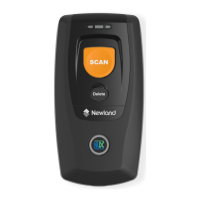
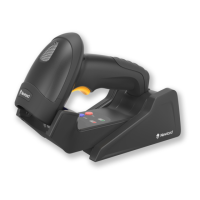
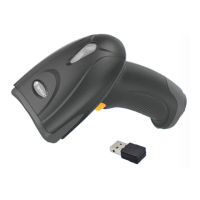
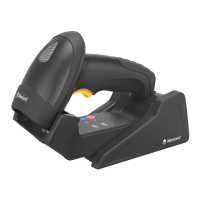
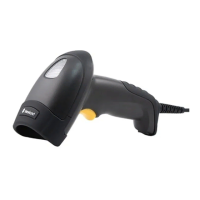
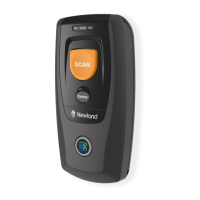
Introduces the BS80 wireless pocket barcode scanner and its capabilities.
Instructions for opening the package and checking scanner contents for damage or missing items.
Details how to use the Scan/Power button for scanning and power operations.
Explains the Delete/Reset button functions for data removal and device reset.
Describes the uses of the Function button for HID keyboard, pairing, and data transmission.
Details functions triggered by pressing multiple buttons simultaneously.
Guides users on how to charge the scanner using a Micro USB cable.
Provides a step-by-step guide for pairing the BS80 scanner with devices.
Explains LED indicators, keyboard language, and troubleshooting for connectivity.
Describes the meanings of different states of the Charging/Battery LED.
Explains the function of the Good Read LED and the Data LED.
Interprets the different states and flashes of the Function LED.
Instructions for turning the scanner on and off manually or automatically.
Guidance on adjusting scan angle and distance for 1D barcodes.
Instructions for optimal scanning of 2D barcodes, including aim and distance.
Overview of configuring basic system parameters on the scanner.
Barcode to reset scanner settings to their original factory defaults.
Explains Real-Time and Batch modes for scanner operation.
Describes Synchronous and Asynchronous modes for data transfer.
Steps for transferring data from scanner FLASH memory to a PC via USB.
Barcodes to query firmware, hardware, and serial number information.
Barcodes for querying and deleting data in USB and Bluetooth storage areas.
Barcodes to enable or disable audible alerts for scanner events.
Barcodes to enable or disable haptic feedback for scanner events.
Barcodes to append or disable terminating character suffixes for data output.
Options to set inter-character delay for Bluetooth HID to prevent data loss.
Barcode to remove existing Bluetooth pairing data from the scanner.
Barcodes to set the auto power-off timer for extending battery life.
Barcode to manually turn off the scanner.
Barcodes to control the inclusion of date and time with scanned data.
Barcodes to select the desired format for date transmission.
Instructions to use a tool for setting scanner date and time via barcode.
Barcodes for setting the keyboard layout for USB HID-KBW mode.
Lists various country-specific keyboard layouts for USB HID-KBW.
Barcodes to convert scanned data to upper, lower, or invert case.
Barcodes and digits to set the inter-keystroke delay for KBW.
Barcodes to enable or disable the USB HID-KBW mode.
Step-by-step guide to update the scanner's firmware using a PC.
Details the process of holding buttons and confirming firmware upgrade.
Shows the configuration file for the firmware update utility.
Explains barcode symbologies and configuration for scanner efficiency.
Barcodes to enable or disable all 1D symbologies.
Configuration for Code 128, including defaults and enable/disable.
How to set Code ID and length range for Code 128 barcodes.
Sets minimum and maximum lengths for decoding Code 128 barcodes.
Configuration for UCC/EAN-128, including defaults and enable/disable.
How to set Code ID and length range for UCC/EAN-128 barcodes.
Sets minimum and maximum lengths for decoding UCC/EAN-128 barcodes.
Configuration for AIM 128, including defaults and enable/disable.
How to set Code ID and length range for AIM 128 barcodes.
Sets minimum and maximum lengths for decoding AIM 128 barcodes.
Settings for EAN-8, including defaults and enable/disable.
Controls check digit and sets Code ID for EAN-8 barcodes.
Options to enable, disable, or decode EAN-8 with 2-digit add-on codes.
Options to enable, disable, or decode EAN-8 with 5-digit add-on codes.
Controls for zero extension and check digit transmission for EAN-8.
Settings for EAN-13, including defaults and enable/disable.
Controls check digit and add-on code settings for EAN-13.
Procedure to set a Code ID for EAN-13 barcodes.
Options to enable, disable, or decode EAN-13 with 2-digit add-on codes.
Options to enable, disable, or decode EAN-13 with 5-digit add-on codes.
Settings for ISSN, including defaults and enable/disable.
How to program a specific Code ID for ISSN barcodes.
Settings for ISBN, including defaults and enable/disable.
Barcodes to choose between ISBN-13 and ISBN-10 formats.
Procedure to set a Code ID for ISBN barcodes.
Settings for UPC-E, including defaults and enable/disable.
Controls check digit and add-on code settings for UPC-E.
Procedure to set a Code ID for UPC-E barcodes.
Options to enable, disable, or decode UPC-E with 2-digit add-on codes.
Options to enable, disable, or decode UPC-E with 5-digit add-on codes.
Settings for transmitting preamble characters for UPC-E.
Controls for extending UPC-E barcodes to UPC-A compatibility.
Settings for UPC-A, including defaults and enable/disable.
Controls check digit and add-on code settings for UPC-A.
Settings for transmitting preamble characters for UPC-A.
Options to enable, disable, or decode UPC-A with 2-digit add-on codes.
Options to enable, disable, or decode UPC-A with 5-digit add-on codes.
Settings for Interleaved 2 of 5, including defaults and enable/disable.
Settings for Code ID and check digit for Interleaved 2 of 5.
Options for check digit verification for Interleaved 2 of 5.
Sets minimum and maximum lengths for decoding Interleaved 2 of 5 barcodes.
Settings for ITF-6, including defaults and enable/disable.
Settings for ITF-14, including defaults and enable/disable.
Settings for Deutsche 14, including defaults and enable/disable.
Procedure to set a Code ID for Deutsche 14 barcodes.
Settings for Deutsche 12, including defaults and enable/disable.
Procedure to set a Code ID for Deutsche 12 barcodes.
Settings for COOP 25, including defaults and enable/disable.
Settings for Code ID and check digit for COOP 25.
Options for check digit verification for COOP 25.
Sets minimum and maximum lengths for decoding COOP 25 barcodes.
Settings for Matrix 2 of 5, including defaults and enable/disable.
Settings for Code ID and check digit for Matrix 2 of 5.
Options for check digit verification for Matrix 2 of 5.
Sets minimum and maximum lengths for decoding Matrix 2 of 5 barcodes.
Settings for Industrial 25, including defaults and enable/disable.
Settings for Code ID and check digit for Industrial 25.
Options for check digit verification for Industrial 25.
Sets minimum and maximum lengths for decoding Industrial 25 barcodes.
Settings for Standard 25, including defaults and enable/disable.
Settings for Code ID and check digit for Standard 25.
Options for check digit verification for Standard 25.
Sets minimum and maximum lengths for decoding Standard 25 barcodes.
Settings for Code 39, including defaults and enable/disable.
Settings for Code ID and check digit for Code 39.
Options for check digit verification for Code 39.
Controls transmission of start/stop characters for Code 39.
Barcodes to enable or disable full ASCII character identification for Code 39.
Sets minimum and maximum lengths for decoding Code 39 barcodes.
Settings for Codabar, including defaults and enable/disable.
Settings for Code ID and check digit for Codabar.
Options for check digit verification for Codabar.
Controls transmission of start/stop characters for Codabar.
Sets minimum and maximum lengths for decoding Codabar barcodes.
Settings for Code 93, including defaults and enable/disable.
Settings for Code ID and check digit for Code 93.
Options for check digit verification for Code 93.
Sets minimum and maximum lengths for decoding Code 93 barcodes.
Settings for Code 11, including defaults and enable/disable.
Settings for Code ID and check digit for Code 11.
Options for check digit verification for Code 11.
Sets minimum and maximum lengths for decoding Code 11 barcodes.
Settings for Plessey, including defaults and enable/disable.
Settings for Code ID and check digit for Plessey.
Options for check digit verification for Plessey.
Sets minimum and maximum lengths for decoding Plessey barcodes.
Settings for MSI-Plessey, including defaults and enable/disable.
Settings for Code ID and check digit for MSI-Plessey.
Options for check digit verification for MSI-Plessey.
Sets minimum and maximum lengths for decoding MSI-Plessey barcodes.
Settings for GS1 Databar, including defaults and enable/disable.
Settings for Code ID and Application Identifier for GS1 Databar.
General settings and enabling/disabling of 1D and 2D symbologies for 2D scanner.
Options to enable or disable reading of inverted 2D barcodes.
Configuration for 2D Code 128, including defaults and enable/disable.
Configuration for 2D UCC/EAN-128, including defaults and enable/disable.
Configuration for 2D AIM 128, including defaults and enable/disable.
Settings for 2D EAN-8, including defaults, enable/disable, and check digit.
Settings for 2D EAN-13, including defaults, enable/disable, and check digit.
Options to enable/disable 2-digit or 5-digit add-on codes for 2D EAN-8.
Controls for zero extension for 2D EAN-8.
Options to enable/disable 2-digit or 5-digit add-on codes for 2D EAN-13.
Barcodes to enforce or not enforce add-on codes for 2D EAN-13.
Settings for 2D UPC-E, including defaults, enable/disable, and check digit.
Options to enable/disable 2-digit or 5-digit add-on codes for 2D UPC-E.
Barcodes to enforce or not enforce add-on codes for 2D UPC-E.
Controls transmission of the system character for 2D UPC-E.
Controls for extending 2D UPC-E barcodes to UPC-A compatibility.
Settings for 2D UPC-A, including defaults and enable/disable.
Controls check digit transmission for 2D UPC-A.
Options to enable/disable 2-digit or 5-digit add-on codes for 2D UPC-A.
Barcodes to enforce or not enforce add-on codes for 2D UPC-A.
Settings for transmitting preamble characters for 2D UPC-A.
Settings for 2D Interleaved 2 of 5, including defaults and enable/disable.
Options for check digit verification for 2D Interleaved 2 of 5.
Controls transmission of appended '0' for odd-length 2D Interleaved 2 of 5.
Settings for 2D ITF-6, including defaults and enable/disable.
Settings for 2D ITF-14, including defaults and enable/disable.
Settings for 2D Matrix 2 of 5, including defaults and enable/disable.
Options for check digit verification for 2D Matrix 2 of 5.
Settings for 2D Industrial 25, including defaults and enable/disable.
Options for check digit verification for 2D Industrial 25.
Settings for 2D Standard 25, including defaults and enable/disable.
Options for check digit verification for 2D Standard 25.
Settings for 2D Code 39, including defaults and enable/disable.
Controls transmission of start/stop characters for 2D Code 39.
Options for check digit verification for 2D Code 39.
Barcodes to enable or disable full ASCII character identification for 2D Code 39.
Settings for 2D Codabar, including defaults and enable/disable.
Options for check digit verification for 2D Codabar.
Controls transmission of start/stop characters for 2D Codabar.
Options for different start/stop character formats for 2D Codabar.
Settings for 2D Code 93, including defaults and enable/disable.
Options for check digit verification for 2D Code 93.
Settings for 2D Code 11, including defaults and enable/disable.
Options for check digit verification for 2D Code 11.
Settings for 2D Plessey, including defaults and enable/disable.
Options for check digit verification for 2D Plessey.
Settings for 2D MSI-Plessey, including defaults and enable/disable.
Options for check digit verification for 2D MSI-Plessey.
Settings for 2D GS1 Databar, including defaults and enable/disable.
Settings for Code ID and Application Identifier for 2D GS1 Databar.
Settings for 2D RSS-14, including defaults and enable/disable.
Settings for 2D RSS-Limited, including defaults and enable/disable.
Settings for 2D RSS-Expand, including defaults and enable/disable.
Settings for 2D PDF417, including defaults and enable/disable.
Settings for 2D Data Matrix, including defaults and enable/disable.
Options to decode or not decode rectangular Data Matrix barcodes.
Options for decoding unmirrored, mirrored, or both Data Matrix images.
Settings for QR Code, including defaults and enable/disable.
Options to enable or disable Micro QR code scanning.
Options to decode or not decode mirrored Micro QR codes.
Overview of appending prefix and suffix to barcode data for custom output.
Barcodes to enable or disable appending a custom prefix to scanned data.
Procedure to set a custom prefix using barcodes.
Options to enable/disable Code ID prefix and restore default IDs.
Barcodes to enable or disable appending a custom suffix to scanned data.
Procedure to set a custom suffix using barcodes.
Barcodes to enable/disable appending terminating characters like CR or CRLF.
Procedure to set specific terminating character suffixes.
Defines the format for transmitting 2D barcode data with optional fields.
Options to enable/disable and choose Code ID prefix for 2D scanner.
Options for appending CR, CRLF, or TAB as terminating characters for 2D data.
Lists default settings for system, symbologies, and prefix/suffix configurations.
Default settings for 1D barcode symbologies like Code 128, EAN-8, etc.
Default settings for EAN-13, ISSN, ISBN, UPC-E, UPC-A, and Interleaved 2 of 5.
Default settings for ITF-6, ITF-14, Deutsche, COOP 25, Matrix 25.
Default settings for Industrial 25, Standard 25, Code 39, Codabar, Code 93.
Default settings for Code 11, Plessey, MSI-Plessey, GS1 Databar.
Default settings for 2D scanner features and symbologies.
Default settings for 2D scanner symbologies like UPC-A, Interleaved 2 of 5, ITF-6, ITF-14, Matrix 2 of 5.
Default settings for Industrial 25, Standard 25, Code 39, Codabar, Code 93.
Default settings for Code 11, Plessey, MSI-Plessey, RSS, PDF417, Data Matrix, QR Code.
Table mapping 1D barcode symbologies to their respective Code IDs.
Table mapping 2D barcode symbologies to original and visible Code IDs.
Barcodes representing digits 0-9 for scanner configuration.
Barcodes representing hexadecimal digits A-F for scanner configuration.
Barcodes for saving, canceling, or canceling the last digit in configuration.
Table showing Hex, Decimal, and Char representations of ASCII codes.
Table showing Hex, Decimal, and Char representations of ASCII codes.
Table showing Hex, Decimal, and Char representations of ASCII codes.
Table showing Hex, Decimal, and Char representations of ASCII codes.
 General
| Brand | Newland |
|---|---|
| Type | Barcode Reader |
| Connectivity | Bluetooth |
| Supported Symbologies | 1D barcodes |
| Battery | Li-ion |
| Power Supply | 5V DC |



 To Next Page