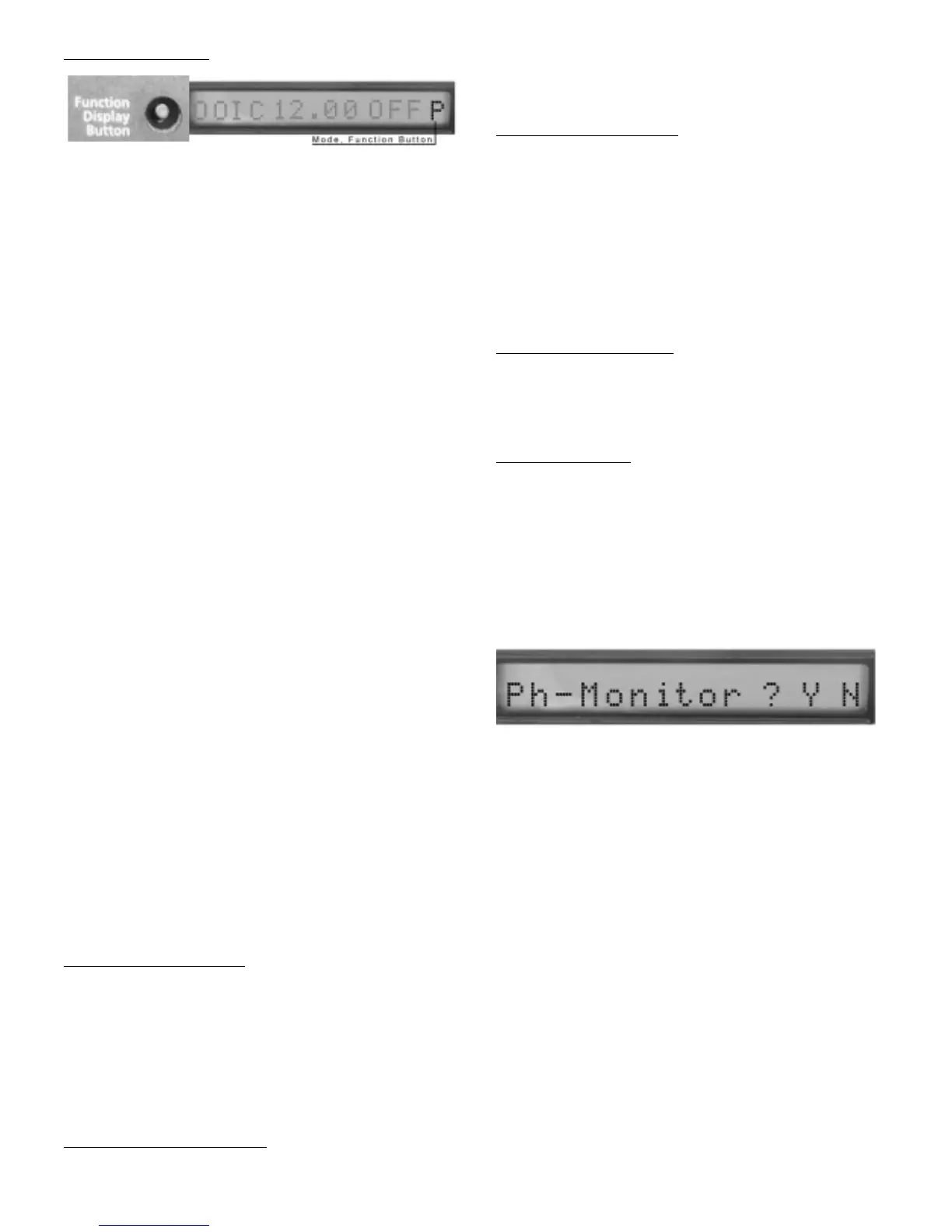
FUNCTION BUTT
ON:
When depressed and held, will allow user to perform a list of
functions. The last display digit will read an alpha character
and change about every 3 seconds, in addition you will hear
a beep each time the character changes. Release the func-
tion button when the display reads the function you would
like to run.
The following is a list of functions:
‘C’ – Clears alarms
Clears alarms that must be manually reset. If there are no
alarms currently active then NexPump will display that there
are no alarms to clear. Note: When you clear any alarms,
the auto notification system will automatically set a
counter so notifications will not occur for about one
hour since the system knows you are there.
‘S’ or ‘U’– Silence or UnSilence Alarm
Useful if power is out and you do not want to hear the alarm
for input power or pump(s) active.Automatically cleared after
24 Hours
‘U’ – Un-Silence alarm
Alarm will sound again
‘T’ – Will run manual self test.
(See Automatic and Manual testing)
‘N’ – Displays Serial Number.
‘A’ – Displays Firmware Revision and Option Code
‘M’ - Phone Monitor
‘R’ - Battery Reset.
‘I’ - Stats Information
‘D’ - Disable Alarm.
‘E’ - Re-Enable Alarm after being disabled.
‘-’ - Function end, no function will occur.
SILENCING THE
ALARM:
The alarm can be silenced for Normal Errors Only (See
Appendix). Critical errors can be silenced by disabling the
alarm as described below. To silence the alarm depress and hold
the function button and wait (about 3 seconds) for the last digit on
the display to change to ‘S’ then release function button. The alarm
is silenced for 24 hours and automatically enabled after that time.
Note: When the alarm is silenced the identifiers will blink
to notify which conditions are in the alarm state.
UNSILENCING THE
ALARM:
Repeat the above section on Silencing the alarm. Instead of
a ‘S’ displaying a ‘U’ will display.
DISABLING THE
ALARM:
The alarm can be disabled if needed. When disabled, the
alarm will not sound, however the display will toggle ‘ALDIS’
along with the battery voltage. To disable the alarm depress and
hold the function button and wait (about 25 seconds) for the last
digit on the display to change to ‘D’ then release function button.
The alarm is disabled for 5 days and automatically enabled after
that time.
Note: All Notifications will take place while the alarm is
disabled, disabling the alarm simply turns off the sound.
ENABLING THE
ALARM:
Repeat the above section on Disabling the alarm. Instead of
a ‘D’ displaying a ‘E’ will display.
PHONE MONIT
OR:
The Phone Monitor when enabled will alert you by sounding
the alarm that the NexPump unit can no longer sense that a
phone line is connected. The Phone Monitor is turned off by
default. The display will toggle ‘PHMON’ along with the bat-
tery voltage when this error occurs. To enable or disable the
Phone Monitor, depress and hold the function button and wait
(about 20 seconds) for the last digit on the display to change to ‘M’,
then release function button. The display will appear as below.
Press and hold the function button again, a blinking cursor
will toggle between the ‘Y’ and ‘N’. Release the function but-
ton and the system will save the current setting (about 10
seconds). This setting will remain in effect until changed,
even if the unit is powered off. Clear the alarm using the
function button ‘C’ option.
Auto Notification Module Installed:
Once the alarm is silenced for a Normal Error, the
Notification system will not provide Notification. However, if a
Critical Error where to occur during the silence period
Notification will occur. If the alarm is still active after the 24
hours silence period, the alarm again will sound and notifica-
tion will occur.
12



 To Next Page