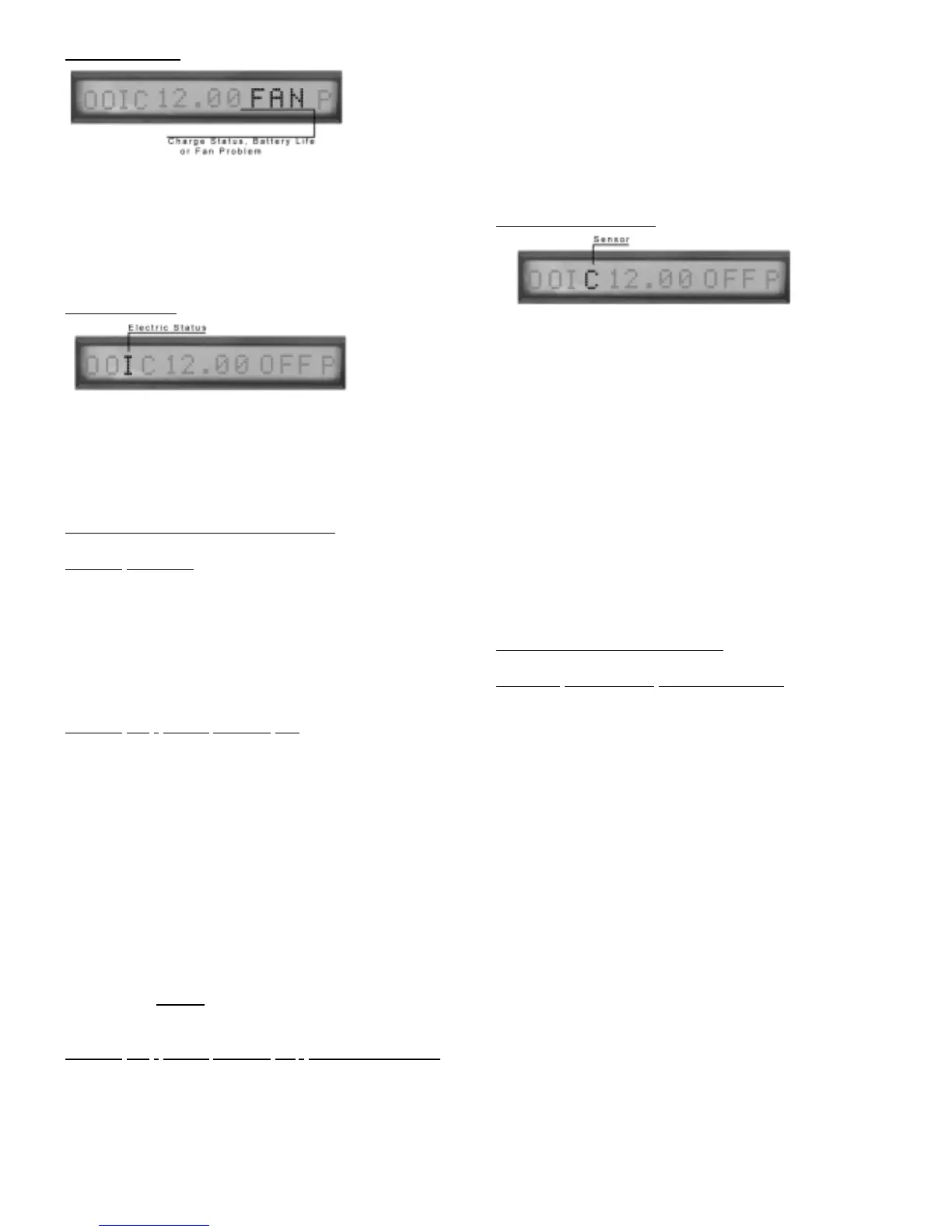
FAN PROBLEM:
‘Fan’ - Indicates a Case Fan Problem The ‘Fan’ indicator
alternates (about 3 seconds) with the Charge Status or
Battery Life.
Auto Notification Module Installed:
Notification will occur on a FAN Malfunctions.
INPUT
POWER:
Identifier is third display digit
Identifiers
‘O’ Input power is off
‘I’ Input power is on
Note: If identifier is blinking, alarm is in the silence mode
INPUT POWER TROUBLESHOOTING:
POWER FAILURE:
During an electric power outage your Nexpump will automati-
cally switch to battery power. The NexPump will display ‘O’
for the input power and sound an alarm. If the alarm is in
the silence mode the display digit will be blinking. When
power is restored the alarm will turn off automatically and an
‘I’ should be displayed for the input power.
POWER
ON - INPUT SHOWS ‘O’:
If the power is on in the rest of the house :
1. Check your circuit breaker or fuse box for failure and cor-
rect as necessary.
2. Check the power plug. Make sure it is securely plugged
into the wall socket.
3. Check a lamp or electric tester in the same outlet
the NexPump is plugged into. If the outlet is working for
another device then the power supply in the NexPump may be
defective.
4. If power supply is suspected detective, the NexPump unit
must be returned for repair.
IMPORTANT: The NexPump power supply in not field
serviceable. Do not
attempt to disassemble the
NexPump or power supply.
POWER
ON - INPUT SHOWS ‘O’ - INTERMEDIATELY:
1. Check if another appliance is plugged into the same outlet
as the NexPump Unit. The appliance may be drawing to
much power to run all the devices plugged into that outlet.
2. Unplug others appliances and check if problem is
resolved.
Auto Notification Module Installed:
Notification will occur on an electric power loss. If the alarm
was silenced within 5 minutes of the alarm, the notification
system will be postponed. If the alarm is still active after the
silence period ends the alarm can be silenced again. This
will also postpone the notification again.
SENSOR OPERA
TIONS:
Identifier is fourth display digit
Identifiers
‘C’ - Sensors are connected & operating normally
‘1’ - Sensor1 is disconnected
‘2’ - Sensor2 is disconnected
‘H’ - Sensor2 is activated (High Water Alert)(45 seconds)
‘D’ - Both Sensors are disconnected
Sensor 1 normally operates both pumps. When Sensor 1 is
activated Pump1 should turn on, while Pump 2 should turn
after a slight delay. Sensor 2 does not operate the same as
Sensor 1. Activating Sensor 2 you will hear a double beep
(No Alarm sounding) that will let you verify Sensor 2 is work-
ing properly.
Note: The black sensor should be used for Sensor 2, while
the Gray sensor should be used as Sensor 1.
SENSOR TROUBLESHOOTING:
SENSOR
DISPLAYING DISCONNECTED:
Verify the sensors are connected correctly and securely to the each
sensor receptacle. If the sensors are connected correctly, the sen-
sor may be defective.
Note: Anytime either sensor is disconnected the NexPump will
enter the Emergency Mode, which will operate both pumps
every 2 minutes. This is a safe guard mode since the NexPump
cannot sense the water level if the sensor is malfunctioning or
disconnected. If the backup sensor (sensor2) is activated the
NexPump enters a Special Emergency Mode. Both pumps will
run for 1 minute each 2 minutes if sensor2 remains active.
Auto Notification Module Installed:
Notification will occur on any sensor malfunctions. If the
backup sensor (sensor2) becomes active the NexPump will
provide immediate Notification since this is also considered a
high water alert.
14



 To Next Page