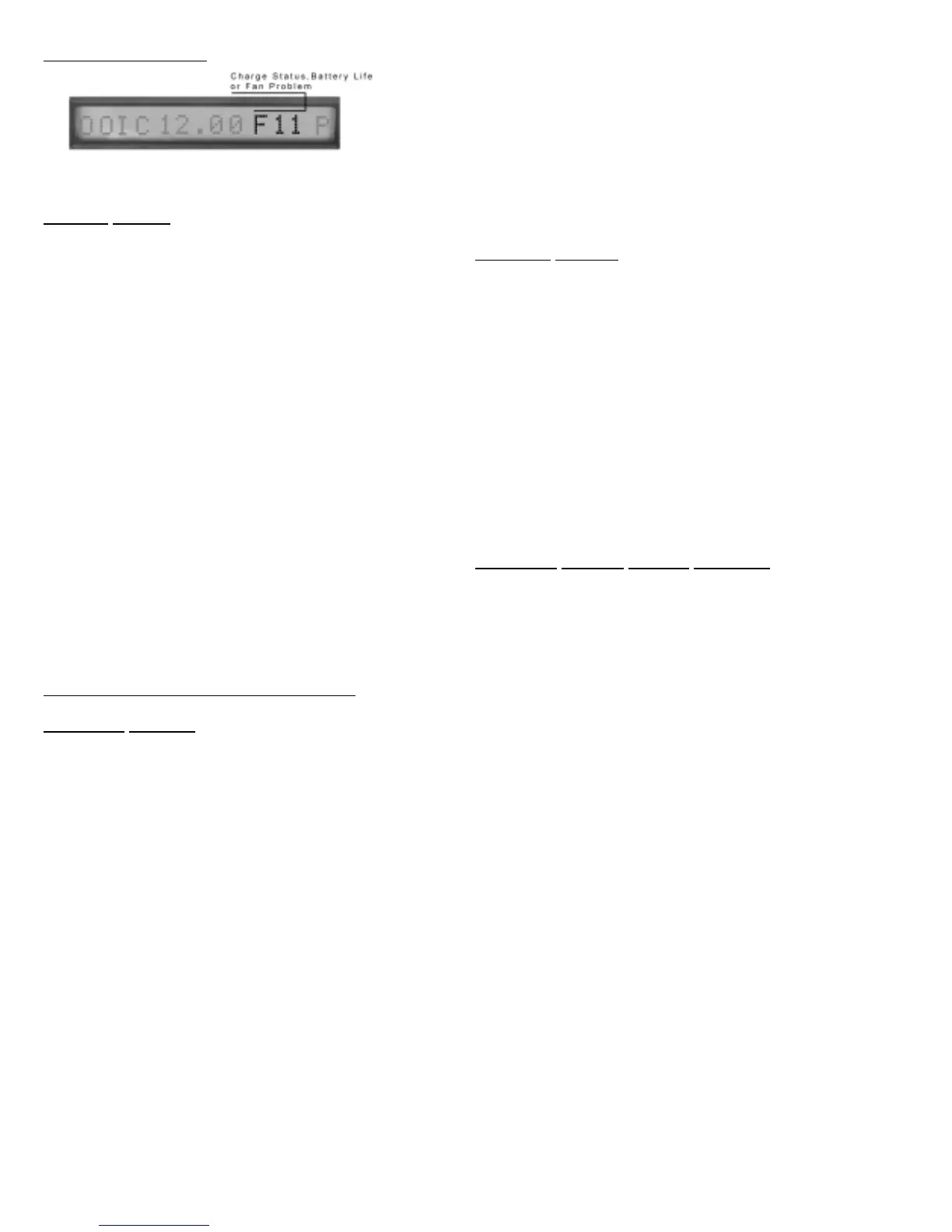
CHARGE OPERATION:
The display digits 12-14 represent the charge status, battery life
remaining when operating on the battery or a Fan problem.
CHARGE STATUS
Note: The ‘xx’ indicates charge rate
‘Off’ Charge is OFF, battery is fully charged
‘Fxx’ Indicates the Full charge mode
‘Txx’ Indicates the Trickle charge mode.
‘Mxx’ Indicates the ‘Maintain Mode’
‘Dis’ Charge is disabled.
The charge disables for the following reasons:
Battery is disconnected, Input power is off, Both pumps are in
use.
‘ttS’ The count in seconds when the charge system will
start. This allows time for the battery to be reconnected
before the charge starts again.
‘FL1’ or ‘FL2’ Charge system failed:
Verify battery and electric connections.
Check Charge Fuse and replace, if needed
Run manual test - if failed condition still exists
unit may be defective.
CHARGING SYSTEM TROUBLESHOOTING:
CHARGING SYSTEM:
The NexPump has a built in automatic 20 amp battery charger. It
is protected by a 25 amp Fuse inside the unit. The charging cir-
cuit is disabled anytime the battery or electric power is discon-
nected or if both pumps are operating. The charge states can
be ‘Off’, ‘Full’, Trickle’ and ‘Maintain Mode’. When the charge
is started the display will show ‘Fxx’, where the ’xx‘ is the
actual charge rate in amps. The charge is automatically moni-
tored at all times. After a full charge is complete the
NexPump unit will go into a trickle charge mode. The display
will show ‘Txx’ where the ‘xx’ is the charge rate. When the
Trickle mode is complete, the NexPump will go into the
‘Maintain Mode’. In the ‘Maintain Mode’ charge rates can be
very low and may even display ‘M00’ for extended times.
IMPORTANT: If you need to disconnect the battery or turn off
the NexPump unit while charging is in progress, first remove
the battery cables. This will disable the charging unit. After
the charging system is disabled you can unplug the electrical
power cord. The NexPump will remember what state the
charge system was in and re-enable the charging state to the
condition is was when the unit was turned off. After re-con-
necting the battery the NexPump will show a count down
from 30 seconds to allow you some time to re-connect the
battery before the charge system starts again.
When the battery has reached its maximum charge the
NexPump unit will automatically turn off the charging system.
During automatic and manual tests the charge system is test-
ed. The charge system is not tested while the electrical
power is off or if the battery is disconnected. During these
events the charge system is automatically disabled. If the charge
system fails in any way the display will show ‘FLx’ in the charge
status area and an alarm will sound.
CHARGER
FAILURE:
In the event of a charge failure do the following:
1. Reset Charge Error
2. Verify battery and electrical connections.
3. Run a manual test to check the system again.
4. If Charge Fails again, Check Charge System Fuse (Replace
as necessary)
5. If charge system still indicates ‘FLx’ then the NexPump
unit may be defective.
Note: If the battery is completely discharged the
NexPump may display the battery disconnected then
count down from 5 seconds. This may cycle until the bat-
tery is at a sufficient level to start the full charge mode. This will
prevent an overload to the charge system or battery.
CHARGING
SYSTEM CIRCUIT BREAKER:
The charging system is protected by a 25 Amp ATC Type Fuse. The
fuse is located inside the NexPump unit and can be accessed by the
panel on the bottom. The power should be removed before attempt-
ing removal of the panel. The charger fuse is located in the middle of
the circuit board and is clear plastic with a 25 stamped on it. If a fuse
blows, check for possible shorting or frayed battery cables. Run a
manual test to check the charge system again. If the charge system
fails again the unit or battery may be defective.
Auto Notification Module Installed:
Notification will occur on a charger failure.
11



 To Next Page