CAMERA - PARTS & CONTROLS (CONTD.)
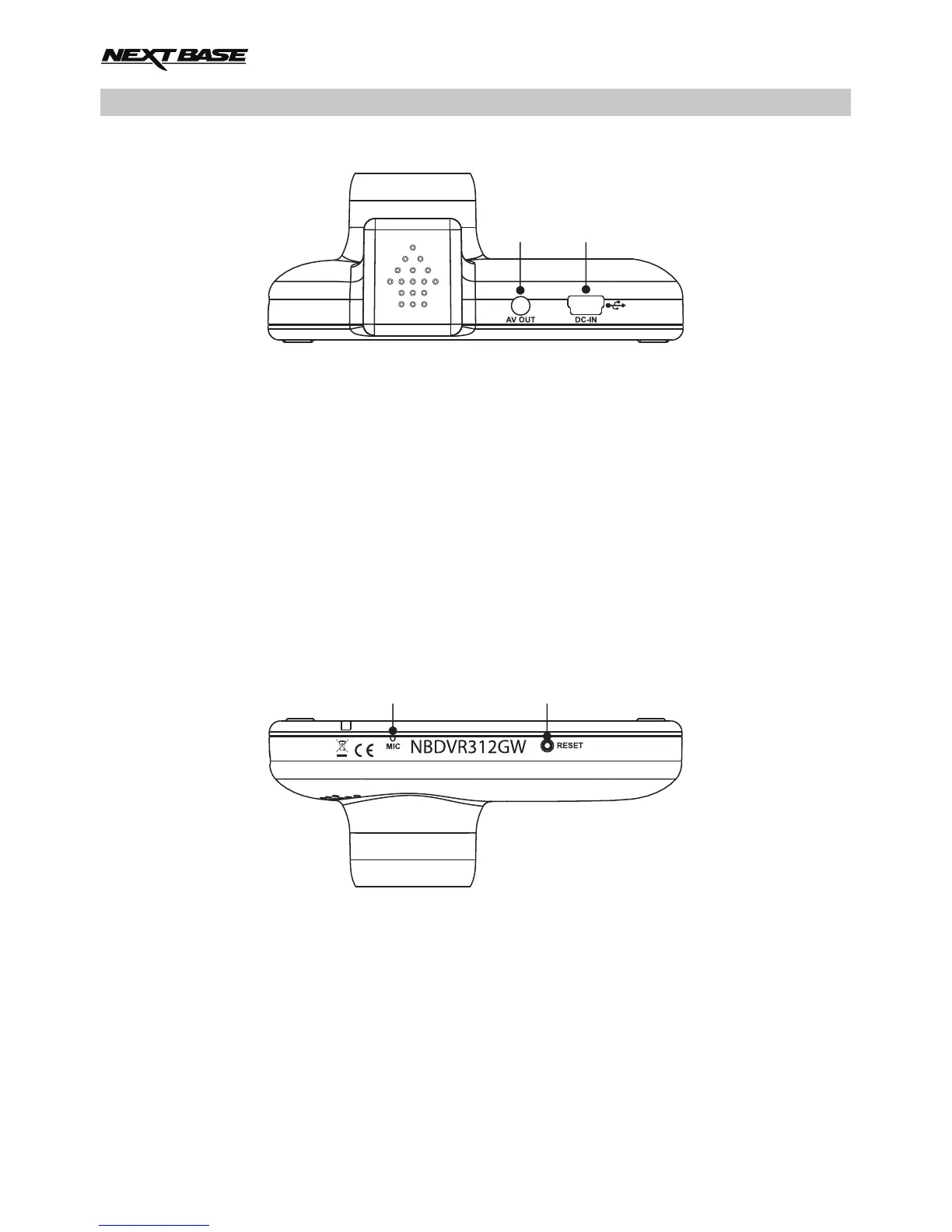
Top:
13. AV Out socket
Used to connect your iN-CAR CAM to a television using an AV Cable (sold separately).
14. DC-IN & USB socket
Connect the supplied car power cable or USB data cable here.
Note:
- Normally the car power cable is connected to the mount when in use, not directly to
this socket.
Bottom:
15. Microphone
Integral microphone for audio recording.
16. Reset button
In the unlikely event the iN-CAR CAM becomes unresponsive, press the RESET button to
restart the iN-CAR CAM.
1413
1615
12



 To Next Page