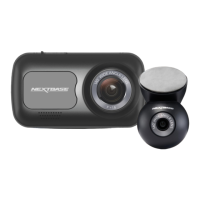
Please read this guide before setting up or using
your Nextbase Piqo Dash Cam. Your health and
safety are our priority, failure to follow these
instructions could lead to injury and a poor user
experience.
For Your Safety
03
Use your Piqo as instructed in this guide.
Do not interact with your Piqo while driving, distractions
while driving can lead to serious injuries.
Do not mount your Piqo in front of the driver, Piqo must
not obstruct the drivers line of sight. Mount outside
sight-lines to the roads, highway signs and signals.
When installing Piqo in a vehicle, always place the
device securely against the windscreen and where
possible conceal the power cable under trim.
Make sure that the Dash Cam power cable does not
interfere with the driver’s operating controls, such as
the steering wheel, pedals or gear levers.
Do not mount the Dash Cam in front of an airbag field
of deployment or in a position to obscure any mirrors.
Clean the windscreen at the point of location, prior to
fitting the Dash Cam.
Download the Nextbase App to use your Piqo and
ensure you enable all permissions as these are
required for your Dash Cam and Nextbase App to work.
Have some questions?
More Piqo Info
Click here for more useful information, FAQs and videos



 To Next Page