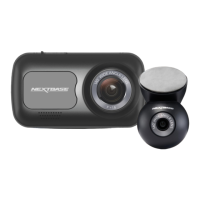
Adhesive Mount
Peel off the adhesive
backing when you are
ready to attach your
Piqo to your windscreen.
Lens
Adjust the camera so the lens is
pointing straight out of the front
windscreen. Ensure the area in
front of the lens is clean and
free of scratches. Ensure not to
damage the lens as this may
affect recording quality. Your
Piqo should not obstruct the
view of the driver.
USB-C Connector
Connect the
power cable here.
07
Dash Cam Parts
Overview



 To Next Page