138
nextel.com
Choosing a Palette
The Palette option enables you to choose a palette, or set of colors, for your
phone display screens. Six palettes are available, including a monochromatic (or
gray scale) palette.
Changing the Look of the Main Menu
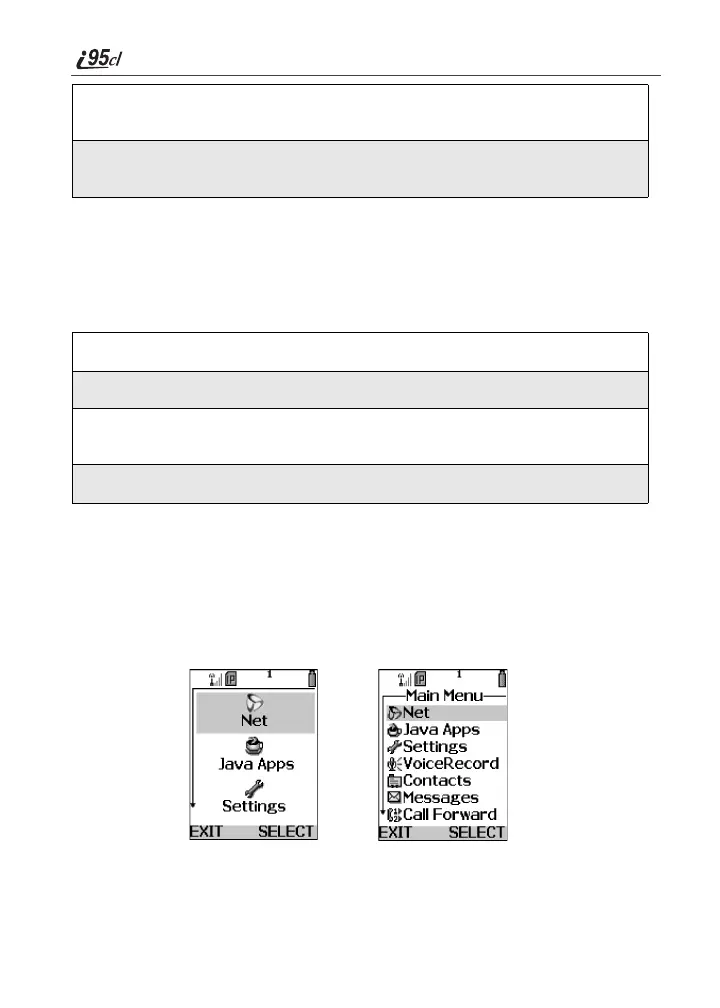
The Main Menu option enables you to change the look of your main menu. You
can set your main menu to appear as a list or as large icons.
• Icons On—sets your main menu to appears as large icons.
• Icons Off - List—sets your main menu to appears as a list.
3
Press T to increase or decrease screen contrast. Your phone’s external
display screen shows the new contrast.
4
When you have set the display to the contrast you want, press C under
OK to choose that contrast.
1
From the Display screen, press R to scroll to Palette.
2
Press C under CHNGE.
3
Press S to scroll through the list of palettes. Your phone’s internal
screen will display the highlighted palette.
4
Press C under SELECT to choose the highlighted palette.
Icon OffIcon On



 To Next Page