37
Phonebook Entries and Speed Dial Numbers
Phonebook Entries and Speed Dial Numbers
Your Phonebook can store multiple numbers to a single name. For example, you
can enter someone’s name into your Phonebook once and then add that person’s
home, office, mobile phone, and fax numbers to the name. You can store up to
seven phone numbers, a Private ID, and an IP address.
Each number stored in your Phonebook is automatically assigned a Speed Dial
number that corresponds to its location in your Phonebook. Each phone number
uses one Speed Dial location, even if it is assigned to the same name as other
phone numbers. The phone number stored in location 1 is assigned Speed Dial
number 1, the phone number stored in location 2 is assigned Speed Dial number
2, and so forth, to location 250.
NOTE: Private IDs and Talkgroup numbers do not have associated Speed Dial
numbers.
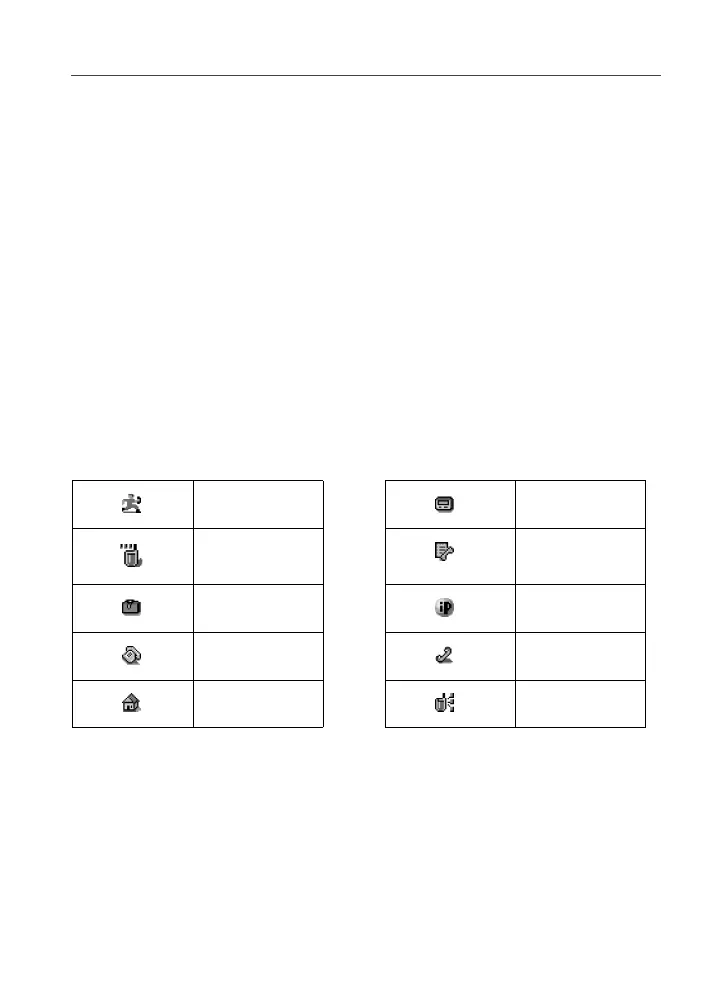
Phonebook Icons
Icons that appear to the right of entries in your Phonebook convey information
about those entries. When you enter a number in your Phonebook, you can
designate the number’s type using any of the following icons:
NOTE: The Mobile icon automatically appears to the right of the first number
assigned to a name unless you choose another icon.
For more information on entering numbers into your Phonebook, see “Adding
Phonebook Entries” on page 40.
Mobile Pager
Private ID Fax
Work IP Address
Main Other
Home Talkgroup



 To Next Page