34
nextel.com
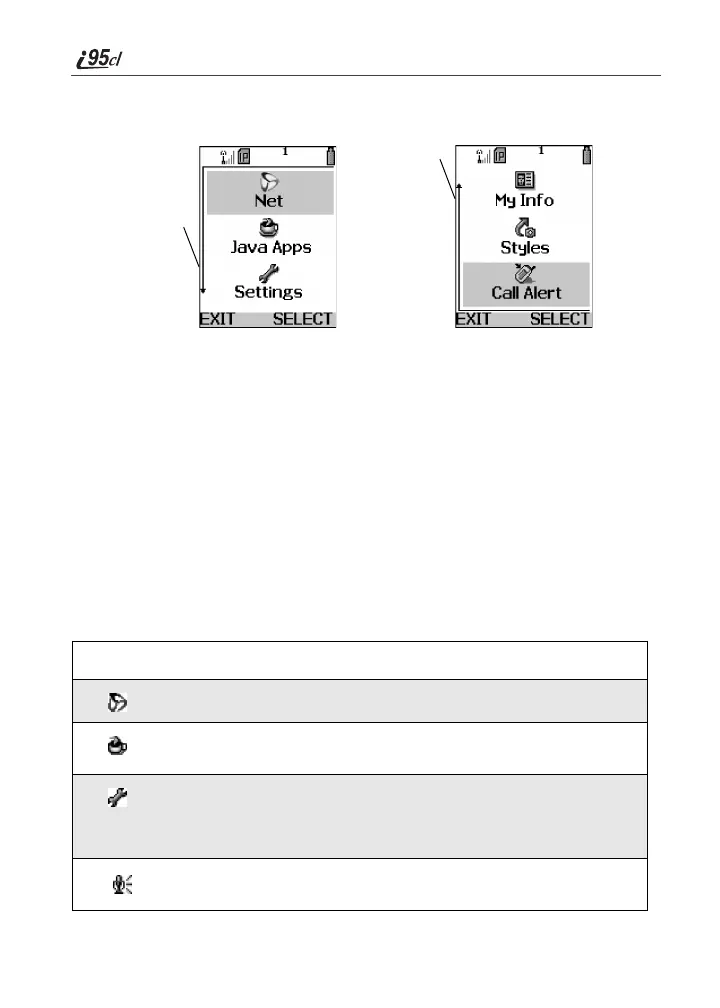
If more items are in a menu or list than can be displayed in the text area, a down
arrow or up arrow appears on the left side of the screen, indicating that more
options may be accessed by scrolling up or down.
Main Menu Options
You can set your main menu to appear as a list or as large icons (see “Changing
the Look of the Main Menu” on page 138). By default, the main menu options
appear in the order shown in the table in this section. You can change the order
in which they appear by using the Personalize feature (see “Reordering Main
Menu” on page 143).
The first seven items on your main menu appear together on the main menu
screen, followed by the More option. To view the other main menu items, select
the More option.
NOTE: Throughout this User’s Guide, instructions for accessing main menu items
assume the item being discussed is one of the first seven items. In reality, you
may have to select the More option to access the main menu item.
To access the main menu, press q from the idle screen.
Menu Item Use to ...
Net
Browse the Internet using Nextel Online.
Java Apps
Run pre-installed and download custom Java
applications on your phone.
Settings
Customize your phone: Ring/Vibe, Display,
Phone Setup, In Call Setup, Security,
Personalize, Initial Setup, Voice Volume, and
Talkgroup Settings.
Voice Record
Record personal messages or phone calls to
play back at a later time.
Down arrow
Up arrow



 To Next Page