31
Status Icons
The icon of the main menu feature in use always appears in the top left of the
status icon rows. For a list of the main menu icons, see “Main Menu Options” on
page 34.
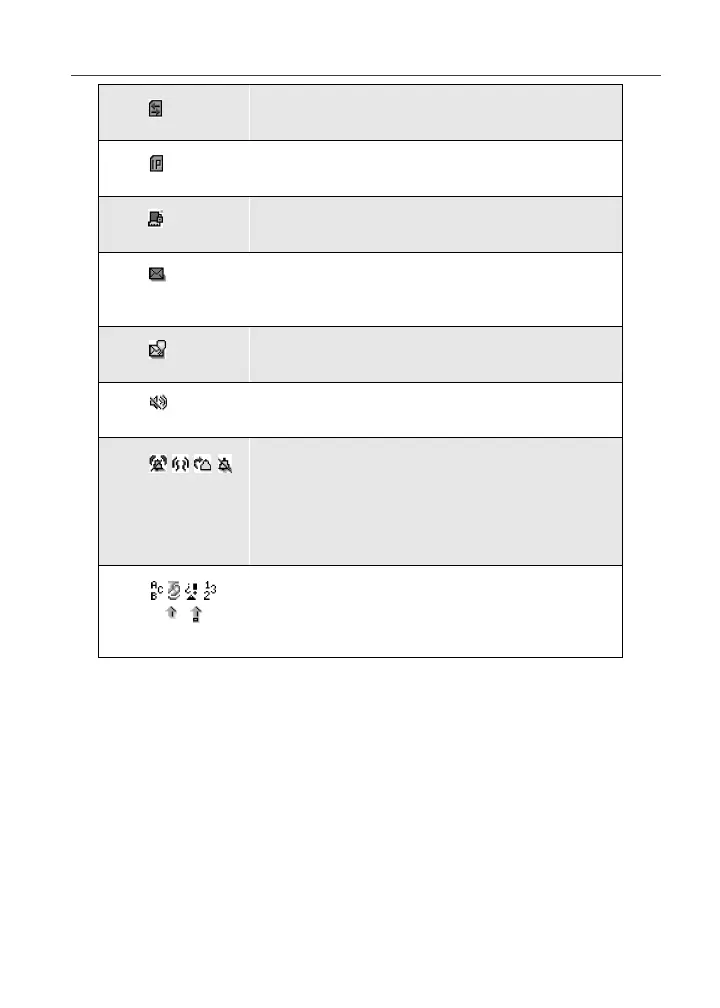
Packet Data Activity — phone is
transmitting data.
Mobile IP — phone is ready to access
Nextel Online.
Secure Data — phone is accessing the
Internet using a secure connection.
Text Message — you have one or more
Text Messages, Net Alerts, or FaxMail
messages.
Voice Mail — you have one or more Voice
Mail messages.
Speaker Off — phone’s speaker is off.
Ring/Vibe icons — you have customized
the way in which the phone is set to notify
you when you receive calls and other types
of messages. See “Ring Style and
Notification Type” on page 134 for more
information.
T9 Text Input icons — you are using T9
Text Input to enter text. See “Using T9®
Text Input” on page 21 for more
information.



 To Next Page