RESETTING TO FACTORY DEFAULTS
• The Nexus 8 incorporates non-volatile memory which retains all access
codes and pre-programmed settings.
• If the user forgets their access codes or the default factory settings are
to be returned, the memory has to be completely reset.
To Reset Codes
• Remove mains power, open cover and disconnect battery
• Remove auxiliary fuse.
• Apply mains, reconnect battery and replace auxiliary fuse. All codes
are now reset.
To Reset Factory Program Settings
• Default factory program settings are returned by programming zone
option 91 (See programming guide p.18)
23
DEFAULT FACTORY CODES
Engineer Code 7890
Master User Code 1234
Normal User Code Disabled
DEFAULT FACTORY SYSTEM OPTIONS (p.20)
Full Set Entry Time 30sec
Full Set Exit Time 30sec
Part Set 1/2 Entry Time 30sec
Part Set 1 Exit Time 30sec
Part Set 2 Exit Time 0sec
Bell Cut Off Time 15min
Part Set 1/2 Volume 0
Chime Volume 5
System Re-Arms 3
Part Set Mode 0
Strobe Confirm Set 0
Number of Keypads 1
Reset Mode 0
Keypad PA Buttons 15
RESETTING TO FACTORY DEFAULTS
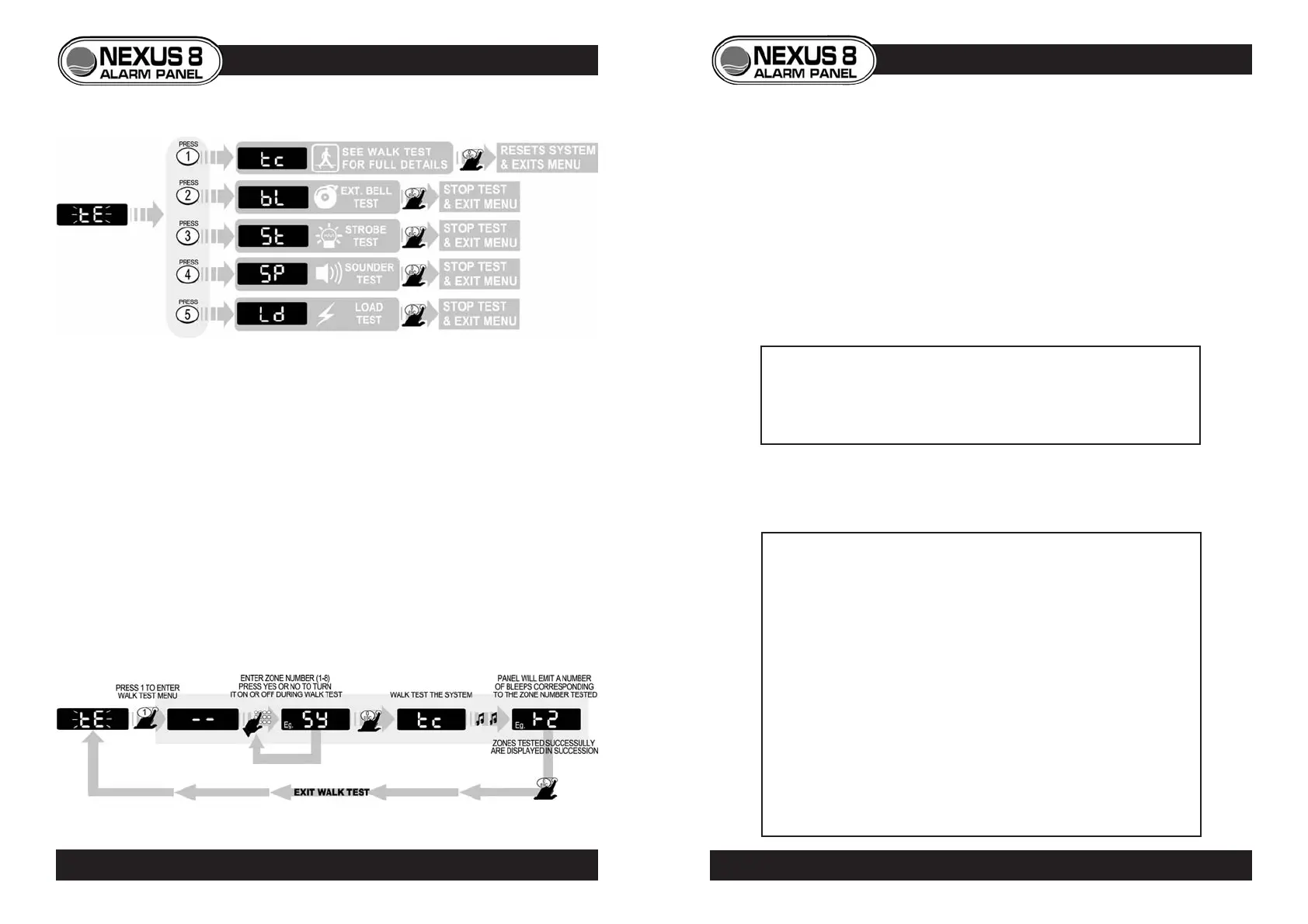
SYSTEM TEST
LOAD TEST
• Bell, strobe and internal sounder outputs are activated.
• This allows the engineer to perform voltage load measurements on
all cables in order to comply to NACOSS requirements.
WALK TEST
• Zones can be turned on or off to avoid unwanted triggers by others
during test.
• The successful test of each zone is met with both confirmation
bleep(s) and keypad display
22
SYSTEM TEST
© Lynteck Ltd. 1998 LY68-030-68



 To Next Page